
Laser Cutting Software: A Complete Guide for Beginners and Professionals
August 11, 2026
Embrilliance Software: The Complete Guide to Embroidery Digitizing
August 12, 2026
Every workshop that cuts bars, pipes, tubes, or lumber faces one common problem: wasted material. Material nesting software for length of material solves this by calculating the smartest way to cut stock pieces into required lengths.
Instead of guessing or manually calculating cutting patterns on paper, this software uses mathematical logic to reduce leftover scrap. It saves money, saves time, and keeps production organized. Small workshops and large factories both benefit from using this type of planning tool, regardless of the material type they work with.
What Is Material Nesting Software for Length of Material
This section explains the basic meaning of the tool before going deeper. It helps readers understand why length-based cutting planning is different from regular design software.
Definition and Purpose
Material nesting software for length of material is a planning tool that arranges required cut lengths within available stock lengths. Its main purpose is to reduce leftover scrap by finding the most efficient combination of cuts.
The software works with numbers instead of shapes, since length-based cutting only deals with one dimension.
Why Length-Based Nesting Is Different
Unlike sheet or fabric nesting, which deals with width and height together, length-based nesting only measures one dimension, the length.
This makes the calculation simpler but still requires smart logic to avoid waste. Businesses working with bars, pipes, or beams rely heavily on this simplified but powerful approach.
Industries That Rely on This Software
Metal fabrication shops, furniture makers, pipe manufacturers, cable companies, and construction firms all use this software daily.
Each industry has different stock lengths and cutting rules, but the underlying goal stays the same. The software adapts to different units, materials, and machine requirements across these industries.
Understanding the Cutting Stock Problem
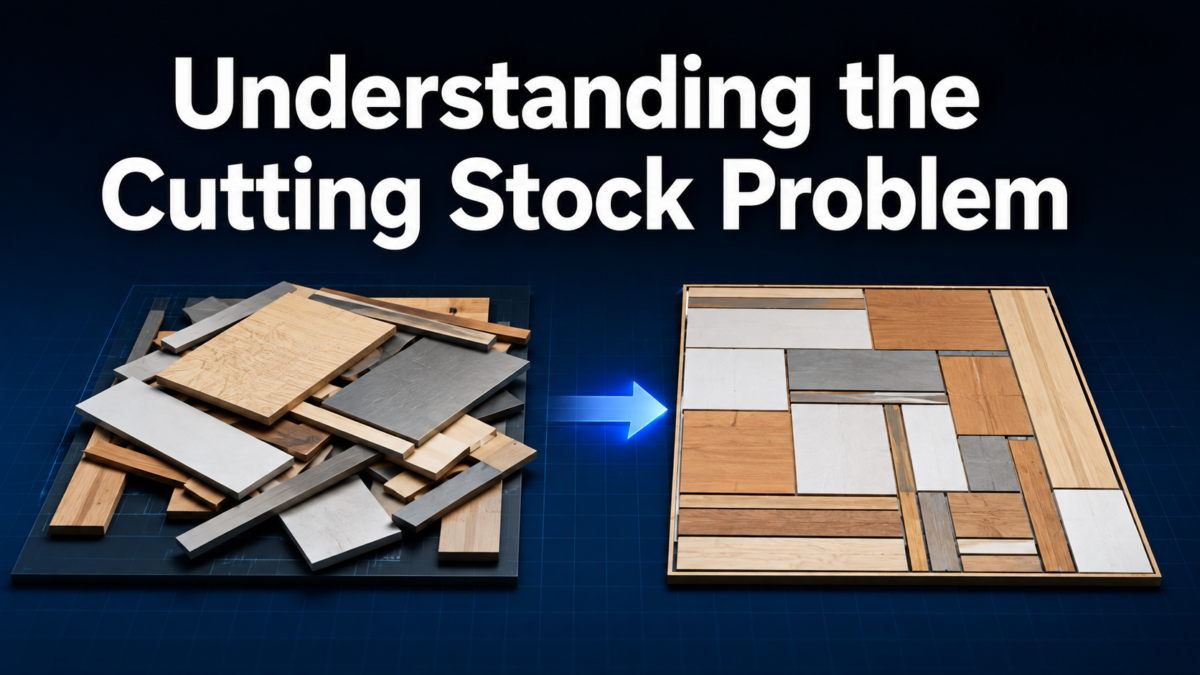
Before using any nesting tool, it helps to understand the mathematical problem it solves. This background makes the software’s logic easier to trust and use.
What the Cutting Stock Problem Means
The cutting stock problem is a classic optimization challenge where a fixed stock length must be divided into smaller required pieces with minimum waste.
It has existed in manufacturing math for decades, long before computers were used to solve it. Modern material nesting software for length of material automates this exact calculation instantly.
Key Terms Every User Should Know
Understanding a few terms makes the software much easier to use. Stock length refers to the raw material size available for cutting, while kerf is the material lost due to the cutting blade width.
Offcut means the leftover piece after cutting, and yield refers to how much usable material is produced from the stock.
How Waste Happens Without Proper Planning
Without a structured cutting plan, workers often cut pieces in a random order, leaving unusable short scraps behind. Over time, this manual guesswork adds up to significant material loss. Nesting software prevents this by calculating exact cutting sequences that minimize unused offcuts.
How Material Nesting Software Works
This part explains the actual working process behind the software. It shows how raw data is converted into a usable cutting plan.
Input Data Required
Users enter the list of required piece lengths along with quantities and the available stock lengths. Some tools also allow entering machine-specific limitations, such as maximum cut count per bar. Accurate input directly affects the accuracy of the final cutting plan.
Optimization Methods Used
The software applies mathematical methods like linear programming, greedy algorithms, or genetic algorithms to find the best cutting combination.
Each method balances speed and accuracy differently depending on the complexity of the job. Larger cutting lists usually need more advanced optimization logic to stay efficient.
Output and Reports Generated
Once processed, the software generates a clear cutting pattern showing which pieces come from which stock bar. It also displays waste percentage, total material used, and sometimes printable labels for each cut piece. These reports help supervisors track efficiency across different production runs.
Benefits of Using Nesting Software
This section highlights why businesses invest in this type of software. The benefits go beyond just saving material.
Material Cost Savings
Since the software finds the most efficient cutting combination, less material is wasted overall. Over months of production, this directly lowers raw material purchase costs.
Even a small percentage improvement in yield can create noticeable savings for large-scale operations.
Reduced Manual Planning Time
Manually calculating cutting patterns takes time and is prone to human error. Material nesting software for length of material completes this task within seconds, freeing up staff for other responsibilities. This speed becomes especially valuable when handling large or frequently changing order lists.
Improved Accuracy and Consistency
Automated calculations remove guesswork from the cutting process, leading to consistent results every time. Workers no longer need to rely on personal judgment for complex cutting orders. This consistency also makes quality control and reporting much easier for management teams.
Features to Look For
Not all nesting tools offer the same capabilities. This section outlines the features that matter most when comparing options.
Kerf and Trim Adjustment
A good tool allows users to input exact kerf and trim values based on their cutting equipment. This ensures the calculated pattern matches real-world cutting results. Without this feature, actual waste can differ significantly from the software’s predictions.
Multiple Stock Length Support
Many projects use different stock lengths at the same time, so the software should handle mixed inventory smoothly. This flexibility allows better use of existing stock before ordering new material. It also helps businesses manage leftover offcuts from previous jobs.
Reporting and Export Options
Useful software should export cutting lists to Excel, PDF, or direct printer formats for shop floor use. Some advanced tools also integrate with ERP systems for automatic inventory updates. Clear reporting keeps everyone on the same page from planning to production.
Types and Popular Software Options
There are different categories of nesting tools depending on business size and budget. The table below gives a simple comparison.
| Software Type | Example Tools | Best Suited For |
| Free or Open-Source | Basic CSP calculators | Small workshops, occasional use |
| Budget Commercial | Cutlist Plus, MaxCut | Small to mid-size businesses |
| Industrial Grade | SigmaNest, OptiCut | Large manufacturing plants |
| Custom Solutions | Excel or VBA-based tools | Businesses with unique cutting rules |
Free and Open-Source Tools
These tools are ideal for beginners or small workshops that cut material occasionally. They offer basic functionality without added cost, though features and support remain limited. Many small businesses start here before upgrading to paid options.
Commercial and Industrial Software
Paid tools like Cutlist Plus, MaxCut, and SigmaNest offer advanced features such as ERP integration and detailed reporting. These are designed for businesses with regular, high-volume cutting needs. The higher cost is usually justified by long-term material savings.
Custom Built Solutions
Some companies build their own spreadsheet-based or coded solutions tailored to specific cutting rules. This approach works well when standard software does not match unique business requirements. However, it requires technical knowledge to build and maintain properly.
Industry-Specific Use Cases
Different industries apply the same core software concept in different ways. This section briefly shows how it fits each field.
Metal Fabrication and Construction
Metal shops use this software to cut bars, angles, and rebar with minimal offcut waste. Construction projects often involve large quantities of standard length steel, making optimization especially valuable. Accurate cutting also reduces on-site material shortages.
Woodworking, Pipe, and Cable Industries
Furniture makers use nesting software to plan lumber cuts for consistent piece sizes. Pipe manufacturers and cable companies apply the same logic to reduce leftover tubing or wire. Each industry adjusts units and kerf values according to their specific material type.
How to Choose the Right Software
Selecting the right tool depends on business size, budget, and technical needs. This section offers guidance for making that decision.
Assessing Business Needs and Budget
Businesses should first evaluate how frequently they cut material and how complex their orders usually are. Occasional users may only need a free tool, while high-volume manufacturers benefit more from industrial software. Budget should always be balanced against expected material savings.
Ease of Use and System Integration
The chosen software should be simple enough for shop floor workers to operate without extensive training. Integration with existing inventory or ERP systems is also important for larger operations. A tool that fits smoothly into current workflows saves time during setup.
Step-by-Step Workflow
This section briefly walks through how the software is typically used in daily operations.
Entering Data and Running Optimization
Users begin by entering stock lengths, required cut sizes, and kerf values into the system. After entering the cutting list, the software runs its optimization process automatically. Within moments, a complete cutting plan is generated and ready for review.
Reviewing and Applying Results
Once the plan is ready, supervisors review the waste percentage and adjust settings if needed. The finalized cutting list is then printed or sent directly to cutting machines. This structured process keeps every cutting job consistent and traceable.
Common Mistakes and Future Trends
A brief look at avoidable errors and where this technology is heading next.
Mistakes to Avoid
Many businesses ignore kerf loss or forget to update stock inventory before running calculations. These small oversights can lead to inaccurate cutting plans and unexpected material shortages. Regularly updating input data prevents most common planning errors.
Emerging Trends in Nesting Technology
Future versions of material nesting software for length of material are moving toward AI-based optimization and cloud access. Integration with smart cutting machines is also becoming more common in modern factories. These trends aim to make the entire cutting process faster and more automated.
Conclusion
Material nesting software for length of material offers a practical way to reduce waste and improve cutting efficiency across many industries.
From free tools to industrial-grade systems, businesses can choose an option that matches their scale and budget. Comparing available tools carefully ensures the best fit before committing to any specific solution.
FAQs
Is nesting software only useful for large industries?
No, even small workshops benefit from reduced material waste and faster planning using basic nesting tools.
Can Excel replace dedicated nesting software?
Excel can work for simple cutting lists, but dedicated software handles complex optimization more accurately and quickly.
How much material can this software actually save?
Savings vary by project, but even small waste reduction percentages add up significantly over regular production cycles.
Is free nesting software reliable for daily use?
Free tools work well for occasional or small-scale cutting needs, though paid options offer more advanced features for regular use.
Related Articles
ATEN CC2000 Lite Plus Pack Centralized Management Software
Software TM1 : A Complete Guide to IBM Planning Analytics
Fleet Software Management: The Complete Guide


