
Software TM1 : A Complete Guide to IBM Planning Analytics
July 27, 2026
CHIRP Radio Software: Complete Beginner-Friendly Guide 2026
July 27, 2026
Managing scattered IT equipment across different rooms, floors, or branch offices can quickly turn into a headache for any technical team. The aten cc2000 lite plus pack centralized management software was built to solve exactly this kind of problem by pulling every connected device into one single, easy-to-use dashboard.
Instead of logging into ten different tools to check ten different machines, administrators get one login and one clear view of their entire setup. This particular pack, known by its model code CC2000-LS, supports up to 256 nodes under a single primary server, making it a practical middle-ground choice for growing businesses.
In the sections below, we will walk through what this software actually does, how it works, and why so many IT teams rely on it daily.
What Is ATEN CC2000 Software?
ATEN CC2000 is a centralized platform that brings KVM switches, PDUs, and console servers together under one roof. It removes the need to jump between separate management tools for each device type.
The Core Idea Behind CC2000
At its heart, CC2000 exists because IT environments rarely use just one type of hardware. A typical data center might have KVM switches from one era, PDUs added later, and console servers installed for remote troubleshooting.
Without a unifying tool, keeping track of all these pieces becomes messy and time-consuming for the people responsible for them.
Where the Lite Plus Pack Fits In
ATEN sells CC2000 in several tiers, and the Lite Plus Pack sits just above the entry-level Lite Pack. While the basic Lite Pack supports 128 nodes, the Lite Plus version doubles that capacity to 256 nodes under one primary server.
This makes it suitable for organizations that have outgrown the smallest package but do not yet need the redundancy of larger, multi-server packs.
Understanding the CC2000 Product Family
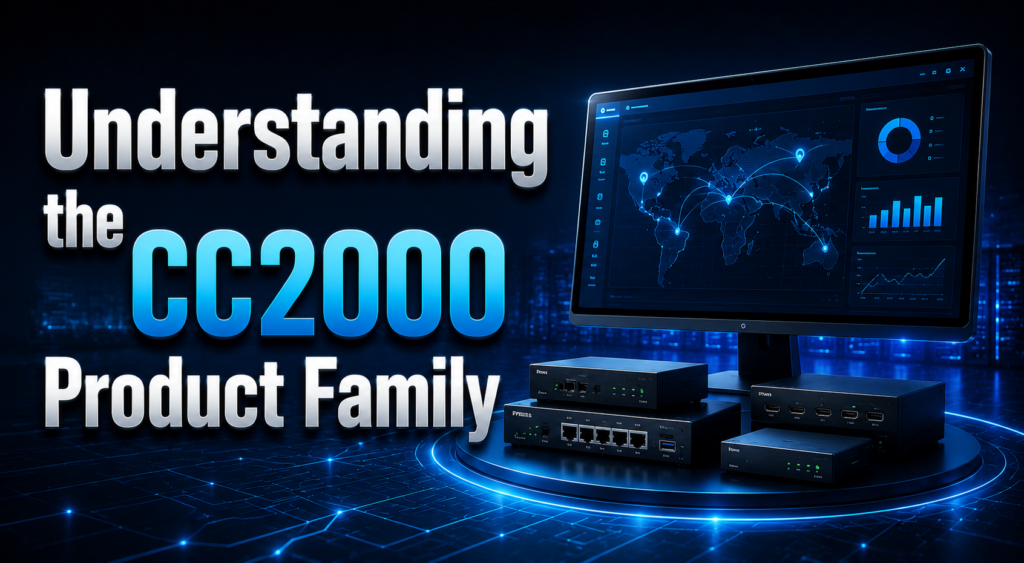
ATEN does not offer a single version of this software; instead, it comes in multiple packs sized for different business needs. Knowing where each pack stands helps buyers pick the right one without overspending.
Comparing the Different Packs
The table below lays out how the packs differ in terms of servers and node capacity, which is the main factor buyers consider when choosing a license.
| Pack Name | Model Code | Primary/Secondary Servers | Node Capacity |
| Lite Pack | CC2000-LE | 1 Primary | 128 Nodes |
| Lite Plus Pack | CC2000-LS | 1 Primary | 256 Nodes |
| Standard Pack | CC2000-SD | 1 Primary / 1 Secondary | 512 Nodes |
| Plus Pack | CC2000-PS | 1 Primary / 5 Secondary | 2048 Nodes |
| Premium Pack | CC2000-PM | 1 Primary / 9 Secondary | 5120 Nodes |
| Platinum Pack | CC2000-PL | 1 Primary / 15 Secondary | Unlimited |
| Maximum Pack | CC2000-MX | 1 Primary / 31 Secondary | Unlimited |
Add-On Licenses for Scaling Up
If a business later finds that 256 nodes is not enough, ATEN allows additional node licenses to be purchased separately rather than forcing a full upgrade to a bigger pack. These add-ons come in small and large batches, ranging from just one extra node up to ten thousand extra nodes, giving companies room to grow gradually instead of jumping tiers all at once.
Core Purpose and Value of Centralized Management
The whole point of centralized management software is to save time and reduce the chances of human error. When every device sits behind one portal, technicians spend less time hunting through separate systems and more time actually solving problems.
Why Scattered Management Creates Problems
When a company relies on separate tools for each device brand or type, IT staff end up remembering multiple passwords, multiple interfaces, and multiple sets of logs. This scattered approach makes troubleshooting slower, especially during outages when speed matters most. It also increases the risk that something gets missed simply because nobody was watching that particular tool at the right moment.
How Single Sign-On Changes the Workflow
With the aten cc2000 lite plus pack centralized management software, a single set of login credentials grants access to KVM switches, serial console servers, PDUs, and even third-party devices like virtual machines. This single sign-on approach means less time spent switching contexts and more consistency in how devices are monitored and controlled across the board.
Key Features Breakdown
CC2000-LS packs in a wide set of features that go beyond simple device switching. These features touch on usability, security, monitoring, and reliability all at once.
Unified Device Management
The software’s biggest strength is bringing different hardware types under one interface. KVM over IP switches, serial console servers, and intelligent PDUs all show up in the same dashboard, alongside third-party equipment such as embedded service processors and virtual servers. This means a technician does not need separate training or separate tools depending on which brand of device they happen to be touching that day.
Dashboard and User Interface
The interface runs on HTML5, which keeps things fast and accessible from a standard web browser without extra plugins. Task-based navigation and simplified menus mean that even staff who are new to the system can find what they need without digging through complicated settings. A standout feature here is Panel DynaArray mode, which lets users view multiple device outputs in separate panels on a single screen, useful when monitoring several servers at once.
Authentication and Access Control
Security starts at the login screen, and CC2000-LS supports several enterprise-grade authentication methods including Windows AD, LDAP, Kerberos, RADIUS, and TACACS+. On top of this, administrators can restrict access based on IP or MAC address, set strong password policies, and configure lockout rules after repeated failed login attempts, adding extra layers of protection against unauthorized access.
Redundancy and Reliability
While the Lite Plus Pack itself only includes one primary server without a secondary, the underlying CC2000 architecture is built around redundancy concepts that matter as businesses scale up. Automated database backups and real-time updates help ensure that data is not lost even in smaller single-server deployments, and this same foundation carries over cleanly if a business later upgrades to a pack with secondary server support.
Security Features
Beyond login protections, CC2000-LS applies TLS v1.2 encryption to protect data in transit and supports RSA 2048-bit certificates for secure connections. It can also work with certificates signed by third-party certificate authorities, which is often a requirement in regulated industries. All activity across connected devices gets logged through syslog protocol, creating a clear audit trail for compliance and troubleshooting purposes.
Monitoring and Alerts
Environmental monitoring is another practical feature, allowing administrators to track temperature and humidity levels around sensitive equipment. Real-time notifications alert staff the moment any monitored value crosses a set threshold, while trend charts help teams spot patterns over time rather than reacting only after something breaks. Alerts can be sent through email, SNMP, or Syslog depending on how a team prefers to receive them.
Virtual Media and Remote Deployment
For remote troubleshooting, the software supports virtual media mounting, which lets administrators mount an ISO image, boot a device, or push software updates without being physically present at the machine. This is especially useful for branch offices or data centers located far from the main IT team, cutting down on travel time and speeding up routine maintenance tasks.
Technical Specifications
Beyond features, it helps to understand the exact technical footprint of this specific pack, since these details often decide whether it fits a particular deployment.
Server Architecture and Node Capacity
The CC2000-LS ships with one primary server and supports up to 256 nodes, with no secondary server included at this tier. This setup works well for small to mid-sized deployments that do not yet require failover protection, though businesses expecting rapid growth may want to plan ahead for a pack that includes secondary server support.
Distribution and Software Versions
The software is typically distributed via USB drive rather than as a pure download, which some regulated organizations prefer for procurement and installation tracking. Over time, ATEN has released updated versions of CC2000, including versions 3.0 and 4.0, each adding refinements to the interface and security features while keeping the same licensing structure across packs.
Licensing and Compliance
Licensing terms and compliance certifications often matter as much as the technical features themselves, especially for government or enterprise buyers.
TAA Compliance Explained
Many listings for CC2000-LS mention TAA compliance, which refers to the Trade Agreements Act, a requirement that often applies to U.S. government procurement. This compliance status makes the software easier to purchase for government agencies, defense contractors, and other organizations bound by similar sourcing rules.
Suitable Industries for This Software
Because of its compliance status and flexible licensing, CC2000-LS shows up across a wide range of sectors including education, healthcare, finance, government, and general enterprise IT. Its node-based licensing model also makes it approachable for small and medium businesses that do not need the scale of the larger CC2000 packs.
Use Cases and Deployment Scenarios
Understanding where this software is actually deployed helps clarify who benefits most from choosing the Lite Plus Pack specifically.
Data Center and Branch Office Management
Data centers benefit from having one dashboard to monitor server racks, PDUs, and KVM switches without needing separate logins for each device type. Branch offices, which often lack dedicated on-site IT staff, benefit even more since central teams can monitor and troubleshoot remotely without needing to travel to each location.
Mixed In-Band and Out-of-Band Management
CC2000-LS supports both in-band management, which relies on the network being active, and out-of-band management, which works even if the primary network connection fails.
This dual approach means administrators are not left locked out during a network outage, since out-of-band access provides a backup path to reach critical equipment.
Comparison With Other Packs
Choosing between packs often comes down to a simple question of current size versus expected future growth.
Lite Plus Versus the Base Lite Pack
The jump from Lite Pack to Lite Plus Pack essentially doubles node capacity from 128 to 256, without changing anything about the server architecture.
For a business sitting close to that 128-node limit, upgrading to Lite Plus is a straightforward way to gain breathing room without paying for features tied to secondary servers they do not yet need.
When to Consider Upgrading Further
Once an organization needs failover protection or expects to manage more than 256 devices, the Standard Pack and above start making more sense, since these tiers introduce secondary servers for redundancy.
The decision usually comes down to whether downtime during a server failure is an acceptable risk or whether continuous availability is a hard requirement.
How It Compares to Other Centralized Management Tools
Compared to other centralized IT management platforms on the market, CC2000-LS stands out for its tight integration with ATEN’s own KVM and PDU hardware lineup, something that generic third-party monitoring tools often cannot match as smoothly.
However, businesses using a mix of hardware brands beyond ATEN’s ecosystem may find that broader, brand-agnostic monitoring platforms offer wider device compatibility, even if they lack the same depth of integration with ATEN-specific features like Panel DynaArray mode.
Conclusion
The aten cc2000 lite plus pack centralized management software offers a practical, mid-tier solution for organizations that have grown past basic single-device management but do not yet need enterprise-scale redundancy.
With support for 256 nodes, strong authentication options, solid security protocols, and useful monitoring features, it strikes a fair balance between capability and cost for small to mid-sized IT environments.
FAQs
What does CC2000-LS actually stand for?
CC2000-LS is the model code for the Lite Plus Pack tier of ATEN’s CC2000 centralized management software, supporting one primary server and up to 256 nodes.
Does the Lite Plus Pack include a secondary server?
No, this specific pack only includes a single primary server; secondary server support starts with the Standard Pack and higher tiers.
Is this software suitable for government use?
Yes, it is typically listed as TAA compliant, which makes it a common choice for government and defense-related procurement.
Can node capacity be increased later without buying a new pack?
Yes, ATEN offers separate add-on node licenses, so businesses can expand capacity gradually instead of purchasing an entirely new pack.
Related Articles
Software License Terms Error Encountered: Complete Fix Guide
Software Input Panel: A Complete Guide to Virtual Text Entry Systems
Focusrite Saffire 26 Software: Complete Guide
AudienceView Competitors Event Ticketing Software Guide
Aula F75 Software: Complete Download, Install & Setup Guide


