
Best SDR Software Defined Radio for Beginners
August 11, 2026
Laser Cutting Software: A Complete Guide for Beginners and Professionals
August 11, 2026
Introduction
Track and field meet manager software is a specialized program built to help coaches, officials, and meet directors organize and run athletic competitions smoothly. It manages athlete registration, event scheduling, seeding, live scoring, and final results without the confusion of manual paperwork.
Meets that once took hours to organize can now be set up in minutes with accurate, error-free reporting. This guide walks through everything you need to know about this software, from its core features to the best options available, so you can choose the right tool for your next event.
Understanding the Basics of Track and Field Meets
Before choosing software, it helps to understand what makes track and field meets logistically complex. Different meet types and manual challenges shape why software has become essential.
Types of Meets
Dual meets involve just two teams competing head-to-head in a straightforward format. Invitational meets bring together many schools or clubs, requiring more detailed scheduling.
Championship and multi-team meets are the most complex, often needing advanced seeding and qualification rules handled by software.
Common Challenges in Manual Meet Management
Manual meet management often leads to scheduling conflicts when athletes are entered in overlapping events. Human error during scoring can delay results or create disputes among coaches.
Without software, tracking records and generating reports for hundreds of athletes becomes extremely time-consuming.
How Software Solves These Challenges
Track and field meet manager software automatically flags scheduling conflicts before they cause problems on meet day. It calculates scores and rankings instantly, removing the risk of manual math errors. This allows meet directors to focus on running a smooth event instead of worrying about paperwork.
Core Features of Meet Manager Software
Most meet manager platforms share a common set of features that make them useful across different levels of competition. These features work together to cover every stage of the meet, from entries to final results.
Athlete and Team Registration
The software allows coaches to submit athlete rosters and event entries digitally before the meet begins. This eliminates the need for paper entry forms and reduces last-minute confusion. Meet directors can review and approve entries directly within the system.
Event Scheduling and Heat Sheets
Once entries are collected, the software automatically builds a schedule that fits all events into the available time. It generates heat sheets showing which athletes compete in which heat and lane. This saves meet directors from manually sorting hundreds of entries by hand.
Seeding Athletes by Performance
Seeding places athletes into heats based on their prior performance times or marks. The software does this automatically, ensuring fair and competitive groupings. This is especially important in larger meets where dozens of athletes compete in the same event.
Live Results Entry and Scoring
During the meet, officials input times and marks directly into the software as events finish. Results are calculated and displayed almost instantly, keeping athletes and coaches informed in real time. This live entry system reduces the wait time that used to follow manual scoring.
Automatic Ranking and Placement Calculation
The software instantly ranks athletes and teams based on the results entered. Team scoring, which can be complicated across multiple events, is calculated automatically according to standard rules. This removes the burden of manual score tallying that was common in older meets.
Record Tracking
Meet manager software keeps a running record of meet, facility, and school records across seasons. When an athlete breaks a record, the system can flag it automatically during the event. This historical tracking is valuable for schools and clubs that want to preserve performance history.
Popular Track and Field Meet Manager Software Options
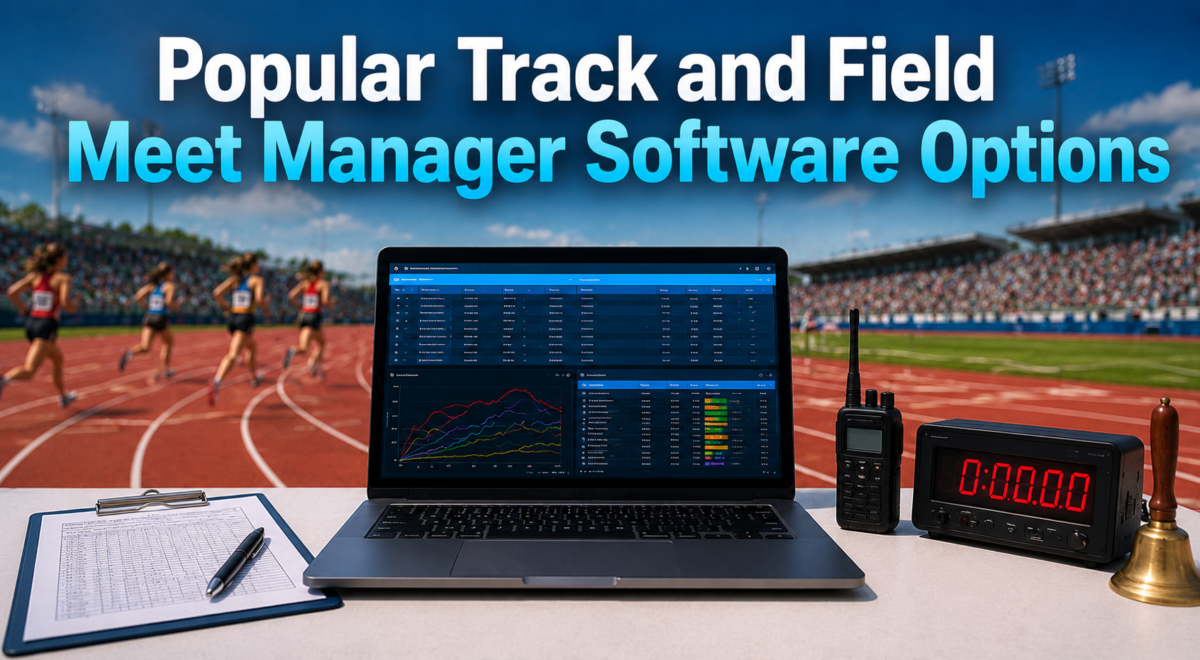
Several software platforms are widely used across schools, clubs, and championship-level competitions. Comparing their strengths helps meet directors decide which tool fits their event size and budget.
Hy-Tek Meet Manager
Hy-Tek Meet Manager is considered the industry standard for organizing track and field meets in the United States. It handles everything from entries to final scoring and is compatible with most major timing systems. Its long-standing reputation makes it the most trusted choice among meet directors.
Milesplit and TFRRS Integration Tools
Milesplit and TFRRS offer tools that connect meet results directly to national databases used for rankings. These platforms are especially useful for high school and college meets where results need to be publicly accessible. They complement meet manager software rather than fully replacing it.
RunScore
RunScore is another established option, often used for smaller to mid-sized meets. It offers similar core functions like scheduling, seeding, and scoring at a more accessible price point. Some meet directors prefer it for its simpler learning curve.
DirectAthletics
DirectAthletics focuses on online entry management and results publishing, particularly for college-level meets. It is often used alongside other meet manager tools to handle registration specifically. Its web-based design makes it convenient for coaches submitting entries remotely.
TrackTown USA Systems
TrackTown USA provides technology solutions often associated with larger championship events. These systems are built to handle high volumes of athletes and complex qualification standards. They are less common at the school level but valuable for elite competitions.
Comparison Table
| Software | Best For | Ease of Use | Timing System Integration |
| Hy-Tek Meet Manager | All meet sizes, industry standard | Moderate | Yes, widely compatible |
| Milesplit/TFRRS Tools | High school and college rankings | Easy | Limited, results-focused |
| RunScore | Small to mid-sized meets | Easy | Yes |
| DirectAthletics | Online entry management | Easy | Limited |
| TrackTown USA Systems | Championship-level events | Advanced | Yes, high-volume |
How Meet Manager Software Works
Understanding the workflow of meet manager software helps new users prepare for their first event. The process generally follows a consistent sequence from setup to final reporting.
Setting Up a New Meet
The process begins by creating a new meet file within the software and entering basic details like date, location, and event list. This foundational step determines how the rest of the meet will be organized. Meet directors typically customize event order and scoring rules at this stage.
Importing Athlete and Team Data
Coaches submit rosters, which meet directors import directly into the software rather than typing entries manually. Many programs support importing data from spreadsheets or other meet management files. This saves significant time, especially for meets with hundreds of participants.
Creating Event Schedules
After entries are imported, the software arranges events into a workable timeline. It accounts for athletes competing in multiple events to avoid scheduling overlaps. The resulting schedule is typically reviewed and adjusted by the meet director before finalizing.
Assigning Heats and Lanes
Based on seed times, the software automatically sorts athletes into heats and assigns lane numbers. This ensures competitive fairness while following standard seeding rules. Manual lane assignment is rarely needed once this automated process is complete.
Entering Results During the Meet
As each event finishes, officials input results directly into the software, either manually or through connected timing systems. The software instantly processes these results into rankings and team scores. This real-time entry keeps the meet moving without long delays between events.
Benefits of Using Meet Manager Software
Switching from manual methods to dedicated software brings measurable improvements across every stage of meet management. These benefits explain why the software has become standard practice at nearly every competitive level.
Time Savings for Meet Directors
Automating scheduling, seeding, and scoring saves meet directors hours of manual work before and during the event. Tasks that once took an entire day can now be completed in a fraction of the time. This efficiency allows organizers to focus more on event logistics than paperwork.
Reduced Human Error in Scoring
Because calculations happen automatically, the chances of scoring mistakes drop significantly compared to manual methods. This builds trust among coaches and athletes who rely on accurate results. Disputes over scoring errors become far less common.
Faster Results Publishing
Results can be shared with athletes, coaches, and media almost immediately after each event finishes. This immediacy is especially valuable for larger meets with many spectators following live updates. Faster publishing also helps athletes track their progress toward qualifying standards.
Better Record Keeping Over Multiple Seasons
Since the software stores historical data, schools and clubs can track performance trends across multiple years. This makes it easier to recognize record-breaking performances and monitor athlete development. Long-term records also become useful for recruiting and program evaluation.
Easier Compliance with Governing Body Rules
Meet manager software is typically built to follow scoring and format rules set by organizations like NCAA, USATF, and World Athletics. This reduces the risk of accidental rule violations during official meets. Compliance features are particularly important at championship-level competitions.
Choosing the Right Software for Your Needs
Not every meet requires the same level of software complexity. Selecting the right platform depends on several practical factors specific to your program.
Factors to Consider
Meet size plays a major role, since larger events require more advanced scheduling and scoring capabilities. Budget is another key factor, as some software options cost significantly more than others. Technical skill level of the staff running the software should also be considered before committing to a platform.
School or Club Level vs. Professional Level
Smaller schools and clubs often need simpler, more affordable software with basic scheduling and scoring functions. Professional or championship-level meets typically require advanced features like qualification tracking and high-volume data handling. Choosing software that matches your competition level prevents unnecessary complexity or missing functionality.
Free vs. Paid Software Options
Some meet manager tools offer free versions with limited features, suitable for very small meets. Paid versions usually include broader functionality, better support, and integration with timing systems. Investing in paid software often pays off through time saved and fewer errors during larger events.
System Requirements and Compatibility
Before purchasing software, it is important to check compatibility with existing computers and timing equipment. Some programs are designed specifically for Windows systems, while others offer web-based access. Ensuring compatibility avoids technical issues on meet day.
Tips for First-Time Users
New users often face a learning curve when adopting meet manager software for the first time. A few practical tips can make the transition much smoother.
Common Setup Mistakes to Avoid
New users often forget to double-check imported athlete data, leading to incorrect entries. Skipping practice runs before the actual meet can also result in confusion during live events. Taking time to review the schedule and entries beforehand prevents most common issues.
Training Resources and Tutorials
Most meet manager software providers offer tutorials, user guides, or video walkthroughs for beginners. Taking advantage of these resources before meet day builds confidence in using the system. Many coaching communities also share tips and troubleshooting advice online.
Best Practices for Meet Day Operations
Assigning specific staff members to handle data entry and results confirmation keeps operations organized. Having a backup plan, such as printed heat sheets, helps in case of technical issues. Testing the software and timing system connection before the meet starts is always recommended.
Future Trends in Meet Management Technology
Meet manager software continues to evolve alongside broader technology trends. These developments are shaping how future track and field events will be organized and experienced.
Cloud-Based and Mobile Meet Management
Many newer platforms are moving toward cloud-based systems that allow access from any device with internet connection. This makes it easier for meet directors and coaches to manage entries remotely. Mobile compatibility also allows officials to update results directly from the field.
AI-Assisted Scheduling and Predictions
Emerging tools are beginning to use artificial intelligence to optimize event scheduling automatically. AI can also help predict potential scheduling conflicts before they happen. While still developing, this technology promises to make meet planning even more efficient.
Real-Time Live Streaming Integration
Some software providers are now integrating live streaming features directly with results tracking. This allows spectators to watch events while seeing real-time scores and rankings simultaneously. This trend is expected to grow as more meets aim for wider audience engagement.
Conclusion
Track and field meet manager software has transformed how meets are organized, making the entire process faster, more accurate, and far less stressful for organizers. From entry management to final results, it removes the guesswork that once defined manual meet planning.
Whether you run a small school meet or a large championship event, choosing the right software can make a significant difference in how smoothly your competition runs.
Frequently Asked Questions
Is Meet Manager Software Free?
Some basic versions are free, but most full-featured programs require a paid license for complete functionality.
Can I Use It Without Internet Access?
Programs like Hy-Tek Meet Manager can run offline, while newer cloud-based tools require an internet connection.
Does It Work for Both Indoor and Outdoor Meets?
Yes, most meet manager software supports both indoor and outdoor track and field event formats.
Can Small Schools Use It Too?
Yes, smaller schools can use simplified versions of the software suited to their meet size and budget.
Related Articles
Cabinet Design Software: Complete Guide for Beginners & Professionals
Real Estate Transaction Management Software: Complete Guide 2026
Cloud Based Workforce Management Software: Complete Guide 2026
Clipping Software Guide 2026: Features, Tools, Benefits & How to Use
Clipping Software Guide 2026: Features, Tools, Benefits & How to Use


