
Software Noobs: A Complete Beginner’s Guide to Software
August 11, 2026
Track and Field Meet Manager Software: The Complete Guide
August 11, 2026
If you are searching for the best SDR software defined radio for beginners, you are stepping into one of the most exciting hobbies in electronics and communication. A software defined radio, commonly known as SDR, allows you to receive and sometimes transmit radio signals using a small USB device connected to your computer instead of relying on bulky traditional radio hardware.
This guide walks you through everything a newcomer needs, including how SDR works, which devices are worth buying, which software to install, and how to avoid common beginner mistakes. By the end, you will clearly understand which SDR device suits your budget and goals, and you will be ready to start listening to real signals within minutes of setup.
What Is Software Defined Radio (SDR)
Software defined radio replaces traditional analog radio circuits with digital signal processing done through software. This means a single small device can be reprogrammed to receive many different types of signals instead of being limited to one fixed purpose.
How SDR Works in Simple Terms
An SDR device captures raw radio waves through an antenna and converts them into digital data using a small chip inside the dongle. Once the signal reaches your computer, dedicated software processes that data and turns it into something you can hear or view, such as an audio broadcast, an aircraft position, or a weather satellite image.
This flexibility is the biggest advantage over traditional radios, since changing the frequency or mode is done entirely in software rather than by swapping hardware.
SDR vs Traditional Radio Receivers
A traditional radio receiver is built for one specific job, such as tuning FM stations or picking up shortwave broadcasts, and its internal circuits cannot be changed. An SDR, on the other hand, uses the same hardware to decode dozens of different signal types simply by loading different software or plugins.
This is why hobbyists searching for the best SDR software defined radio for beginners usually choose SDR devices over old-style radios, since one small dongle replaces several dedicated machines.
Common Uses of SDR for Hobbyists
Beginners typically use SDR to listen to local FM and shortwave stations, track nearby aircraft through ADS-B signals, monitor weather satellites passing overhead, and tune into amateur ham radio conversations.
Some also use it to explore digital modes, marine radio traffic, or even public safety scanner frequencies where legally permitted. These varied applications make SDR appealing to students, radio enthusiasts, and preparedness-minded users alike.
What to Look for in a Beginner SDR
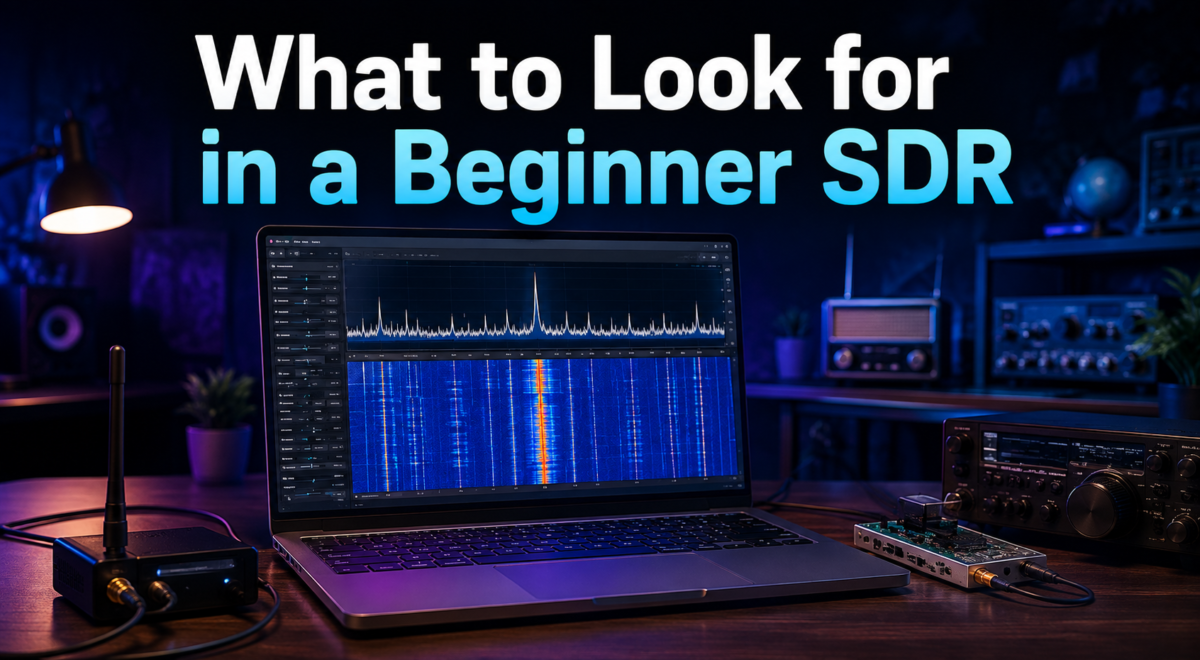
Choosing your first SDR device should not feel overwhelming if you focus on a handful of practical factors. Price, frequency coverage, and ease of setup matter far more at the beginner stage than advanced technical specifications.
Frequency Range and Coverage
The frequency range determines which signals your device can actually receive, so a wider range generally means more hobby possibilities.
Most entry-level SDR dongles cover roughly 500 kHz up to 1.7 GHz, which is enough to explore FM radio, aircraft tracking, and satellite reception. Advanced users eventually look for extended ranges, but beginners rarely need anything beyond this standard coverage.
Budget and Price Range
Beginner SDR devices are refreshingly affordable, with reliable options available between twenty and forty dollars. Spending more only becomes necessary once you outgrow basic listening and want improved sensitivity or transmit capability.
For someone testing the hobby for the first time, staying within this lower price bracket is the smartest financial decision.
Ease of Setup and Community Support
A beginner-friendly SDR should install quickly and work with widely used free software without complicated configuration.
Devices backed by large online communities are far easier to troubleshoot, since guides, forums, and video tutorials already exist for almost every common issue. This support factor often matters more than raw technical performance when you are just starting out.
Best SDR Devices for Beginners
Several SDR devices stand out as genuinely beginner-friendly based on price, documentation, and real-world reliability. Below is a closer look at each option along with a comparison table to simplify your decision.
RTL-SDR Blog V3 (Best Overall Choice)
The RTL-SDR Blog V3 is widely considered the best SDR software defined radio for beginners because of its low price, strong community backing, and dependable performance across common hobbyist tasks.
It covers roughly 500 kHz to 1.7 GHz and works seamlessly with free software like SDR# and SDR++. Most tutorials found online are written specifically for this device, making troubleshooting almost effortless.
Nooelec NESDR Smart (Budget Alternative)
The Nooelec NESDR Smart offers similar core performance to the RTL-SDR Blog V3 while sometimes being priced slightly lower, making it attractive for tight budgets. It includes a basic antenna and case, which is convenient for someone who does not want to buy accessories separately right away. Performance is solid for casual listening, though serious hobbyists often upgrade later.
Airspy Mini or R2 (Performance Upgrade)
The Airspy Mini and R2 models deliver noticeably better signal clarity and dynamic range compared to entry-level RTL-SDR dongles, though at a higher price point.
These devices suit beginners who are fairly confident they will stick with the hobby and want fewer limitations down the line. Software compatibility remains excellent, so the learning curve does not increase much.
HackRF One (Best for Transmit-Ready Beginners)
The HackRF One stands apart because it supports both receiving and transmitting signals, covering a much wider frequency range than typical dongles.
This makes it appealing to beginners who already know they want to experiment with amateur radio transmission alongside listening. It costs considerably more, so it suits users with a genuine long-term interest rather than casual first-timers.
SDRplay RSP1A (Widest Frequency Range)
The SDRplay RSP1A extends frequency coverage well beyond typical beginner dongles, reaching from 1 kHz up into the higher gigahertz range depending on configuration.
This broad coverage appeals to users interested in shortwave listening alongside VHF and UHF signals. It remains reasonably beginner-friendly despite its expanded capability.
| Device | Approx Price | Frequency Range | Transmit Capable | Best For |
| RTL-SDR Blog V3 | $30-35 | 500 kHz – 1.7 GHz | No | Absolute beginners |
| Nooelec NESDR Smart | $25-30 | 500 kHz – 1.7 GHz | No | Budget starters |
| Airspy Mini/R2 | $100-170 | 24 MHz – 1.8 GHz | No | Improved performance |
| HackRF One | $300+ | 1 MHz – 6 GHz | Yes | Transmit experimentation |
| SDRplay RSP1A | $110-130 | 1 kHz – 2 GHz | No | Wide frequency listening |
Essential Accessories for Your SDR Setup
A few inexpensive accessories can noticeably improve reception quality and overall comfort while using your SDR device. None of these are mandatory to get started, but they solve common frustrations quickly.
Antennas
The stock antenna included with most beginner dongles works for initial testing, but upgrading to a dipole or discone antenna significantly improves reception range and clarity.
Telescopic antennas are useful for casual experimentation since they can be adjusted for different frequency bands. Investing a small amount here often produces a bigger improvement than upgrading the SDR device itself.
USB Extension Cables
Computers generate electrical noise that can interfere with sensitive SDR reception when the dongle is plugged directly into a USB port. A simple USB extension cable moves the device further away from this interference source, often improving signal clarity noticeably. This is one of the cheapest upgrades a beginner can make.
Adapters and Optional Amplifiers
Many antennas use SMA or MCX connectors that may not match your SDR device out of the box, so keeping a few adapters on hand avoids compatibility headaches.
Low-noise amplifiers, or LNAs, can further boost weak signals for specialized tasks like satellite reception. These remain optional and are typically added only after gaining some hands-on experience.
Best Free SDR Software for Beginners
Software is just as important as hardware when learning SDR, and thankfully several excellent free options exist for every major operating system.
SDR# (SDRSharp)
SDR# is one of the most widely used SDR programs for Windows users, known for its clean interface and strong plugin support. Beginners appreciate its straightforward waterfall display and simple frequency tuning controls. Extensive online tutorials make it an easy starting point for first-time users.
SDR++
SDR++ has grown popular because it runs across Windows, macOS, and Linux with a modern, lightweight interface. It supports a wide range of SDR hardware out of the box and receives frequent updates from an active development community. Many newcomers find its layout more intuitive than older alternatives.
GQRX
GQRX is a strong choice for Linux and macOS users who want a reliable, open-source SDR application. It offers solid waterfall visualization and demodulation options suitable for everyday listening tasks. Setup requires slightly more technical comfort compared to Windows-based tools.
CubicSDR
CubicSDR focuses on simplicity and cross-platform compatibility, making it approachable for people who find other software visually overwhelming. Its clean design helps beginners understand frequency tuning without unnecessary clutter. It remains a solid backup option alongside SDR# or SDR++.
Step-by-Step Setup Guide
Setting up your first SDR device is simpler than most beginners expect, and following a clear sequence prevents common frustration.
Installing Drivers
Most SDR dongles require a specific USB driver, often installed through a tool like Zadig on Windows systems. This step ensures your computer recognizes the device correctly before any SDR software is opened. Skipping or misconfiguring this step is the most frequent cause of early setup problems.
Connecting and Configuring Software
Once drivers are installed, plug in your SDR device, open your chosen software, and select the correct device from the settings menu.
From there, you can adjust the sample rate and gain settings to match your local signal environment. Most beginner software includes sensible default settings that work reasonably well right away.
Tuning Into Your First Signal
Start with a strong, easy-to-find signal such as a local FM radio station to confirm everything is working correctly. Once confirmed, gradually explore other frequency ranges like aircraft or weather satellite bands as you gain confidence. This gradual approach helps beginners understand tuning behavior without becoming overwhelmed.
Troubleshooting Common Issues
If no signal appears, double-check driver installation, USB connection, and antenna attachment before assuming the device is faulty.
Gain settings that are too high or too low can also prevent clear reception, so adjusting them gradually often resolves the issue. Community forums dedicated to popular devices like the RTL-SDR Blog V3 are extremely helpful for resolving unusual problems.
Fun Beginner Projects to Try
Once your setup is working, trying a few hands-on projects helps reinforce what you have learned while keeping the hobby enjoyable.
Listening to Local FM Radio
This is the easiest starting project since FM signals are strong and simple to locate using any beginner software. It confirms your antenna, drivers, and software are all functioning correctly. Many users treat this as their very first successful SDR experience.
Tracking Aircraft with ADS-B
Aircraft broadcast position data that SDR devices can decode and display on a live map using dedicated ADS-B software. This project is popular because results appear almost instantly and feel genuinely impressive to newcomers. It also introduces beginners to digital decoding beyond simple audio listening.
Receiving NOAA Weather Satellite Images
With the right antenna and timing, beginners can capture live images transmitted from NOAA weather satellites as they pass overhead.
This project requires slightly more patience but offers a rewarding visual result unique to SDR hobbyists. Several free tools exist specifically for decoding these transmissions.
Common Mistakes Beginners Make
New SDR users often run into a handful of avoidable issues that create unnecessary frustration early on.
Buying the Wrong Antenna
Some beginners assume any antenna works for every frequency, leading to poor reception and disappointment. Matching antenna type to your intended use, such as aircraft tracking versus FM listening, makes a noticeable difference. Researching this briefly before purchase prevents wasted money.
Ignoring Gain and Interference Settings
Incorrect gain levels are a leading cause of noisy or weak reception among first-time users. Nearby electronics can also introduce interference that beginners mistake for hardware failure. Learning to adjust these settings gradually solves most reception complaints.
Tips for Leveling Up After the Basics
As confidence grows, many hobbyists choose to pursue a ham radio license, which opens legal access to transmitting rather than just receiving.
Upgrading to more capable hardware, such as the Airspy or SDRplay devices mentioned earlier, becomes worthwhile once basic listening feels limiting. Joining active SDR communities and forums also accelerates learning far faster than exploring alone.
Conclusion
For anyone comparing options for the best SDR software defined radio for beginners, the RTL-SDR Blog V3 remains the safest and most recommended starting point due to its price, reliability, and community support.
Those wanting extra performance or transmit capability can consider the Airspy series or HackRF One as a natural next step. With inexpensive hardware, free software, and a genuinely welcoming hobbyist community, getting started with SDR has never been more accessible.
Frequently Asked Questions
Is SDR legal to use?
Yes, receiving signals with an SDR device is legal in most countries, though transmitting typically requires a proper license such as an amateur radio certification.
Do I need a license just to receive signals?
No license is required for receiving most public signals, making SDR an accessible hobby for complete beginners.
Can SDR completely replace a traditional radio?
For most hobbyist purposes, yes, since SDR covers far more functionality than a single traditional radio ever could.
What is the cheapest SDR that actually performs well?
The RTL-SDR Blog V3 remains the best balance of low price and dependable real-world performance for beginners.
Related Articles
Software CODESYS : A Complete Guide to Industrial Automation Programming
Export List of Software Installed : on Your Computer (Complete Guide)
Entry Level Software Engineering Jobs: A Complete Guide for Beginners


