

Max MSP Jitter Software: A Complete Beginner-Friendly Guide
August 31, 2026
EAM Software: The Complete Guide to Enterprise Asset Management
August 31, 2026
Embroidery software is a specialized digital tool that converts artwork, images, or text into stitch files that embroidery machines can read and sew accurately. It gives users control over stitch types, thread colors, density, and design placement, making it possible to turn a simple picture into a fully stitched design.
Whether you run a home-based embroidery business or work in a large production unit, this software plays a central role in producing clean, professional results. Modern embroidery software also supports auto-digitizing, multi-format file conversion, and lettering tools that save time for both beginners and experienced digitizers.
This guide breaks down everything you need to know about embroidery software in simple, easy-to-understand language.
Introduction to Embroidery Software
Embroidery software forms the foundation of every digitized design, acting as the bridge between creative artwork and the physical stitching process. Below, we look at what it actually means, where it came from, and why it remains essential in today’s textile and craft industry.
What is Embroidery Software?
Embroidery software is a computer program that transforms flat images or vector artwork into a stitch pattern that an embroidery machine understands.
It assigns stitch paths, thread colors, and sewing order to each part of the design. Without this conversion step, a regular image cannot be sewn by a machine at all.
Brief History of Machine Embroidery Digitization
Digitizing began as a manual, punch-card-based process before computers took over the task in the late twentieth century.
Early software required technical training and was mostly used by commercial embroiderers. Over time, user interfaces became simpler, allowing hobbyists and small business owners to digitize designs on their own computers.
Why Embroidery Software Matters Today
Modern embroidery software matters because it saves time, reduces manual errors, and allows mass customization of products like apparel, bags, and home decor.
Businesses rely on it to quickly convert customer artwork into production-ready files. It also opens embroidery as a creative hobby for people without professional training.
How Embroidery Software Works
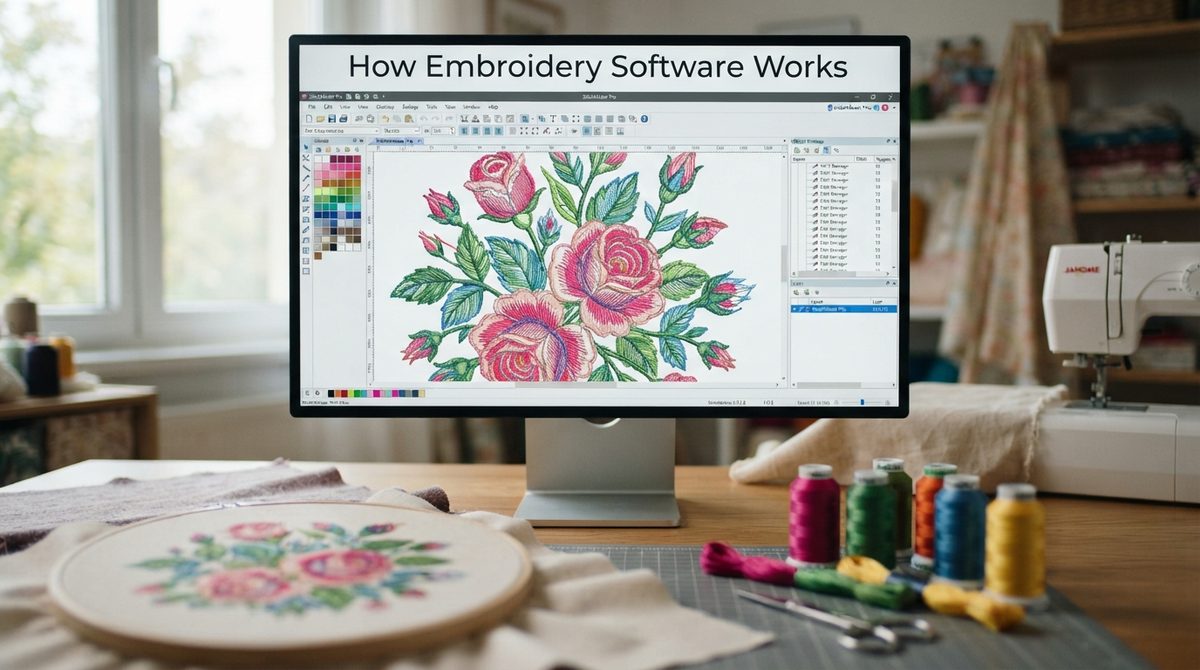
Understanding how embroidery software works helps users make better design decisions before sending a file to the machine. The process involves converting artwork into stitches, choosing the right stitch type, and saving the file in a machine-compatible format.
From Image/Artwork to Stitch File
The software analyzes an uploaded image and breaks it down into shapes and outlines. It then generates a stitch sequence for each section, deciding where the needle should start and stop. This sequence is saved as a stitch file that machines can directly read.
Understanding Digitizing
Digitizing is the technical process of manually or automatically mapping out stitch paths for a design. A digitizer decides stitch direction, density, and layering order to make sure the final embroidery looks smooth and proportionate. Poor digitizing often leads to thread breaks or distorted fabric.
Stitch Types Explained
Different stitch types serve different design purposes, and choosing the right one affects both appearance and durability.
| Stitch Type | Best Used For | Characteristic |
| Satin Stitch | Text, borders, thin shapes | Smooth, glossy finish |
| Fill Stitch | Large solid areas | Covers wide spaces evenly |
| Running Stitch | Fine details, outlines | Thin, single-line stitching |
| Tatami Stitch | Backgrounds, textured fills | Criss-cross pattern for stability |
File Formats Used
Embroidery machines from different brands read different file formats, so software must support multiple export options. Common formats include .
PES for Brother machines .DST for industrial machines, .JEF for Janome, and .EXP for Melco. Choosing the correct format avoids compatibility issues during production.
Types of Embroidery Software
Embroidery software is not a single category; it includes different tools designed for specific tasks such as digitizing, editing, or lettering. Knowing these categories helps users pick the right tool for their exact requirement.
Digitizing Software
Digitizing software is used to create stitch files from scratch, giving full control over stitch paths and density. It is mainly used by professional digitizers who need precision for complex logos or artwork. This category usually has the steepest learning curve.
Editing Software
Editing software allows users to resize, recolor, or modify existing stitch files without starting from zero. It is ideal for small adjustments like changing thread colors or combining two designs. Editing tools are generally easier to learn than full digitizing programs.
Lettering/Monogramming Software
This type focuses specifically on creating text-based designs such as monograms and names. It includes built-in embroidery fonts that automatically convert text into stitches. Businesses that personalize gifts or uniforms rely heavily on this category.
Auto-Digitizing (AI-Based) Software
Auto-digitizing tools use artificial intelligence to convert images into stitch files automatically, reducing manual work. They are useful for beginners who lack digitizing experience but still need decent results quickly. However, complex designs often still require manual fine-tuning afterward.
Free vs Paid Software
Free embroidery software options are suitable for hobbyists with basic design needs and limited budgets. Paid software offers advanced features like auto-digitizing, better stitch simulation, and dedicated customer support. Businesses producing designs at scale usually benefit more from investing in paid tools.
Popular Embroidery Software Options
Several embroidery software brands dominate the market, each with strengths suited to different user levels. The table below compares some widely used options based on their target audience and standout feature.
| Software | Best For | Key Highlight |
| Wilcom Embroidery Studio | Professionals & large businesses | Advanced digitizing precision |
| Hatch Embroidery | Intermediate to advanced users | Simplified professional-grade tools |
| Embrilliance | Beginners and hobbyists | User-friendly interface |
| Brother PE-Design | Brother machine owners | Strong lettering and design library |
| Husqvarna Viking Software | Viking machine owners | Seamless machine integration |
| Ink/Stitch and SewArt | Budget-conscious users | Free or low-cost alternative |
Wilcom and Hatch generally lead in professional accuracy, while Embrilliance and brand-specific tools like Brother PE-Design focus more on ease of use for everyday users. Free tools like Ink/Stitch work well for simple projects but lack the advanced automation found in premium embroidery software.
Key Features to Look For
Choosing the right embroidery software becomes easier once you know which features actually impact daily use. The list below highlights the most important capabilities to check before purchasing.
- Auto-digitizing tools that speed up conversion from image to stitch file
- Design editing and resizing options that maintain stitch quality
- Built-in fonts and lettering support for personalized projects
- Multi-format conversion to stay compatible across different machine brands
- Preview and simulation tools that show how the design will look before stitching
- Compatibility with your specific embroidery machine brand and model
Step-by-Step: How to Digitize a Design
Digitizing a design correctly requires following a structured process rather than random trial and error. These steps outline the typical workflow used in most embroidery software programs.
- Prepare your artwork by cleaning up the image and simplifying complex details.
- Choose appropriate stitch types for each section of the design based on size and shape.
- Set stitch density and underlay to ensure proper fabric support and coverage.
- Test the design on a similar fabric sample before final production.
- Export the finished file in the correct format for your embroidery machine.
Choosing the Right Software for Your Needs
Not every embroidery software suits every type of user, so matching the tool to your skill level and goals is important. The following breakdown helps narrow down options based on common user categories.
For Beginners
Beginners should look for embroidery software with simple interfaces, tutorials, and auto-digitizing support. Complicated professional tools can feel overwhelming without prior design experience. Starting with basic editing software often builds confidence before moving to advanced digitizing.
For Small Businesses
Small businesses benefit from software that balances affordability with essential features like lettering and format conversion. Since order volume is often moderate, mid-tier software usually meets production needs without heavy investment. Reliable customer support also matters at this stage.
For Professional Digitizers
Professional digitizers need software offering complete manual control over stitch paths, density, and layering. Programs like Wilcom or Hatch are preferred here due to their precision and industry-standard output. These tools justify their higher cost through consistent, high-quality results.
Budget Considerations
Budget plays a major role in software selection, especially for hobbyists and startups. Free or low-cost tools work for occasional use, while businesses handling bulk orders should treat premium software as a long-term investment. Comparing feature sets against actual production needs prevents overspending.
Common Challenges & Troubleshooting
Even with reliable embroidery software, users often face technical issues during the stitching process. Recognizing these common problems early helps prevent wasted fabric and thread.
Puckering & Fabric Distortion
Puckering happens when stitch density or stabilizer choice doesn’t match the fabric type. Adjusting underlay settings within the software usually resolves this issue. Testing on scrap fabric before final production is the safest preventive step.
Thread Breaks
Thread breaks often result from poor digitizing, incorrect tension, or low-quality thread. Reviewing stitch density and simplifying overly detailed sections in the software can reduce breakage. Machine maintenance also plays a role alongside software settings.
File Compatibility Issues
Compatibility problems occur when a stitch file format doesn’t match the embroidery machine brand. Always confirm the required format before exporting from the software. Most programs allow multi-format saving to avoid this issue entirely.
Design Size Limitations
Embroidery machines have fixed hoop sizes, so oversized designs must be split or resized appropriately. Software with built-in size warnings helps prevent failed production runs. Splitting large designs into sections is a common workaround for bigger projects.
Tips for Better Embroidery Results
Small adjustments during the design process often make a noticeable difference in final output quality. Below are practical tips to improve results using embroidery software.
Choosing the Right Stabilizer
Stabilizer choice depends on fabric weight and design complexity, and it directly affects stitch stability. Lightweight fabrics generally need more support than heavier materials. Software simulation tools can help visualize how stabilizer choice impacts the final look.
Optimizing Stitch Density
Stitch density should match fabric thickness to avoid puckering or thin, patchy coverage. Higher density suits thicker fabrics, while lighter fabrics need reduced density settings. Most embroidery software allows manual density adjustments for this purpose.
Color Sequencing
Proper color sequencing minimizes thread changes and speeds up the stitching process. Grouping similar colors together within the software reduces production time significantly. This is especially useful for multi-color logo designs.
Testing Before Final Production
Running a test stitch-out on similar fabric helps catch errors before committing to bulk production. This step reveals density, sizing, or color issues that aren’t always visible on screen. Skipping this step often leads to costly mistakes.
Future Trends in Embroidery Software
Embroidery software continues to evolve alongside advances in artificial intelligence and cloud technology. These emerging trends are shaping how designs will be created and shared in the coming years.
AI-Powered Auto-Digitizing
AI-based digitizing is becoming more accurate, reducing the manual correction work needed after automatic conversion. This trend makes professional-quality digitizing more accessible to beginners. Expect further improvements in handling complex, detailed artwork.
Cloud-Based Embroidery Platforms
Cloud-based software allows users to access and edit designs from any device without heavy installations. It also supports easier collaboration between remote digitizers and clients. This shift reduces dependency on high-powered local computers.
Integration with E-commerce & Print-on-Demand
Embroidery software is increasingly integrating with online stores to support custom, on-demand product embroidery. This allows businesses to automate order-to-production workflows. Such integration is expected to grow as personalized merchandise demand increases.
Conclusion
Embroidery software remains an essential tool for anyone working with machine embroidery, from beginners to large-scale businesses. Choosing the right software depends on your skill level, budget, and production needs, while understanding stitch types and file formats ensures smoother results. As AI and cloud integration continue advancing, embroidery software will keep becoming more accessible and efficient for everyday users.
FAQs
Is embroidery software difficult to learn?
Most beginner-friendly embroidery software is designed with simple interfaces, though advanced digitizing tools do require practice.
Can I use free embroidery software for business purposes?
Yes, but paid software usually offers better accuracy and features needed for consistent commercial-quality output.
Which file format should I use for my embroidery machine?
This depends on your machine brand; common formats include .PES, .DST, .JEF, and .EXP.
Does embroidery software work with any embroidery machine?
Not always, so it’s important to check format compatibility with your specific machine brand before purchasing software.
What is the easiest embroidery software for beginners?
Programs like Embrilliance and Brother PE-Design are generally considered beginner-friendly due to their simple layouts and guided tools.
Related Articles
Custom Healthcare Software Development Services: A Complete Guide
Lumira Software: Complete Guide to Features, Benefits and Alternatives
Interactive Advisory Software: The Complete Guide
Compare Accounting Software: A Complete Guide to Choosing the Right Tool


