

Construction ERP Software: The Complete Guide for Modern Construction Businesses
August 17, 2026
Compare Accounting Software: A Complete Guide to Choosing the Right Tool
August 17, 2026
Running a service-based business often means juggling quotes, timesheets, invoices, and client records across different tools, which slows everything down. WorkflowMax software was built to solve exactly this problem by bringing job management, time tracking, and invoicing into one connected platform.
Originally created as part of the Xero ecosystem and now operated under BlueRock, it continues to serve small and mid-sized firms that need clearer visibility into their day-to-day operations.
This guide walks through what the platform does, how it works, what it costs, and whether it deserves a place in your business toolkit. By the end, you will have a realistic picture of its strengths, its limitations, and how it compares with other options in the market.
What is WorkflowMax? (Overview)
WorkflowMax software is a cloud-based job and project management system designed for firms that sell time and expertise rather than physical products. It centralizes client data, project tracking, and financial workflows so teams spend less time on admin work.
Definition in Simple Terms
At its core, WorkflowMax is an online system that tracks a job from the moment a lead walks in until the final invoice is paid. It replaces scattered spreadsheets and disconnected apps with one shared workspace. Teams can log in from anywhere since everything runs through the cloud.
Core Purpose: Job and Project Management
The main goal of this platform is to give business owners a single place to manage every stage of a project. Instead of switching between a quoting tool, a separate timesheet app, and accounting software, everything connects under one system. This reduces duplicate data entry and human error.
Cloud-Based Nature Explained
Because WorkflowMax software runs entirely online, there is no need to install anything on individual computers or maintain local servers. Updates happen automatically on the provider’s end, and data stays accessible from any device with an internet connection, which suits teams working remotely or across multiple sites.
Industries That Use It
This tool is popular among engineering firms, architecture practices, consultants, creative agencies, landscaping companies, and residential builders. The platform is flexible enough to serve more than eighty different industry types, though it tends to work best for businesses that bill clients based on time, milestones, or project stages.
Key Features of WorkflowMax Software
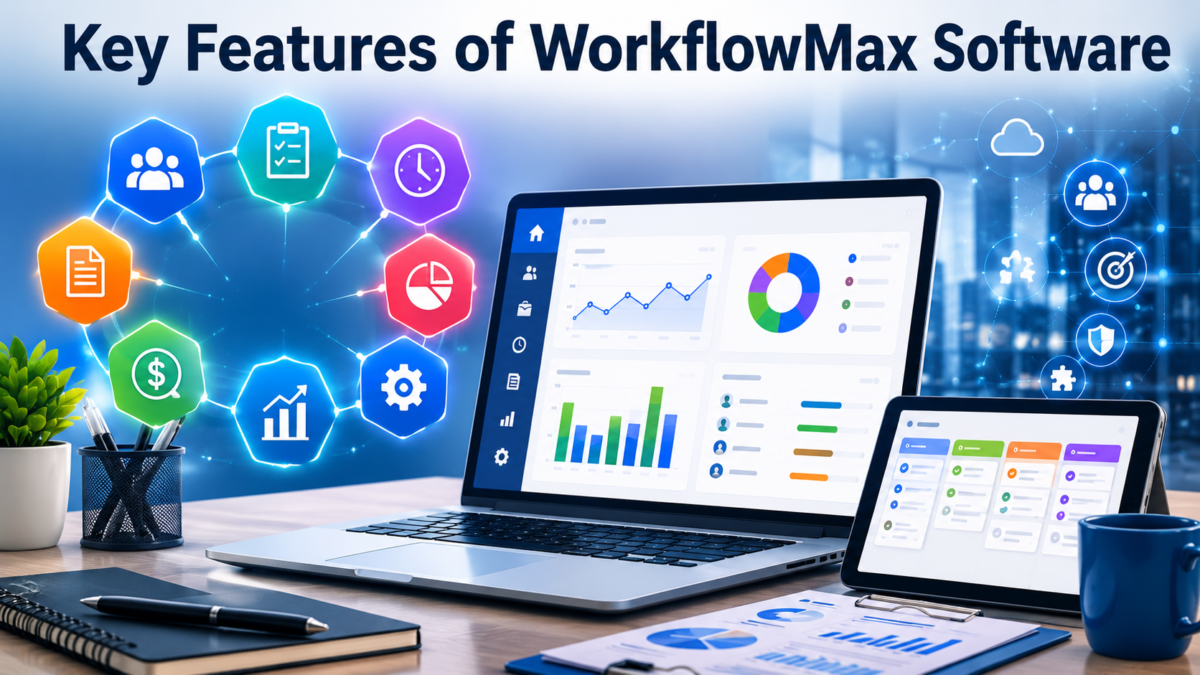
WorkflowMax software packs several modules into one system, covering everything from the first client conversation to the final payment. These features are designed to work together rather than as isolated tools.
Lead and Client Management
The platform lets teams store contact details, track communication history, and monitor where each prospect sits in the sales pipeline. This keeps client information in one searchable database instead of scattered across emails and notebooks.
Quoting and Estimating
Users can build professional quotes directly inside the system using pre-set templates or custom pricing structures. Once a client approves a quote, it can be converted into an active job with just a few clicks, saving time on repetitive data entry.
Job and Project Management
Every approved job becomes trackable inside the platform, showing progress, assigned staff, and remaining budget. Managers can view multiple projects at once, which helps in spotting delays or resource conflicts early.
Time Tracking and Timesheets
Employees log hours against specific jobs or tasks through an online timesheet, which automatically feeds into billing and cost reports. This removes the need for manual timesheet collection at the end of each week.
Task and Staff Management
Managers can assign specific tasks to team members and monitor workload distribution across the business. This visibility helps prevent overloading certain staff while others have spare capacity.
Purchase Orders
The system allows businesses to raise and track purchase orders tied to specific jobs, keeping supplier costs linked directly to the project they belong to. This makes it easier to calculate true job profitability later.
Invoicing
Because timesheets, expenses, and purchase orders all connect to the same job, invoices can be generated with accurate figures pulled automatically from recorded data. This reduces billing errors and speeds up the payment cycle.
Reporting and Analytics
Built-in reports show job profitability, staff utilization, and overall business performance. Owners can use these insights to identify which types of projects generate the best margins.
Document Management
WorkflowMax software connects with popular storage tools so files related to a job stay linked and organized. This means contracts, drawings, or client documents are never far from the project they belong to.
How WorkflowMax Works (Step-by-Step Workflow)
The platform follows a logical sequence that mirrors how most service businesses actually operate, starting with a lead and ending with a paid invoice. Understanding this flow makes it easier to see how the individual features connect.
From Lead to Quote
A new inquiry is first logged as a lead, then converted into a formal quote once details are confirmed with the client. This step captures scope, pricing, and expected timelines before any work begins.
From Quote to Job
Once a client signs off, the quote transforms into an active job with its own budget and timeline inside the system. Staff can then be assigned, and the project officially enters the execution phase.
Tracking Time and Costs
As work progresses, employees record their hours against the job while any material or supplier costs are logged through purchase orders. This ongoing tracking keeps the budget visible in real time rather than only at project completion.
Generating Invoices
When it’s time to bill the client, the system pulls together tracked time, expenses, and any fixed fees into a ready-to-send invoice. This connects directly with accounting software, reducing the need to re-enter figures elsewhere.
Reviewing Profitability Reports
After invoicing, business owners can review how much profit the job actually generated compared to the original quote. This feedback loop helps refine future pricing and staffing decisions.
Integrations Available with WorkflowMax Software
Rather than working in isolation, WorkflowMax software connects with a wide range of external tools that businesses already use for accounting, storage, and marketing. These integrations extend its usefulness well beyond its native features.
Xero Integration
As the platform’s closest partner, Xero integration allows financial data such as invoices, bills, and job costs to sync automatically between both systems. This remains one of the most valued connections for existing Xero users.
QuickBooks
For businesses using QuickBooks instead of Xero, WorkflowMax offers a similar connection that keeps financial records aligned across both platforms. This gives flexibility to firms that have already committed to a different accounting provider.
Google Drive, Dropbox, and Box
Document storage platforms connect directly so files uploaded to a job automatically sync with the business’s preferred cloud storage. This keeps records backed up without requiring manual duplication.
HubSpot
Marketing and sales teams can link HubSpot to WorkflowMax to keep lead and client data consistent between the two systems. This supports smoother handoffs from marketing to project delivery.
Payment Tools
Integrations with payment processors such as Airwallex allow clients to pay invoices by card directly, which speeds up cash flow. Faster payments reduce the administrative burden of chasing overdue accounts.
Other Add-Ons
Additional tools like SuiteFiles and EzzyBills extend functionality further, covering document management and automated invoice data capture respectively. Businesses can pick and choose which add-ons suit their specific workflow.
Benefits of Using WorkflowMax Software
Adopting this platform brings several practical advantages that directly affect day-to-day efficiency and long-term decision-making. These benefits explain why many service firms continue relying on it despite newer competitors entering the market.
Time-Saving Automation
Manual tasks like re-entering timesheet data into invoices are eliminated since the system automatically links these processes together. This frees staff to focus on billable work instead of admin tasks.
Better Visibility into Job Costs and Profits
Owners gain a clear, real-time picture of how each project is performing financially rather than waiting until the job closes. This makes it easier to catch budget overruns early.
Centralized Data
Instead of maintaining separate spreadsheets for quotes, timesheets, and invoices, everything lives inside one connected system. This reduces the risk of losing information or working from outdated files.
Easier Staff Allocation
Managers can see who is available and who is overloaded, making it simpler to distribute work fairly across the team. This transparency also helps with future hiring decisions.
Improved Client and Project Tracking
Every interaction, quote, and job detail tied to a client remains accessible in one place, which improves communication and reduces the chance of missed follow-ups.
Pricing and Plans
WorkflowMax software pricing typically depends on the number of users, the modules required, and the size of the business. The vendor generally provides a custom quote rather than a fixed public price list, since needs vary significantly between a five-person consultancy and a fifty-person engineering firm.
| Plan Factor | What It Affects |
| Number of users | Base subscription cost |
| Feature set required | Whether advanced modules are included |
| Integration add-ons | Additional monthly cost per tool |
| Trial period | Free 14-day trial before commitment |
| Setup support | DIY, guided, or fully bespoke onboarding cost |
Pricing Structure Overview
Because pricing is quote-based, businesses are encouraged to contact the vendor directly with their team size and requirements. This approach allows costs to scale with actual usage rather than forcing everyone into the same package.
Free Trial Details
New users can typically test the platform for fourteen days before committing to a paid plan. This trial period is useful for confirming whether the workflow genuinely fits the business before signing up long term.
Factors Affecting Cost
Larger teams, additional integrations, and premium support options all push the price higher, while smaller businesses with basic needs pay considerably less. It is worth requesting a detailed quote before assuming what the monthly cost will be.
Pros and Cons of WorkflowMax Software
No platform is perfect for every business, and WorkflowMax software has both strong points and recurring criticisms worth knowing before signing up.
Advantages
Users frequently highlight the intuitive interface, the depth of the Xero connection, and the fact that quoting, timesheets, and invoicing all live under one roof. This all-in-one structure genuinely cuts down on double handling of data.
Common Criticisms
Some long-term users have reported inconsistent customer support responsiveness and occasional bugs, such as timers recording incorrect durations. Another frequently mentioned limitation is that project search results can cap at a small number of entries, making it harder to find older or less common jobs.
User Review Highlights
Reviewers who valued the original version under Xero ownership have noted that the current experience under BluerRock does not always match that earlier standard. Even so, many still consider the Xero syncing feature one of its strongest and most reliable functions.
WorkflowMax vs Alternatives
Before committing, it helps to briefly compare WorkflowMax software against a few well-known competitors in the job and project management space, such as ProWorkflow, Karbon, and Scoro.
Comparison with Similar Tools
ProWorkflow tends to focus more heavily on general project timelines and task boards, while Karbon leans toward accounting firm workflows specifically.
Scoro offers broader business management features including sales and CRM, which can feel heavier than what a small service firm actually needs. WorkflowMax remains distinct through its tight Xero integration and its job-costing focus tailored to trades, consultants, and professional services.
When WorkflowMax Is the Right Fit
Businesses already using Xero for accounting, or firms that bill primarily based on time and materials, tend to get the most value from this platform. Its strength lies in connecting quoting, time tracking, and invoicing without needing several separate subscriptions.
When to Consider Alternatives
Firms needing heavier CRM or sales pipeline features, or those using accounting software outside the Xero and QuickBooks ecosystem, may find better alignment with a different tool. It is worth trialing a couple of options before making a final decision.
Getting Started with WorkflowMax Software
Getting set up does not require deep technical knowledge, though the right onboarding path depends on how complex the business’s existing workflow already is.
Signing Up and Trial Process
New users can register for the trial directly through the provider’s website and begin exploring the interface within minutes. No long-term contract is required to test the core features first.
Setup and Onboarding Options
Businesses can choose between a self-guided setup, a guided walkthrough with support staff, or a fully bespoke implementation handled by certified partners. The right choice usually depends on how much internal time the team can dedicate to configuration.
Training Resources and Certified Partners
The platform offers free online training courses along with a directory of certified implementation partners for businesses that prefer hands-on guidance. This support network makes it easier for non-technical teams to get up to speed quickly.
Tips for Getting the Most Out of WorkflowMax Software
A few practical habits can help businesses extract more value from the platform once it is fully set up and running.
Best Practices for Time Tracking
Encouraging staff to log hours daily rather than at the end of the week keeps records accurate and prevents guesswork. Consistent tracking also makes profitability reports far more reliable.
Optimizing Invoicing Workflow
Reviewing job costs before generating an invoice helps catch discrepancies early rather than after the client has already been billed. Setting a regular invoicing schedule also improves cash flow predictability.
Using Reports for Business Decisions
Regularly reviewing profitability and utilization reports helps owners spot which project types or clients are most valuable. This data can directly shape future pricing and hiring strategies.
Frequently Asked Questions
Is WorkflowMax software good for small businesses?
Yes, it suits small and mid-sized service businesses well, particularly those already using Xero for accounting and needing job costing in one place.
Does WorkflowMax software work without Xero?
It can operate independently, though many of its strongest benefits come from its close Xero integration for invoicing and financial syncing.
Is customer support reliable?
Support quality has received mixed feedback, with some users reporting slower response times on bug fixes compared to earlier versions of the platform.
Can it scale with a growing business?
Yes, the platform is built to handle growing teams, though larger firms with complex sales pipelines may eventually need additional CRM tools alongside it.
Conclusion
WorkflowMax software remains a solid choice for service-based businesses that want quoting, time tracking, job costing, and invoicing connected in one cloud-based system. It works especially well for firms already inside the Xero ecosystem, offering real time savings and clearer profitability tracking.
That said, businesses with heavier CRM needs or occasional support concerns should weigh alternatives like Karbon or Scoro before committing. Testing the free trial remains the most practical way to confirm whether this platform truly fits your team’s workflow.
Related Articles
Patient Engagement Software: A Complete Guide for Healthcare Providers
Jeep Grand Cherokee Recall Software Malfunction: What Every Owner Should Know
Enea Network Security Software for Filtering HTTP Traffic
Senior Software Engineer: Complete Career Guide
Age Verification Software: Complete Guide to How It Works, Types, and Benefits


