
Rhino 3D Software: A Complete Guide for Beginners and Professionals
August 27, 2026
Best Customizable Worksheet AI Software: Complete 2026 Guide
August 27, 2026
Motion graphics software has become an essential part of modern digital content creation, helping designers, filmmakers, and marketers bring static ideas to life through animation. This kind of software combines text, images, shapes, and video into moving visual stories that grab attention quickly.
From YouTube intros to television commercials, motion graphics software is used almost everywhere content needs movement and energy. Businesses, educators, and creative professionals rely on these tools daily to explain ideas, promote products, and entertain audiences.
This guide walks through everything beginners and professionals need to know about choosing and using motion graphics software effectively.
Introduction to Motion Graphics
Motion graphics is the art of animating design elements to create visually engaging content, often used in videos, ads, and digital media. It sits between graphic design and traditional animation, using movement to communicate messages faster and more clearly than static visuals alone.
What Motion Graphics Actually Means
Motion graphics refers to digital footage or animation that gives the illusion of motion combined with graphic design elements like text, shapes, and icons.
Unlike character animation, it usually focuses on abstract or informational content rather than storytelling through characters. It is widely used in title sequences, lower thirds, and social media promos.
A Brief History of the Industry
Motion graphics started with early television broadcasting, where designers manually animated titles and logos frame by frame.
As computers became powerful enough for digital rendering, software tools replaced manual techniques, making animation faster and more accessible. Today, motion graphics software allows even beginners to create professional results within hours.
How It Differs From Animation and VFX
Animation generally focuses on characters and storytelling, while visual effects (VFX) deal with realistic simulations like fire, explosions, or compositing live footage.
Motion graphics, on the other hand, is more about designing movement for graphic elements such as logos, charts, and typography. Many software tools overlap across these three fields, but their core purpose remains distinct.
Why Motion Graphics Software Matters
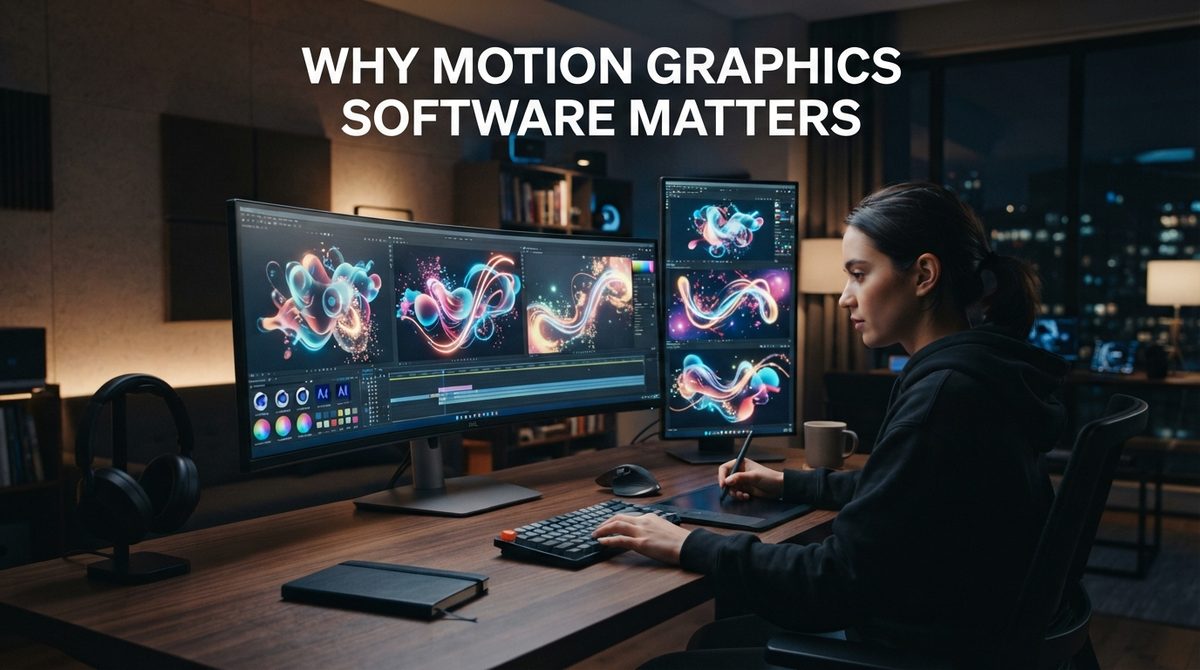
Motion graphics software matters because it allows creators to communicate ideas visually in ways that plain text or static images cannot achieve. It plays a major role in marketing, education, and entertainment industries worldwide.
Boosting Marketing and Advertising
Brands use motion graphics software to create attention-grabbing advertisements that perform well on social media and television. Animated content tends to hold viewer attention longer than static images, which directly improves engagement and conversion rates for businesses.
Enhancing Education and Explainer Content
Educational platforms and companies use motion graphics to simplify complex topics through visual storytelling. Animated explainer videos help viewers understand processes, statistics, or product features quickly without reading lengthy text.
Supporting UI and App Design
Motion graphics software is also used to design smooth transitions and micro-interactions within apps and websites. These small animations improve user experience by making digital interfaces feel more natural and responsive.
Core Concepts and Terminology
Before choosing motion graphics software, it helps to understand a few basic terms used across almost every animation tool. These concepts form the foundation of how motion design projects are built and rendered.
Keyframes and Timelines
Keyframes mark specific points where an object’s properties change, such as position or size, and the software automatically fills in the motion between them. The timeline is where all these keyframes are arranged, allowing designers to control timing and pacing precisely.
Layers and Compositing
Most motion graphics software uses a layer-based system similar to Photoshop, where each element sits on its own layer for easier editing. Compositing refers to combining multiple layers, effects, and footage into a single finished output.
Rendering and Interpolation
Rendering is the process of converting a project into a final video file, which can take time depending on complexity and resolution. Interpolation, often called easing, controls how smoothly motion transitions between keyframes, affecting how natural the animation feels.
Categories of Motion Graphics Software
Motion graphics software is generally divided into a few categories based on how they handle animation and design. Understanding these categories helps users pick tools suited to their specific project type.
2D Motion Graphics Tools
2D tools focus on flat design elements like shapes, text, and icons animated across a screen. These are commonly used for social media content, presentations, and simple explainer videos due to their faster learning curve.
3D Motion Graphics Tools
3D tools allow designers to create depth, lighting, and realistic object movement within a three-dimensional space. These are often used in film titles, product visualization, and advanced advertising campaigns that require a more cinematic look.
Compositing and Hybrid Tools
Some motion graphics software specializes in combining live-action footage with animated elements, known as compositing. These tools are essential for visual effects work and high-end production where realism is a priority.
Top Motion Graphics Software Overview
Several well-known programs dominate the motion graphics industry, each offering different strengths depending on the type of project. Below is a quick look at some of the most widely used options.
| Software | Type | Best For |
| Adobe After Effects | 2D/Compositing | Industry-standard animation and VFX |
| Cinema 4D | 3D | High-end 3D motion design |
| Blender | 3D | Free, open-source animation |
| Apple Motion | 2D | Simple motion graphics for Mac users |
| Fusion | Compositing | Node-based VFX and compositing |
| Toon Boom Harmony | 2D | Character-focused animation |
Adobe After Effects
After Effects remains the most popular motion graphics software due to its huge plugin ecosystem and integration with other Adobe products. It is widely taught in design schools and used by studios of all sizes for both simple and complex animation work.
Cinema 4D and Blender
Cinema 4D is known for its clean interface and strong integration with After Effects, making it a favorite for 3D motion graphics professionals. Blender offers similar 3D capabilities completely free, making it popular among independent creators and students on tighter budgets.
Apple Motion and Fusion
Apple Motion is designed for users already working within Final Cut Pro, offering a simpler alternative to After Effects. Fusion, developed by Blackmagic Design, uses a node-based workflow that many VFX artists prefer for complex compositing tasks.
Detailed Software Comparison
Choosing the right motion graphics software often depends on budget, platform compatibility, and how steep a learning curve a user is willing to accept. The comparison below highlights these differences clearly.
Pricing and Accessibility
Adobe After Effects and Cinema 4D follow subscription-based pricing models, which can be costly for beginners or freelancers just starting out. Blender remains completely free, while Fusion offers both a free version and a paid studio edition with additional features.
Learning Curve Differences
Apple Motion and basic 2D tools are generally easier to learn for beginners compared to full 3D software like Cinema 4D or Blender. After Effects sits somewhere in between, offering deep functionality but requiring time investment to master fully.
Platform Support
Most motion graphics software supports both Windows and Mac, though Apple Motion is exclusive to macOS users. Blender stands out by supporting Windows, Mac, and Linux, making it accessible across almost any operating system.
Free vs Paid Motion Graphics Software
Deciding between free and paid motion graphics software depends largely on project requirements and long-term career goals. Both options offer legitimate value depending on the user’s experience level.
Advantages of Free Tools
Free software like Blender and Fusion’s basic version allows beginners to practice without financial pressure while still producing professional-quality results. These tools receive regular updates and have strong community support through tutorials and forums.
Advantages of Paid Software
Paid tools such as After Effects and Cinema 4D often include better customer support, frequent feature updates, and wider industry adoption. Many studios prefer paid software because of its established plugin ecosystem and smoother collaboration with other professional tools.
Key Features to Look For
When selecting motion graphics software, certain features can significantly affect workflow efficiency and final output quality. Paying attention to these details helps avoid switching tools later.
Plugin and Template Support
Software with strong plugin support, like After Effects, allows users to extend functionality far beyond default tools. Templates also speed up production time, which is especially useful for freelancers working under tight deadlines.
Rendering Engine Performance
A fast and reliable rendering engine reduces waiting time between edits and final exports, which matters greatly for larger projects. Some software also supports GPU acceleration, significantly speeding up render times on compatible hardware.
Collaboration and File Compatibility
Modern motion graphics software increasingly supports cloud collaboration, allowing teams to work on projects simultaneously from different locations. File compatibility with other design tools, like Photoshop or Illustrator, also streamlines the overall creative workflow.
Industry Applications
Motion graphics software is used across a wide range of industries, each applying animation differently based on their specific communication goals.
Film, TV, and Advertising
Title sequences, lower thirds, and commercial breaks frequently rely on motion graphics to maintain a polished, professional broadcast appearance. Advertising agencies use animated content to make campaigns more memorable across television and digital platforms.
Explainer Videos and Corporate Content
Companies use motion graphics software to simplify products or services through short explainer videos aimed at potential customers. This format has become especially popular for software startups explaining complex technical features in simple visual terms.
Web and App Interface Design
Designers use motion graphics principles to create smooth loading animations, button transitions, and onboarding sequences within digital products. These small details improve overall usability and make interfaces feel more polished and intentional.
Skills Needed to Learn Motion Graphics
Learning motion graphics software effectively requires more than just technical knowledge of buttons and menus. Certain foundational skills make the learning process smoother and more effective.
Understanding Design Principles
A solid grasp of color theory, composition, and typography helps animators create visually balanced motion graphics. Without these fundamentals, even technically correct animations can look unprofessional or cluttered.
Basic Animation Knowledge
Understanding timing, spacing, and easing principles allows animations to feel natural rather than robotic or stiff. These concepts apply across almost all motion graphics software, regardless of which specific program is being used.
Software-Specific Proficiency
Each motion graphics software has its own interface and shortcuts that take time to master through consistent practice. Watching tutorials and completing small practice projects speeds up the learning curve considerably.
Popular Plugins and Extensions
Plugins extend the default capabilities of motion graphics software, allowing users to achieve effects that would otherwise take much longer to create manually.
Trapcode Suite and Element 3D
Trapcode Suite adds powerful particle effects to After Effects, commonly used in music videos and dynamic title sequences. Element 3D allows users to import and animate 3D models directly within a 2D compositing environment, saving significant production time.
Newton and Optical Flares
Newton simulates realistic physics-based movement for objects within After Effects, useful for bouncing or colliding animations. Optical Flares creates customizable lens flare effects often seen in cinematic-style motion graphics projects.
Workflow From Concept to Final Render
Every motion graphics project generally follows a similar structured workflow, regardless of which software is being used.
Planning and Storyboarding
Projects typically begin with storyboarding, where the overall visual flow and timing are sketched out before animation begins. This planning stage helps avoid wasted time later during the actual animation process.
Animation and Compositing
Once assets are created, animators bring them to life using keyframes and effects within their chosen motion graphics software. Compositing follows, where all elements are layered together into a cohesive final scene.
Rendering and Exporting
The final step involves rendering the project into a usable video format, often adjusted for platform-specific requirements like resolution and frame rate. Export settings vary depending on whether the content is meant for social media, television, or web use.
Hardware Requirements
Running motion graphics software smoothly requires a computer capable of handling demanding rendering and preview tasks.
Recommended System Specifications
A dedicated GPU, at least 16GB of RAM, and a multi-core processor are generally recommended for smooth performance in most motion graphics software. Insufficient hardware often leads to slow previews and long rendering times, especially with 3D projects.
Career Opportunities in Motion Graphics
Motion graphics skills open doors to various creative career paths across multiple industries.
Studio and Freelance Roles
Motion graphic designers can work within advertising agencies, film studios, or as independent freelancers taking on client projects. Freelancing offers flexibility, while studio roles often provide more stability and collaborative team environments.
Learning Resources
Numerous resources are available for those wanting to master motion graphics software at their own pace.
Tutorials and Online Courses
Platforms like YouTube and dedicated course websites offer structured lessons ranging from beginner basics to advanced techniques. Many software companies also provide official documentation and certification programs for serious learners.
Future Trends in Motion Graphics
The motion graphics industry continues evolving alongside advancements in technology and creative tools.
AI and Real-Time Rendering
Artificial intelligence is increasingly being integrated into motion graphics software to automate repetitive tasks like rotoscoping and object tracking. Real-time rendering engines, originally built for gaming, are also being adopted for faster motion graphics production workflows.
Conclusion
Motion graphics software plays a vital role in modern visual communication across marketing, entertainment, and digital design. Choosing the right tool depends on budget, project complexity, and personal skill level, with options ranging from beginner-friendly software to advanced professional suites.
Frequently Asked Questions
What is the best motion graphics software for beginners?
Apple Motion and basic templates within Blender are considered beginner-friendly due to their simpler interfaces.
Is Blender good enough for professional motion graphics work?
Yes, Blender is capable of professional-quality output and is used by many independent studios worldwide.
Do I need a powerful computer to use motion graphics software?
Yes, especially for 3D projects, a dedicated GPU and sufficient RAM greatly improve performance and rendering speed.
Related Articles
Payroll Software for Accountants: The Complete Guide
MIDI Software: A Complete and Easy Guide for Beginners and Musicians
What Is Data Warehouse Software? A Complete Guide
Data Recovery Software for Corrupted SD Card: Complete Recovery Guide
Data Recovery Software for Corrupted SD Card: Complete Recovery Guide


