

What Is Data Warehouse Software? A Complete Guide
August 19, 2026
Payroll Software for Accountants: The Complete Guide
August 19, 2026
MIDI software has become one of the most important tools in modern music creation, allowing anyone with a computer to compose, edit, and produce music without needing a full recording studio. Whether you are a hobbyist, a student, or a professional composer, midi midi software gives you the power to turn simple musical ideas into complete tracks.
This guide explains everything in plain language, from what MIDI actually is to how you can pick the right software for your needs. By the end, you will understand the different types of MIDI tools, their key features, and how to get started with confidence.
Introduction to MIDI Software
MIDI stands for Musical Instrument Digital Interface, a system that lets electronic instruments, computers, and software talk to each other using a common language. MIDI software is the program that reads, creates, or edits this musical data, making it possible to compose without needing physical instruments recorded live.
What is MIDI?
MIDI is not actual sound; it is a set of instructions that tells an instrument or program what note to play, how loud, and for how long.
Think of it like sheet music written in a digital format that machines can understand instantly. Because it only carries instructions rather than audio, MIDI files are extremely small and easy to edit compared to recorded audio tracks.
What is MIDI Software?
MIDI software is any program designed to create, play, record, or edit these musical instructions on a computer or mobile device.
It acts as the bridge between a musician’s creative ideas and the digital instruments that produce the actual sound. Some programs focus purely on recording, while others allow deep editing of every single note and its timing.
Brief History of MIDI
MIDI was introduced in the early 1980s as a way to standardize communication between different electronic instruments made by different manufacturers.
Before MIDI, musicians struggled to connect synthesizers and drum machines from different brands because each used its own signal format. Once MIDI became an industry standard, it quickly transformed music production, allowing keyboards, computers, and software to work together seamlessly.
Why MIDI is Still Relevant Today
Even with advanced audio recording technology available, MIDI remains essential because it offers unmatched flexibility for editing and arranging music.
A musician can change an entire melody, correct timing mistakes, or switch instrument sounds instantly without re-recording anything. This is why nearly every modern music producer still relies on midi midi software as a core part of their workflow, whether producing pop songs, film scores, or video game soundtracks.
How MIDI Software Works
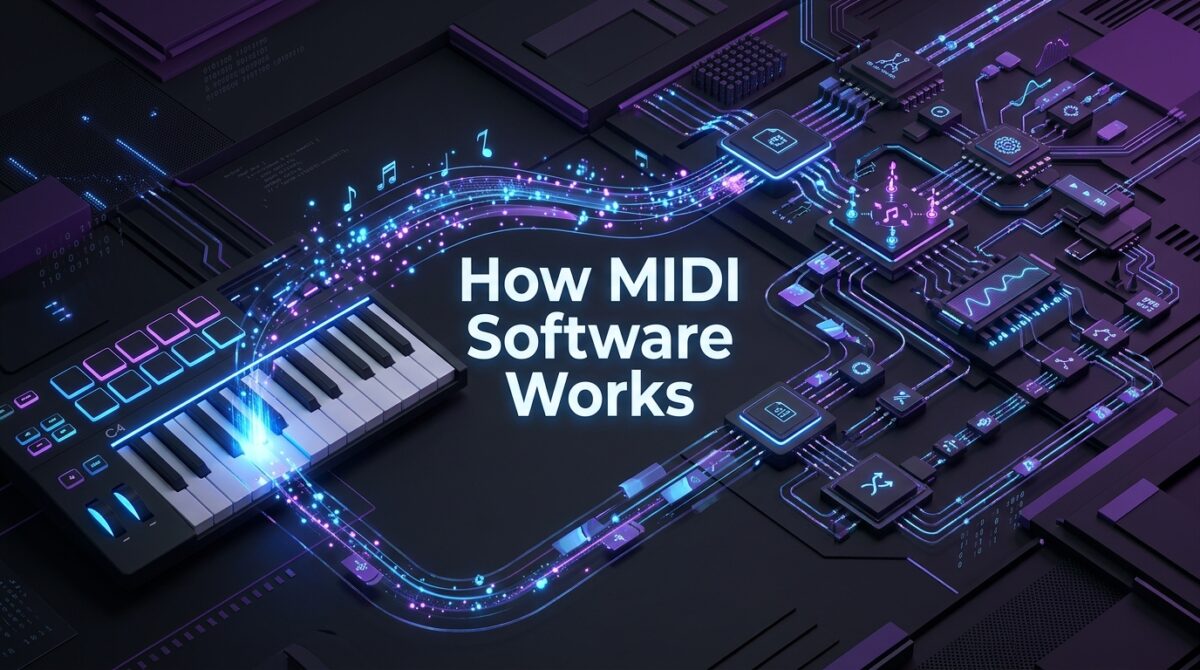
Understanding how MIDI software functions helps explain why it is so powerful for music creation. At its core, it converts physical or digital input into structured data that instruments and computers can interpret and replay accurately.
Understanding MIDI Signals
When a musician presses a key on a MIDI keyboard, the software records specific data points such as which note was played, how hard the key was pressed, and how long it was held.
These signals are known as velocity, pitch, and duration, and together they recreate a performance digitally. This detailed information allows producers to adjust dynamics and expression long after the original performance was recorded.
Difference Between MIDI Files and Audio Files
MIDI files store only instructions, while audio files like WAV or MP3 store actual recorded sound waves.
This means a MIDI file can be changed to sound like a piano, guitar, or synthesizer just by switching the instrument setting, something impossible with a regular audio recording. Because of this flexibility, MIDI files are much smaller in size and easier to edit than traditional audio recordings.
How MIDI Communicates with Instruments and Computers
MIDI data travels through cables, USB connections, or wireless protocols between devices, allowing a keyboard to control software instruments on a computer in real time.
The software receives these signals and either plays a virtual instrument sound or records the data for later editing. This communication happens almost instantly, so musicians experience no noticeable delay while playing.
MIDI Channels and Ports Explained
MIDI supports up to sixteen channels, meaning multiple instruments or sounds can be controlled separately through a single connection.
Each channel can be assigned a different instrument, allowing a single keyboard to trigger drums on one channel and a bassline on another simultaneously. Ports, on the other hand, are the physical or virtual connections through which this MIDI data travels between devices.
Types of MIDI Software
There are several categories of MIDI software, each designed for a specific purpose in the music creation process. Choosing the right type depends on whether you want to produce full songs, write sheet music, or simply play back MIDI files.
Digital Audio Workstations (DAWs)
DAWs are the most popular type of midi midi software because they combine MIDI recording, audio recording, and mixing all in one program.
Programs like Ableton Live, FL Studio, Logic Pro, Cubase, and Reaper allow users to arrange full songs using both MIDI tracks and audio recordings together. These platforms are widely used by professional producers because of their flexibility and support for virtual instruments and effects.
MIDI Editors
MIDI editors are more specialized tools focused purely on adjusting MIDI data without the extra features found in a full DAW.
Software like MuseScore, Anvil Studio, and MidiEditor allow users to fine-tune individual notes, correct timing errors, and rearrange musical phrases with precision. These tools are especially helpful for users who already have a MIDI file and simply need to clean up or modify it.
Notation Software
Notation software converts MIDI input into readable sheet music, making it valuable for composers, teachers, and students who need printed scores.
Programs such as Sibelius, Finale, and MuseScore allow musicians to play a melody on a MIDI keyboard and instantly see it transcribed into traditional music notation. This bridges the gap between digital composition and classical music education.
MIDI Players
MIDI players are simple programs designed only to play back MIDI files without offering editing capabilities.
Common examples include VLC Media Player and Windows Media Player, which can open and play MIDI files just like any other audio format. These are useful for casual listening but are not suitable for anyone wanting to create or modify music.
Learning and Practice Software
Learning software uses MIDI technology to help beginners practice instruments, especially piano, through interactive visual guides.
Applications like Synthesia and Piano Marvel display falling notes that correspond to keys on a MIDI keyboard, helping users learn songs step by step. This type of software has become extremely popular among self-taught musicians because it turns practice into an engaging, game-like experience.
Key Features to Look for in MIDI Software
Before choosing a program, it helps to know which features actually matter for your music-making goals. The right combination of features can make the creative process smoother and far less frustrating.
The table below summarizes the most important features to consider when comparing different MIDI programs.
| Feature | Why It Matters |
| Recording and Playback | Allows you to capture performances and listen back instantly |
| Virtual Instrument Support | Lets you use realistic sounds through VST or AU plugins |
| Multi-track Editing | Enables layering multiple instruments in one project |
| Quantization | Automatically corrects timing mistakes for a cleaner sound |
| Controller Compatibility | Ensures your MIDI keyboard or pad works smoothly with the software |
| Export and Import Options | Provides flexibility to save projects as MIDI, WAV, or MP3 files |
Beyond these core features, some advanced midi midi software also includes built-in music theory tools, chord suggestion systems, and cloud syncing for working across multiple devices. These extras are not essential for beginners but can significantly speed up the workflow for experienced producers.
Free vs Paid MIDI Software
Deciding between free and paid options depends largely on your budget, skill level, and long-term goals in music production. Both categories offer legitimate value, and many professionals actually started with free tools before upgrading.
Best Free Options for Beginners
Free programs like GarageBand, MuseScore, and the free version of Reaper offer enough features for beginners to learn the basics without spending money.
These tools typically include essential recording, editing, and playback functions, though they may lack advanced mixing or plugin support found in premium software. Starting with free software is a smart way to understand your workflow preferences before investing in a paid upgrade.
When to Invest in Paid Software
Paid software becomes worthwhile once a musician needs advanced mixing tools, a larger library of virtual instruments, or professional-grade audio processing.
Programs like Logic Pro, Cubase, and Ableton Live offer deeper customization and stability for handling complex, multi-track projects. Investing in paid software usually makes sense for those pursuing music production as a serious hobby or career.
The comparison below highlights key differences between free and paid MIDI software options.
| Aspect | Free Software | Paid Software |
| Cost | No upfront cost | One-time or subscription fee |
| Feature Depth | Basic to moderate | Extensive and professional-grade |
| Virtual Instruments | Limited selection | Large, high-quality libraries |
| Support | Community forums | Official customer support |
| Best For | Beginners and hobbyists | Serious producers and professionals |
How to Choose the Right MIDI Software
Selecting the best software depends on matching the program’s strengths to your specific musical goals and technical comfort level. Taking time to evaluate your needs before downloading anything will save frustration later.
For Beginners vs Professionals
Beginners generally benefit from simpler interfaces with guided tutorials, such as GarageBand or the entry-level version of FL Studio. Professionals, on the other hand, often need advanced routing options, deeper plugin support, and greater control over mixing, which is why many choose Ableton Live or Cubase.
Matching software complexity to your current skill level prevents unnecessary frustration during the learning process.
For Music Production vs Notation Writing
If your main goal is producing full songs with beats and instruments, a DAW like FL Studio or Logic Pro will suit you best. However, if you primarily need to write and print sheet music for students or performers, notation software like Sibelius or MuseScore is the more practical choice. Understanding this distinction early helps avoid choosing a tool that does not match your actual workflow.
For Gaming and Film Scoring
Composers working on games or films often need software with strong orchestral template support and synchronization tools for matching music to video timing.
Cubase and Logic Pro are particularly popular in this space due to their scoring features and compatibility with film editing software. These professionals also rely heavily on high-quality virtual orchestral instrument libraries to achieve cinematic results.
System Requirements
Before installing any midi midi software, it is important to check compatibility with your operating system, whether Windows, Mac, or Linux. Some programs, like Logic Pro, are exclusive to Mac users, while others like Reaper and FL Studio work across multiple platforms. Checking your computer’s processing power and available storage also ensures smoother performance, especially when working with large virtual instrument libraries.
Step-by-Step: Getting Started with MIDI Software
Starting your MIDI journey does not need to be complicated if you follow a clear, structured process from the very beginning.
- Download and install a beginner-friendly MIDI program based on your operating system and budget.
- Connect your MIDI keyboard or controller using a USB cable or wireless connection.
- Create a new project and select a virtual instrument to begin recording.
- Record a simple melody or chord progression to get familiar with the recording process.
- Use editing tools like quantization and velocity adjustment to refine your first recording.
Following these steps in order builds a strong foundation, making it much easier to explore more advanced features later on.
Common Uses of MIDI Software
MIDI software serves many different purposes across the music and entertainment industries, extending far beyond simple song creation. Understanding these applications shows just how versatile this technology truly is.
Musicians use MIDI software for composing original music, scoring films and video games, performing live with backing tracks, teaching students through interactive lessons, and creating printed sheet music for ensembles.
Each of these use cases relies on the same core MIDI technology but applies it in slightly different ways depending on the end goal. This wide range of applications is a major reason midi midi software continues to grow in popularity across creative industries.
Tips and Best Practices
Following good habits early on can save significant time and prevent common frustrations for new MIDI users. Organizing your project files clearly, labeling tracks properly, and grouping related instruments together makes navigating complex projects much easier.
It is also wise to explore your software’s virtual instrument library thoroughly, since many beginners overlook powerful built-in sounds that could improve their tracks instantly. Regularly backing up your MIDI projects, either through cloud storage or external drives, protects your work from accidental loss due to software crashes or hardware failure.
Future of MIDI Software
The MIDI standard itself is evolving through MIDI 2.0, which introduces higher resolution data and better compatibility between modern devices. This update allows for more expressive performances, capturing finer details in velocity and pressure than the original MIDI specification allowed.
Additionally, artificial intelligence is increasingly being integrated into midi midi software, offering features like automatic chord suggestions and intelligent melody generation. Cloud-based collaboration tools are also becoming more common, allowing musicians in different locations to work on the same MIDI project simultaneously in real time.
How Popular MIDI Software Compares
Different platforms tend to appeal to different types of users based on pricing, ease of use, and specialization. DAWs such as FL Studio and Ableton Live dominate the electronic and pop production space due to their intuitive workflow, while Cubase and Logic Pro are often preferred for film scoring and orchestral work because of their advanced notation and scoring tools.
Notation-focused platforms like Sibelius and Finale remain the industry standard among classical composers and educators, whereas free tools like MuseScore continue gaining popularity among students and hobbyists who need reliable results without a financial investment.
Conclusion
MIDI software remains a foundational tool for anyone involved in modern music creation, from beginners experimenting with their first melody to professionals scoring major film productions.
By understanding the different types of software available and the features that matter most, you can confidently choose a tool that fits your creative goals. Whether you start with free software or invest in a professional-grade program, midi midi software offers the flexibility and power needed to bring musical ideas to life.
Frequently Asked Questions
Is MIDI software free?
Many MIDI programs, such as MuseScore and GarageBand, are completely free, while others offer premium versions with advanced features at a cost.
Can I use MIDI software without a keyboard?
Yes, most MIDI software allows note entry using a computer mouse or keyboard, though a physical MIDI controller makes the process faster and more natural.
What is the difference between MIDI and audio recording?
MIDI stores playing instructions like pitch and timing, while audio recording captures actual sound waves, making MIDI far more flexible for editing.
Which MIDI software is best for beginners?
Free tools like GarageBand and MuseScore are excellent starting points due to their simple interfaces and beginner-friendly tutorials.
Related Articles
Construction ERP Software: The Complete Guide for Modern Construction Businesses
Business to Business Software: A Complete Guide
Age Verification Software: Complete Guide to How It Works, Types, and Benefits
Software License Management: The Complete Guide
2020 Design Software: A Complete Guide for Beginners and Professionals


