
Track and Field Meet Manager Software: The Complete Guide
August 11, 2026
Material Nesting Software for Length of Material: Complete Guide
August 11, 2026
Laser cutting software is the digital bridge between a design idea and a finished, precisely cut material. It allows users to create, import, and adjust designs before sending them to a laser machine for cutting or engraving.
Whether you are a hobbyist working on small craft projects or a professional running an industrial workshop, this software controls how accurately, quickly, and safely your laser machine performs. Understanding how it works, which features matter, and which tools are worth using can save time, reduce material waste, and improve overall cutting quality.
What is Laser Cutting Software and Why It Matters
Laser cutting software is a program that converts digital designs into instructions a laser machine can understand and execute. Without it, a laser cutter has no way of knowing where to cut, how deep to engrave, or how fast to move.
Understanding the Basic Purpose
At its core, laser cutting software takes a design file, whether hand-drawn, imported, or created digitally, and translates it into machine-readable commands.
This process ensures the laser follows exact paths, avoiding errors that could waste expensive material or damage the machine.
Why Software Quality Affects Output
The quality of the software directly affects the quality of the final product. Poorly optimized software can cause uneven cuts, inaccurate engravings, or slow processing times.
Reliable laser cutting software gives users better control over speed, power, and precision, which ultimately reflects in the finished piece.
Who Relies on This Software
Laser cutting software is used by hobbyists making personalized gifts, small businesses producing signage, and large manufacturers cutting metal or acrylic parts.
Each user group has different needs, but all depend on the same core function: turning a design into an accurate, repeatable cutting process.
How Laser Cutting Software Works
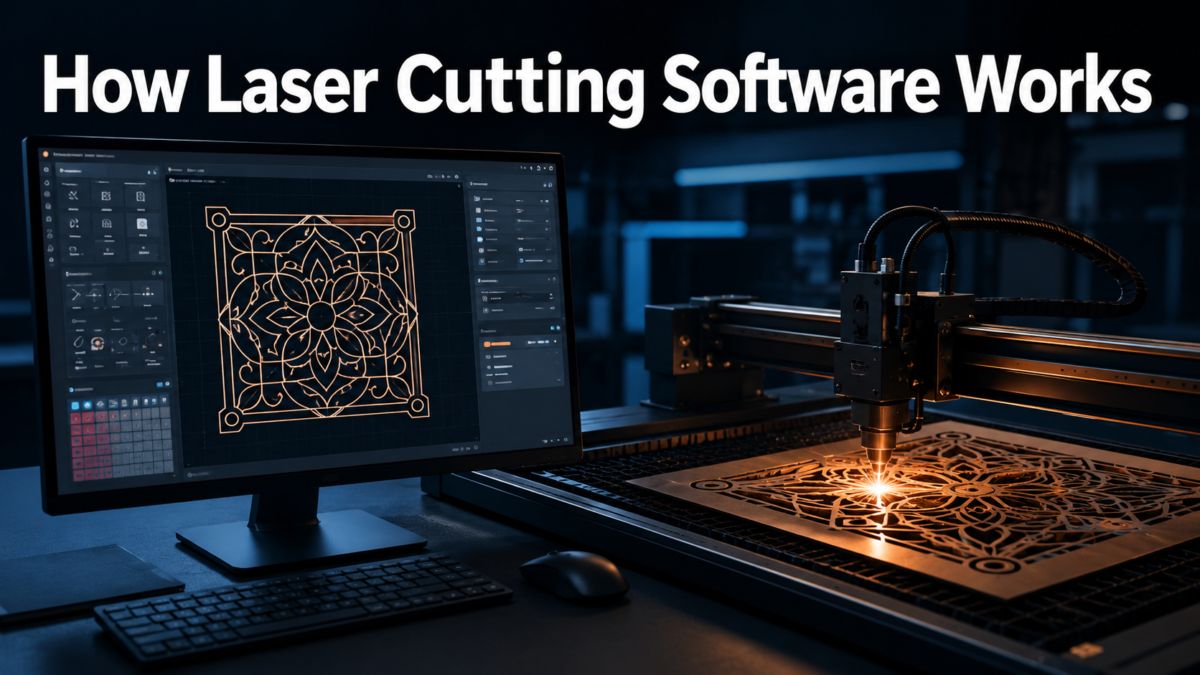
The working process of laser cutting software follows a simple logical flow: design, convert, and cut. Each stage plays a role in ensuring the final output matches the original intention.
The Design-to-Cut Workflow
A typical workflow starts with creating or importing a design, followed by adjusting settings like power and speed, and finally sending the file to the laser machine. This structured process keeps the operation predictable and easy to repeat for future projects.
Vector and Raster File Handling
Laser cutting software primarily works with vector files for cutting lines and raster files for engraving detailed images. Vector files use mathematical paths, making them ideal for clean, sharp cuts, while raster files are made of pixels, better suited for shading and photo-like engravings.
Communication Between Software and Machine
Once a design is finalized, the software sends commands through a wired or wireless connection to the laser machine. This communication often uses G-code or similar instruction sets, allowing the machine to execute the design exactly as planned without manual intervention.
Types of Laser Cutting Software
Not all laser cutting software serves the same purpose. Some programs focus purely on design, while others handle machine communication or toolpath optimization.
CAD Software for Initial Design
Computer-Aided Design (CAD) software is used to create the initial artwork or technical drawing. Programs like AutoCAD or Inkscape allow users to sketch precise shapes, which later get processed for cutting instructions.
CAM Software for Toolpath Preparation
Computer-Aided Manufacturing (CAM) software takes the finished design and prepares it for the actual cutting process. It calculates the exact path the laser should follow, along with speed and power adjustments needed for different materials.
Machine Control and Driver Software
This type of software directly communicates with the laser machine, sending real-time instructions during the cutting process. It often comes bundled with the machine itself and handles functions like starting, pausing, or stopping a job.
All-in-One Software Solutions
Some modern platforms combine design, toolpath preparation, and machine control into a single interface. These all-in-one solutions simplify the workflow, especially for beginners who prefer not to switch between multiple programs.
Key Features to Look For in Laser Cutting Software
Choosing the right laser cutting software depends on the features it offers. The right combination of tools can significantly improve both efficiency and accuracy.
File Format Compatibility
Good laser cutting software supports a wide range of file formats, including vector types like DXF and SVG, along with raster formats like JPEG or PNG. This flexibility allows users to work with designs from multiple sources without conversion issues.
Power and Speed Control
Precise control over laser power and cutting speed is essential for working with different materials. Software that allows fine adjustments helps prevent burning, incomplete cuts, or material warping.
Kerf Compensation
Kerf compensation adjusts for the small amount of material removed by the laser beam itself. This feature ensures that final dimensions match the original design, which is especially important for interlocking or puzzle-style pieces.
Nesting and Material Optimization
Nesting tools automatically arrange multiple design pieces on a single sheet of material to minimize waste. This feature is particularly valuable for businesses trying to reduce material costs during large production runs.
Preview and Simulation Tools
Simulation features allow users to preview the entire cutting process before it begins. This helps catch potential errors, such as overlapping paths or incorrect scaling, before any material is actually cut.
Popular Laser Cutting Software Options Compared
Several software options dominate the market, each with strengths suited to different user needs. Comparing them helps identify the right fit based on skill level and machine type.
LightBurn: Balanced and Beginner-Friendly
LightBurn is widely regarded as one of the most user-friendly options, offering both design and machine control features. It supports a broad range of laser machines and is popular among hobbyists and small businesses alike.
RDWorks: Common with Chinese Laser Machines
RDWorks is frequently bundled with Chinese-manufactured laser cutters. While its interface feels dated compared to newer alternatives, it remains functional and widely used due to its compatibility with many entry-level machines.
Autodesk Fusion 360: Best for Advanced Engineering
Fusion 360 offers a powerful CAM module suited for professionals needing advanced design and manufacturing integration. It is more complex than dedicated laser software but excels in projects requiring detailed engineering precision.
| Software | Best For | Skill Level | Typical Users |
| LightBurn | All-in-one design and control | Beginner to Intermediate | Hobbyists, small businesses |
| RDWorks | Budget laser machines | Beginner | Entry-level machine owners |
| Fusion 360 | Advanced engineering projects | Advanced | Engineers, manufacturers |
| Trotec Ruby | Industrial-grade operations | Intermediate to Advanced | Professional workshops |
How to Choose the Right Laser Cutting Software
Selecting suitable laser cutting software depends on several personal and technical factors rather than a single universal answer.
Matching Software to Machine Type
Different laser machines, such as CO2, fiber, or diode lasers, often require compatible software. Checking manufacturer recommendations before purchasing software prevents connectivity or performance issues later.
Considering Skill Level and Budget
Beginners generally benefit from simpler, more intuitive interfaces, while advanced users may need software with deeper customization options. Budget also plays a role, since some programs are free while others require paid licenses.
Step-by-Step Guide to Using Laser Cutting Software
Once the right software is selected, following a structured process ensures consistent and safe results.
Setting Up and Importing a Design
The first step involves installing the software and importing or creating a design file. Users should verify that dimensions and orientation match their intended output before proceeding further.
Adjusting Settings and Running a Test
After importing the design, adjusting power, speed, and pass count is necessary based on the material being used. Running a small test cut on scrap material helps confirm settings before committing to the final piece.
Common Problems and Practical Tips
Even experienced users occasionally face technical issues, but most problems have straightforward solutions.
Troubleshooting Frequent Issues
Common problems include file import errors, incorrect scaling, or connectivity failures between the software and machine. Restarting the software, checking cable connections, and verifying file formats usually resolve most of these issues.
Improving Efficiency and Precision
Using material-specific presets, saving frequently used settings as templates, and regularly calibrating the machine can significantly improve both speed and cutting accuracy over time.
Future Trends in Laser Cutting Software
The laser cutting industry continues to evolve, with newer software increasingly incorporating smarter and more automated capabilities.
AI-Assisted Design and Cloud Integration
Artificial intelligence is beginning to assist with automatic design optimization, reducing manual adjustments. Meanwhile, cloud-based platforms are making it easier to access and manage projects across multiple devices.
Conclusion
Laser cutting software plays a central role in transforming digital designs into precise, physical results. Choosing the right program depends on your machine type, skill level, and specific project needs, whether that means a simple all-in-one tool like LightBurn or a more advanced platform like Fusion 360.
With the right software and a clear understanding of its features, both beginners and professionals can achieve consistent, high-quality cutting results.
Frequently Asked Questions
Is laser cutting software free?
Some options, like LightBurn’s trial version or basic RDWorks tools, offer free or low-cost access, while advanced platforms often require paid licenses.
Can I use laser cutting software without owning a laser machine?
Yes, many programs allow users to design and simulate projects without a connected machine, useful for planning before purchasing equipment.
What is the best laser cutting software for beginners?
LightBurn is often recommended for beginners due to its simple interface and broad machine compatibility.
Does laser cutting software work with all laser machines?
Not always. Compatibility varies, so it’s important to confirm that your chosen software supports your specific laser machine model before use.
Related Articles
Custom Manufacturing Software: A Complete Guide for Modern Manufacturers
Seisa Mouse Software: Complete Guide to Installation, Features & Customization
Redragon EISA Magnetic Keyboard K686 Software: Complete Setup and Feature Guide


