

Ham Radio Software For Windows Free: Complete Guide
August 4, 2026
Old 3D CGI Rendering Software: A Complete History and Guide
August 4, 2026
Intranet software is a private digital platform that allows employees within an organization to communicate, share files, and collaborate securely without using the public internet. It acts as a central hub where staff members can access company news, documents, tools, and each other, all in one place.
As businesses grow and teams become more distributed, intranet software has become an essential tool for keeping everyone connected and informed. This guide explains everything you need to know about intranet software in simple, easy-to-understand language.
Introduction to Intranet Software
Intranet software forms the digital backbone of internal business operations. It connects employees, departments, and resources under one secure system. Below, we explore what it means and why it matters today.
What is Intranet Software?
Intranet software is a private network application built exclusively for use within an organization. Only authorized employees can log in and access its content, tools, and communication features. Unlike public websites, it is protected behind company firewalls or secure cloud logins.
Brief History and Evolution
Early intranets were simple static pages used mainly to share company policies and memos. Over time, they evolved into dynamic platforms with chat, file sharing, and automation features. Today, modern intranet software is often cloud-based, mobile-friendly, and powered by artificial intelligence.
Intranet vs Internet vs Extranet
An intranet is private and limited to internal employees, while the internet is open to everyone worldwide. An extranet sits in between, allowing selected outside parties like vendors or clients limited access. Understanding this difference helps businesses choose the right level of access control for their data.
Why Businesses Need an Intranet Today
Remote and hybrid work models have made centralized communication tools more important than ever. Intranet software helps reduce email overload, keeps information organized, and gives employees a single trusted source of company updates. Without it, teams often struggle with scattered files and inconsistent messaging.
Understanding How Intranet Software Works
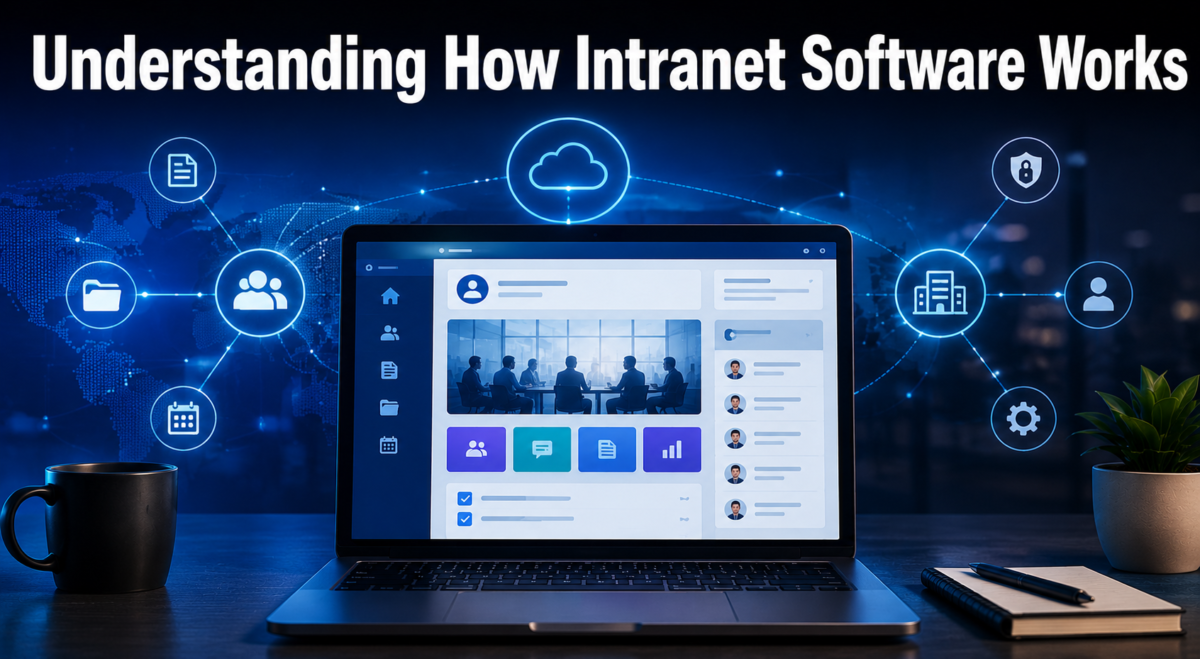
Intranet software works by hosting company data and tools on a secure server that employees access through login credentials. Its structure depends on whether it is cloud-based or installed on local company servers.
Basic Architecture and Technology
Most intranet platforms use a web-based interface built on databases, servers, and security protocols. Employees access the system through a browser or mobile app after authentication. The backend manages permissions so only the right people see specific content.
Cloud-Based vs On-Premise Intranets
Cloud-based intranets are hosted by third-party providers and accessed online, requiring little technical maintenance from the company. On-premise intranets are hosted on the company’s own servers, offering more control but requiring dedicated IT staff. Many modern businesses now prefer cloud-based intranet software because it is easier to scale and update.
Key Components of an Intranet System
Every intranet system typically includes a homepage, communication tools, document storage, and user management settings. These components work together to create a smooth digital workplace experience. The exact combination of features can vary depending on the software provider chosen.
Core Features of Intranet Software
Modern intranet software offers a wide range of tools designed to simplify communication and daily operations. The table below summarizes the most common features found in leading platforms.
| Feature | Purpose |
| Internal Chat/Messaging | Quick communication between employees and teams |
| Document Management | Central storage for company files and records |
| Employee Directory | Easy access to contact details and org structure |
| News Feed | Company-wide announcements and updates |
| Task Management | Assigning and tracking work progress |
| HR Self-Service | Leave requests, payslips, and policy access |
| Search Function | Quickly locate documents and information |
| Third-Party Integrations | Connects with CRM, ERP, and other tools |
Internal Communication Tools
Communication tools such as chat rooms, discussion boards, and instant messaging keep teams connected in real time. These tools reduce dependency on long email chains for simple conversations. Many platforms also support video calls and group channels for project-based discussions.
Document and File Management
This feature allows employees to upload, organize, and retrieve files from a shared digital library. Version control ensures that everyone works on the most updated document. It also reduces the risk of losing important files stored across different personal devices.
Employee Directory and Org Charts
An employee directory provides quick access to names, roles, departments, and contact information. Org charts visually display reporting structures, helping new employees understand company hierarchy. This feature is especially useful in large organizations with multiple departments.
News Feed and Company Announcements
The news feed acts like a company newspaper, sharing updates, achievements, and policy changes. It ensures that important information reaches everyone at the same time. This reduces the chances of miscommunication caused by scattered emails.
Task and Project Management
Built-in task management tools let managers assign work, set deadlines, and monitor progress. Employees can update their task status directly within the intranet software. This keeps project tracking simple without needing separate external tools.
HR Self-Service Tools
HR features allow employees to apply for leave, check payslips, and view company policies without contacting HR directly. This saves time for both employees and HR staff. It also creates a transparent system for handling routine HR requests.
Search and Knowledge Base
A strong search function helps employees quickly find documents, policies, or past conversations. A knowledge base stores frequently needed information like guides and FAQs. Together, these features reduce time wasted searching for information manually.
Integration with Other Business Tools
Most intranet software can connect with existing tools like CRM, ERP, or project management systems. This creates a unified digital workplace instead of forcing employees to switch between multiple platforms. Integration also improves data accuracy across systems.
Benefits of Using Intranet Software
Using intranet software brings measurable improvements to how a business operates internally. It strengthens communication while also supporting company culture and productivity.
Improved Internal Communication
Intranet software centralizes conversations so important messages are not lost in cluttered inboxes. Teams can communicate faster and more clearly through structured channels. This leads to fewer misunderstandings across departments.
Increased Employee Engagement
Interactive features like recognition boards and feedback tools make employees feel more involved in company activities. Engaged employees are generally more productive and loyal. Intranet software gives them a platform to share ideas and achievements.
Centralized Information Access
Instead of searching through emails or shared drives, employees can find everything in one organized system. This saves time and reduces frustration. It also ensures consistency in the information being shared company-wide.
Better Collaboration Across Departments
Teams from different departments can easily share files and updates through the same platform. This breaks down communication silos that often exist in larger companies. Cross-department projects become easier to manage as a result.
Enhanced Productivity and Efficiency
By reducing time spent searching for information or switching between tools, employees can focus more on actual work. Automated workflows also reduce manual administrative tasks. Over time, this leads to noticeable efficiency gains.
Stronger Company Culture
Regular updates, recognition posts, and open communication help build a sense of belonging among employees. Even remote workers feel more connected to company values and events. This strengthens overall workplace culture.
Secure Data Sharing
Intranet software includes access controls and encryption to protect sensitive company data. Only authorized users can view specific files or sections. This is especially important for industries handling confidential information.
Types of Intranet Software
Different businesses require different types of intranet systems depending on their size, culture, and communication needs.
Traditional Intranet
Traditional intranets focus mainly on document storage and basic announcements. They are simple and function well for smaller businesses with limited communication needs. However, they often lack modern social or mobile features.
Social Intranet
Social intranets include features similar to social media, such as likes, comments, and employee profiles. They encourage more casual and frequent interaction among staff. This type works well for companies aiming to boost engagement.
Mobile Intranet
Mobile intranets are optimized for smartphones, allowing employees to stay connected while working remotely or on the go. This is especially useful for industries with field staff or hybrid teams. Push notifications help keep everyone updated instantly.
Employee Experience Platforms (EXP)
EXPs go beyond communication by focusing on the overall employee journey, including onboarding, wellness, and career growth. They combine intranet features with HR and engagement tools. This type is becoming increasingly popular among larger organizations.
Key Factors to Consider Before Choosing Intranet Software
Choosing the right platform requires evaluating several important factors based on business needs and long-term goals.
Business Size and Needs
Smaller companies may only need basic communication tools, while larger organizations require more advanced features. Understanding your team size and workflow complexity helps narrow down suitable options. This avoids paying for unnecessary features.
Ease of Use and User Interface
A simple, intuitive interface encourages higher adoption rates among employees. Complicated systems often go unused, wasting the investment. Testing a demo before purchase can help evaluate usability.
Customization and Scalability
The software should allow branding customization and adapt as the company grows. Scalability ensures the platform remains useful even as employee numbers increase. This prevents the need for frequent platform switching.
Security and Data Privacy
Since intranets often store sensitive company data, strong security measures like encryption and access controls are essential. Compliance with data protection regulations should also be checked. This protects both the company and its employees.
Integration Capabilities
The platform should easily connect with existing tools like email, CRM, or HR systems. Poor integration can create extra work instead of simplifying processes. Checking compatibility beforehand saves future technical issues.
Pricing and Budget
Costs vary widely depending on features, number of users, and hosting type. It is important to compare pricing plans against the value provided. Hidden costs like setup or training fees should also be considered.
Vendor Support and Reliability
Reliable customer support ensures quick resolution of technical issues. Checking vendor reviews and uptime history can indicate how dependable the service is. Good support reduces downtime and frustration for employees.
Popular Intranet Software Platforms
Several established platforms dominate the intranet software market, each offering unique strengths.
| Platform | Best For |
| SharePoint | Large enterprises needing deep Microsoft integration |
| Confluence | Teams focused on documentation and knowledge sharing |
| Workvivo | Companies prioritizing employee engagement |
| Simpplr | Businesses wanting a modern, easy-to-use interface |
| Happeo | Organizations using Google Workspace |
| Jostle | Small to mid-sized companies seeking simplicity |
| Staffbase | Enterprises focused on internal communications |
Comparison Overview
Each platform serves slightly different priorities, so the right choice depends on company size and existing software ecosystem. SharePoint suits Microsoft-based companies, while Happeo fits Google Workspace users. Smaller businesses often prefer Jostle or Simpplr for their simplicity.
Implementation Process of Intranet Software
Successfully deploying intranet software requires careful planning rather than a rushed rollout.
Planning and Requirement Analysis
Before choosing software, businesses should identify specific communication gaps and goals. This ensures the selected platform addresses real organizational needs. Involving different departments during planning improves overall adoption later.
Choosing the Right Platform
Based on the planning phase, companies can shortlist and test a few suitable platforms. Free trials or demos help evaluate real-world usability. Feedback from a small test group can guide the final decision.
Design and Customization
The intranet should reflect company branding and be organized logically for easy navigation. Clear categories and menus prevent confusion among users. Customization also helps employees feel a stronger connection to the platform.
Employee Training and Onboarding
Proper training ensures employees understand how to use the new system effectively. Short tutorials or guided walkthroughs can speed up adoption. Ongoing support during the early weeks helps address confusion quickly.
Launch Strategy
A phased launch, starting with one department before company-wide rollout, often works better than an abrupt switch. This allows early issues to be resolved before wider implementation. Clear communication about the launch builds anticipation and reduces resistance.
Continuous Improvement and Feedback
After launch, regularly collecting employee feedback helps identify areas needing improvement. Updates and new features should be introduced based on actual usage patterns. This keeps the intranet relevant and useful over time.
Challenges in Using Intranet Software
Despite its benefits, intranet software can face certain obstacles during and after implementation.
Low Employee Adoption
Employees may resist switching from familiar tools like email to a new system. Poor training or unclear benefits often cause this resistance. Strong internal communication about its advantages can improve adoption rates.
Outdated Content and Poor Maintenance
If content is not regularly updated, employees may lose trust in the platform’s reliability. Assigning content owners for different sections helps maintain accuracy. Neglected intranets often become underused over time.
Complex User Interface
An overly complicated design can discourage employees from using the system regularly. Simplicity should always be prioritized during platform selection. Regular usability testing can help identify confusing areas.
Security Risks
Without proper security measures, sensitive company data could be exposed to unauthorized access. Regular security audits and updates are necessary to prevent breaches. Employee awareness training also reduces security risks.
Integration Issues
Sometimes intranet software does not integrate smoothly with existing business tools, creating extra manual work. Checking compatibility before purchase can prevent this problem. IT support may be needed to resolve integration challenges effectively.
Best Practices for a Successful Intranet
Following proven best practices can significantly improve the long-term success of intranet software within an organization.
Keep Content Updated and Relevant
Regularly refreshing news, policies, and resources keeps employees engaged and informed. Outdated information reduces trust in the platform. Assigning clear responsibility for updates helps maintain consistency.
Encourage Employee Participation
Allowing employees to comment, share ideas, or contribute content increases engagement. Recognition features can motivate active participation. A two-way communication style works better than one-directional announcements.
Simplify Navigation
Clear menus, categories, and search functions make it easier for employees to find what they need quickly. Complicated navigation often discourages regular use. Simplicity should remain a priority throughout design updates.
Regularly Collect Feedback
Surveys and feedback forms help identify what employees like or struggle with on the platform. This information guides future improvements effectively. Listening to user feedback builds trust in the system.
Mobile Optimization
Since many employees work remotely or on the move, mobile-friendly design is essential. A responsive intranet ensures accessibility from any device. This improves overall usage rates across the organization.
Future Trends in Intranet Software
The future of intranet software is being shaped by new technologies and changing workplace expectations.
AI-Powered Intranets
Artificial intelligence is being used to power smarter search results and personalized content recommendations. Chatbots can also assist employees with quick queries. This trend is expected to grow significantly in coming years.
Personalized Employee Experience
Future intranets will likely offer customized dashboards based on individual roles and preferences. This makes information more relevant to each user. Personalization improves overall user satisfaction and efficiency.
Integration with Remote and Hybrid Work Tools
As hybrid work becomes standard, intranet software is increasingly integrating with video conferencing and remote collaboration tools. This creates a seamless digital workplace experience. Businesses benefit from having fewer separate platforms to manage.
Voice Search and Automation
Voice-activated search and automated workflows are gradually being added to modern intranet platforms. These features save time and improve accessibility. Automation also reduces repetitive administrative tasks for employees.
Conclusion
Intranet software plays a vital role in keeping modern organizations connected, informed, and productive. From improving internal communication to supporting HR functions and employee engagement, its benefits extend across every department.
Choosing the right platform depends on factors like business size, budget, and required features, while successful implementation relies on proper planning and employee training. As technology continues to evolve, intranet software will become even smarter and more personalized, making it an essential investment for businesses of all sizes.
Frequently Asked Questions (FAQs)
What is the main purpose of intranet software?
Its main purpose is to provide a secure, centralized platform for internal communication, collaboration, and information sharing within an organization.
Is intranet software only for large companies?
No, businesses of all sizes can benefit from intranet software, though smaller companies may prefer simpler and more affordable platforms.
Can intranet software be accessed remotely?
Yes, most modern intranet platforms are cloud-based and mobile-friendly, allowing remote access from anywhere with proper login credentials.
How is intranet software different from an extranet?
An intranet is limited to internal employees only, while an extranet allows selected external users like vendors or partners limited access.
Which intranet software is best for small businesses?
Platforms like Jostle or Simpplr are often preferred by smaller businesses due to their simplicity and ease of use.
Related Articles
Laser Engraver Software: Complete Beginner to Advanced Guide 2025
Software CODESYS : A Complete Guide to Industrial Automation Programming
Export List of Software Installed : on Your Computer (Complete Guide)
Entry Level Software Engineering Jobs: A Complete Guide for Beginners


