
What is Software Migration? A Complete Guide
August 12, 2026
Senior Software Engineer: Complete Career Guide
August 13, 2026
Focus School Software is a student information system that many public school districts across the United States rely on to manage attendance, grades, scheduling, and communication.
It brings administrators, teachers, students, and parents onto one connected platform so daily school operations run smoothly. This guide walks through how the system works, who uses it, and what sets it apart from other school management tools in plain, easy-to-follow language.
What Is Focus School Software?
Focus School Software is a cloud-based student information and ERP platform built for K-12 school districts and career-technical education programs. It combines record-keeping, communication, and reporting tools into one system schools access from any device.
Origin and Purpose of the Platform
The company behind Focus School Software was founded in 2006 and is headquartered in St. Petersburg, Florida. Its goal has been to replace scattered, disconnected school record systems with one unified database every stakeholder can log into.
Over the years the platform grew from a basic records tool into a full suite covering academics, finance, and staff management.
Who Actually Uses This Software
Four main groups use Focus School Software on a daily basis: administrators who oversee district-wide data, teachers who record grades and attendance, students who check their own progress, and parents who monitor their child’s school life.
Each group sees a version of the platform tailored to what they actually need, so nobody is overwhelmed with irrelevant screens or options.
Why Districts Choose This System Over Others
Many districts move to Focus School Software because it consolidates separate spreadsheets, paper forms, and legacy tools into one login.
Instead of a registrar using one program for enrollment and a teacher using another for grades, everyone works from the same database, which reduces duplicate entry and conflicting records.
Understanding a Student Information System (SIS)
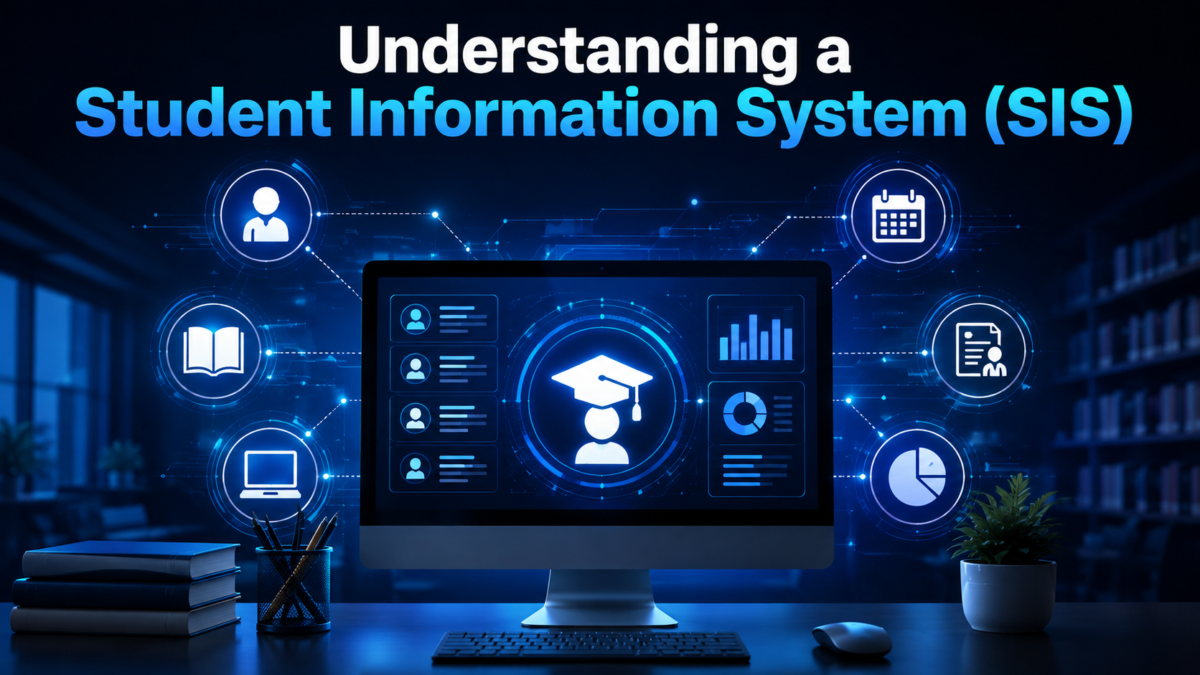
A student information system is software built to store and organize everything a school needs to know about its students in one place. It replaces filing cabinets and disconnected spreadsheets with a searchable database staff can update in real time.
What an SIS Actually Stores
At its core, an SIS holds enrollment records, attendance logs, grade histories, class schedules, health information, and contact details for every student.
This data is organized so a teacher, counselor, or administrator can pull up a complete academic picture within seconds rather than digging through paper files.
How an SIS Differs from a Learning Management System
People sometimes confuse a student information system with a learning management system, but the two serve different purposes.
A learning management system focuses on delivering lessons and course content, while an SIS like Focus School Software focuses on administrative record-keeping such as attendance, grades, and scheduling across the district.
Why Schools Need This Type of Software
Without a centralized SIS, schools would need to manually reconcile attendance sheets, report cards, and enrollment paperwork across separate classrooms and offices.
A shared system reduces errors, speeds up reporting to state education departments, and gives every authorized person instant access to accurate student information.
Core Modules and Features of Focus School Software
Focus School Software is organized into modules, so districts can activate only the tools they need rather than being locked into one rigid package. This modular design is one of the platform’s most practical strengths for districts of different sizes and budgets.
Academic and Enrollment Modules
The K-12 SIS module handles the academic backbone of a school, including attendance tracking, grade books, report cards, scheduling, and enrollment.
A companion CTE and Adult Education SIS module extends the same approach to career-technical and adult learning programs, which often follow different course structures than a standard classroom.
Administrative and Operational Modules
Beyond academics, Focus School Software includes Finance, HR, and Payroll tools that let district offices manage budgets and staff records without a separate system.
A Special Student Services module supports individualized education program documentation, while Document Management keeps enrollment forms and health records searchable.
Communication and Daily Operations Modules
The platform also includes Communications for messaging families, Before and Aftercare for scheduling supervised care, and Hall Pass for issuing digital passes instead of paper slips. Assessments and Analytics round out the suite by tracking testing data and performance.
| Module | Primary Purpose |
| K-12 SIS | Attendance, grades, scheduling, enrollment |
| CTE / Adult Ed SIS | Career and adult program records |
| Finance, HR, Payroll | Budgets, staff records, payroll processing |
| Special Student Services | IEP and specialized program documentation |
| Document Management | Digital storage of forms and records |
| Communications | Messaging between staff, students, and families |
| Before and Aftercare | Scheduling and billing for supervised care |
| Hall Pass | Digital hall pass issuance and tracking |
| Assessments and Analytics | Test data tracking and performance reporting |
Focus School Software for Different Types of Users
Rather than offering one generic dashboard, Focus School Software presents a different working view depending on whether the person logging in is an administrator, teacher, student, or parent. This role-based design keeps each user focused only on tools relevant to their responsibilities.
The Administrator and Teacher Experience
Administrators get the broadest view of the system, with access to district-wide attendance trends and compliance reporting, letting them spot patterns without compiling reports manually. Teachers use the platform mainly for taking attendance, entering grades, and messaging parents, all inside the same system that generates report cards.
The Student and Parent Experience
Students log in to check their own schedules, grades, and assignments, encouraging ownership over their academic progress. Parents use a closely related portal to monitor the same information alongside form submissions and attendance notifications.
Parent Portal: A Closer Look
The Focus Parent Portal is the primary way families interact with the platform, giving them a real-time window into their child’s academic life. It is typically accessed through a district’s own website or a dedicated mobile app branded for that specific school system.
What Parents Can View and Manage
Through the portal, parents can check their child’s class schedule, current grades, marking period report cards, and attendance history at any time rather than waiting for a printed report card. Many districts also route annual paperwork, such as emergency contact updates, through this same portal instead of sending paper packets home.
Notifications and Ongoing Communication
Parents can receive real-time alerts about new grades, missing assignments, or attendance issues as soon as a teacher enters the information. This feedback loop means a parent often learns about a problem, such as several absences in a row, before it becomes a serious concern.
A Common Account Setup Requirement
One detail that trips up new users is that certain forms and permissions only appear for the parent listed as “Parent Contact #1” in the district’s records. If a parent cannot see expected forms after logging in, this contact designation is usually the first thing to check with the school’s registrar.
Student Portal: A Closer Look
The Student Portal mirrors much of what parents see but is designed for students to manage their own academic information directly. It reinforces accountability by putting schedules and grades in the student’s own hands rather than only the parent’s.
Academic Records and Digital ID Features
Students can view their daily class schedule, running grades throughout a marking period, and finalized report cards once teachers submit grades. This lets them track their own standing without needing to ask a teacher directly for an update. Some districts also extend the portal with a virtual ID badge that can be scanned at attendance kiosks, speeding up daily check-in for large student populations.
Accessing the Portal on School Devices
Districts that issue one-to-one devices to students, such as school-provided laptops, often pre-bookmark the Student Portal link so students do not need to search for it themselves. This small setup step reduces login friction, especially for younger students still learning to navigate multiple online accounts.
Mobile Apps and District-Specific Branding
Focus School Software does not release one single app for every district. Instead, each district typically gets its own branded mobile application built on the same underlying platform, which can confuse first-time users searching an app store.
Why Every District Has a Different App Name
Because Focus School Software licenses its platform to individual districts, each one commonly names its app after the district itself, such as a county school system or a school community app. Searching generically for “Focus School Software” in an app store often will not surface the correct result.
Finding the Correct App for Your District
The most reliable way to find the right app is to check the district’s own website, which usually links directly to the correct download or login page. Parents new to a district should confirm the exact app name with the school office rather than guessing.
How to Log In and Get Started
Getting started with Focus School Software generally follows a similar pattern across districts, even though branding and exact steps vary slightly from one school system to another.
Creating or Recovering an Account
New parents typically receive login credentials from their child’s school after enrollment, while returning users can recover access through a “forgot password” option tied to their registered email. Districts that recently switched from a different system often guide existing users to reset their password using the same email already on file.
Getting Help from the School
If a login issue cannot be resolved through standard password recovery, the school’s registrar or information management technician is the right point of contact. These staff members can verify enrollment details and resend account setup instructions when needed.
Data Security and Privacy Practices
Because Focus School Software stores sensitive student records, data protection is treated as a core part of the platform. Districts handling personal student information have both a practical and legal responsibility to keep that data secure.
Role-Based Access and Encryption
The system limits what each user can see and edit based on their assigned role, so a parent cannot view another student’s records and a teacher cannot access district-wide financial data. Data transmitted through the platform is encrypted in transit, and districts can choose a hosting arrangement that fits their IT capacity and security needs.
Benefits and Limitations of Using This Platform
No school software is perfect for every district, and a fair look at Focus School Software includes both its advantages and the friction points some users encounter.
Where the Platform Performs Well
The biggest strength of Focus School Software is consolidation: attendance, grades, communication, and administrative records all live in one connected database instead of scattered systems. Its customizable fields and reports also let districts adapt the platform to their own workflows rather than forcing every school to operate identically.
Common Points of Frustration
Some parents report a learning curve when first navigating the portal, particularly around locating district-specific apps or understanding permissions like the “Parent Contact #1” requirement. Reviews for individual district apps also vary, since the experience depends as much on district configuration as on the underlying software.
Common Problems and Troubleshooting Tips
Most issues users encounter with Focus School Software fall into a small handful of recurring categories, and most have a straightforward fix.
Downloading the Wrong App
Because districts brand their apps individually, a generic app store search can lead to downloading an unrelated application. Always confirm the exact app name through the district’s official website before installing anything.
Missing Forms or Login Failures
If expected annual forms do not appear after logging in, the account is often not designated as the primary contact in the district’s records — contacting the school office usually resolves this.
Failed logins are most commonly caused by an outdated email address or expired temporary password, and requesting a fresh reset link tied to the current email on file usually clears the issue.
Frequently Asked Questions
Is Focus School Software the same as a school’s website?
No, it is a separate portal and app system linked from a district’s main website, used specifically for academic records rather than general school news.
Can one parent account see multiple children?
Yes, most districts allow a single parent login to be linked to all their enrolled children within that district.
Does every district use the exact same features?
No, since the platform is modular, one district may enable modules like Before and Aftercare while another does not.
Is there a cost for parents or students to use the portal?
No, portal access is provided by the district as part of its software licensing and is free for families.
Conclusion
Focus School Software brings together the academic, administrative, and communication needs of a school district into one connected platform, reducing the disconnected paperwork many schools once relied on.
From attendance tracking to parent notifications, its modular design lets each district shape the platform around its own needs while giving families a clear, real-time view of their child’s progress. Compared to piecing together separate tools for grading and communication, a unified system like this offers a more consistent experience for everyone involved.
Related Articles
Custom Manufacturing Software: A Complete Guide for Modern Manufacturers
Seisa Mouse Software: Complete Guide to Installation, Features & Customization
Redragon EISA Magnetic Keyboard K686 Software: Complete Setup and Feature Guide


