

WL Mouse Software Download: Complete Installation & Setup Guide
August 7, 2026
FAQs About Water Heaters
August 8, 2026
Altium software, widely known as Altium Designer, is a professional-grade platform used by engineers to design printed circuit boards with precision and speed. It combines schematic capture, PCB layout, 3D visualization, and manufacturing output tools inside a single working environment.
Engineers across consumer electronics, automotive, and industrial sectors rely on this platform because it reduces design errors and shortens development time. This guide breaks down every important aspect of Altium software in a simple, easy-to-understand format so that both beginners and experienced designers can benefit from it.
What is Altium Software?
Altium software is a unified electronic design automation tool that helps engineers move from an idea to a manufacturable circuit board. Before diving into its technical details, it helps to understand where it came from and what makes it stand out in the industry.
Overview of Altium Designer
Altium Designer is built to handle the complete PCB design cycle, starting from schematic drawing to final production files. It offers a single interface where circuit logic, board layout, and 3D checks all happen together, which reduces the need to switch between multiple disconnected tools. This integrated approach is one of the main reasons professional design teams prefer it over older, fragmented software setups.
History of Altium Limited
Altium Limited, the company behind this software, has been developing electronic design tools for several decades and has continuously expanded its product line to match modern hardware demands.
Over the years, the company shifted its focus toward cloud-based collaboration, allowing teams to work on the same project from different locations. This evolution helped Altium software stay relevant as hardware design became more complex and team-based.
Key Features of Altium Software
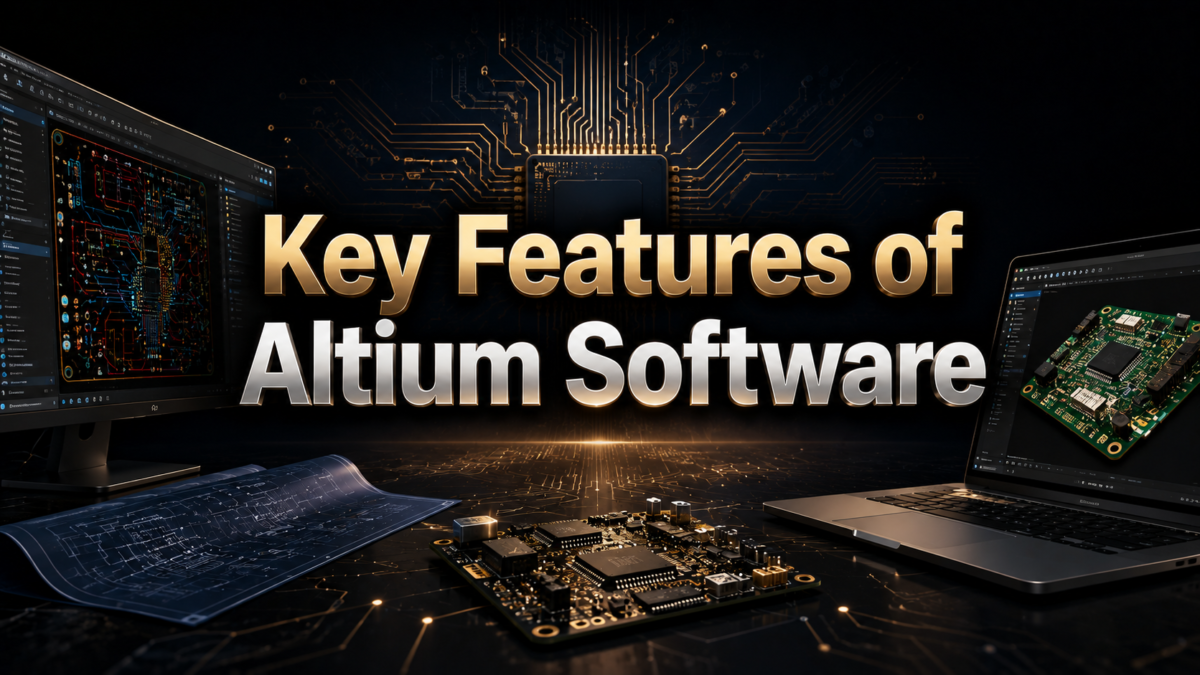
Altium software offers a wide range of tools that cover every stage of circuit design, from drawing a schematic to preparing files for a manufacturer. The following sections explain the most important features that make this tool valuable for engineers.
Schematic Capture Tools
The schematic capture module allows designers to place components, draw connections, and organize circuit logic in a clear visual format. Built-in error checking, known as Electrical Rule Check, automatically flags incorrect or missing connections before the design moves forward. This early detection saves significant time during later stages of the project.
PCB Layout and Routing
Once the schematic is complete, Altium software converts it into a physical board layout where components are placed and connected using copper traces.
Designers can choose between manual routing for precise control or auto-routing for faster results on simpler boards. Design rules can be set for trace width, spacing, and layer count to keep the board manufacturable.
3D Visualization and Mechanical Checks
Altium software includes a 3D viewer that lets designers inspect the board as it would physically appear once assembled. This feature helps identify mechanical clearance issues, such as components colliding with an enclosure, long before the board is manufactured. Integration with mechanical CAD tools further improves accuracy between the electronic and mechanical design teams.
Installation and System Requirements
Before using Altium software, it is important to understand what kind of computer setup is needed and how the licensing process works. This section covers the basic requirements and setup options available to new users.
System Requirements for Smooth Performance
Altium software requires a reasonably powerful computer, especially for large multi-layer board designs, since routing and simulation tasks can be resource-intensive.
A modern multi-core processor, sufficient RAM, and a dedicated graphics card are generally recommended for a smooth experience. Running the software on outdated hardware can lead to slow rendering and lag during complex layout tasks.
Licensing and Activation Options
Users can choose between subscription-based licensing or other available plans depending on their business needs and budget. A trial version is also available for those who want to explore the interface before committing to a paid plan.
Activation is typically handled through an online account, which also connects the software to cloud-based collaboration features.
Component Libraries and Management
Component libraries form the backbone of any PCB project because they store the symbols and footprints used throughout the design. This section explains how Altium software handles both built-in and custom libraries.
Built-in Component Libraries
Altium software comes with an extensive collection of pre-made component symbols and footprints that speed up the design process significantly.
These libraries are regularly updated and can be accessed directly within the design environment without needing external downloads. This saves engineers from manually recreating common components for every new project.
Creating Custom Libraries
For specialized or newly released components, designers can create their own custom libraries with accurate symbols and footprints.
This is particularly useful for companies working with proprietary parts that are not available in standard libraries. A well-organized custom library also improves consistency across multiple projects within the same organization.
Manufacturing Outputs and Documentation
After the design is finalized, Altium software generates the files required to send the project to a manufacturer for production. These outputs ensure that the physical board matches the intended design exactly.
Gerber Files and Bill of Materials
Gerber files contain the manufacturing instructions for each layer of the board, including copper traces, drill holes, and solder mask areas. Alongside these, Altium software can generate a Bill of Materials that lists every component needed for assembly. Together, these documents form the core package sent to a PCB manufacturer.
Fabrication and Assembly Documentation
In addition to Gerber files, the software produces drill files, pick-and-place data, and fabrication drawings that guide the assembly process. These documents reduce miscommunication between the design team and the manufacturing facility. Accurate documentation at this stage directly impacts how smoothly the production run proceeds.
Altium Software Compared to Other PCB Tools
Choosing the right PCB design tool often depends on budget, project complexity, and team size. The table below gives a short comparison between Altium software and some of its well-known competitors.
| Feature | Altium Software | Eagle | KiCad | OrCAD |
| Pricing model | Paid subscription | Paid, limited free tier | Free and open-source | Paid subscription |
| Best suited for | Professional and enterprise teams | Small to mid-size projects | Hobbyists and students | Enterprise-level design |
| Cloud collaboration | Strong, built-in | Limited | Minimal | Moderate |
| Learning curve | Moderate to steep | Easy to moderate | Easy | Steep |
| 3D visualization | Advanced | Basic | Basic to moderate | Advanced |
Altium software generally stands out for larger teams that need strong collaboration tools and advanced routing capabilities, while KiCad remains popular among individuals due to its free and open-source nature. Eagle works well for smaller, simpler projects, whereas OrCAD is often chosen by enterprises with legacy design systems already in place.
Pricing and Licensing Plans
Understanding the cost structure of Altium software helps businesses and individuals plan their design budget more effectively. The following sections outline the common plans and free options available.
Subscription Plans Overview
Altium software is primarily offered through subscription-based plans that are billed on a recurring basis rather than a single upfront purchase. Pricing usually depends on the specific tier chosen, along with any add-on modules a company may require. Larger organizations often negotiate custom enterprise pricing based on the number of users.
Free Trial and Student Licensing
New users can access a free trial period to test the software’s core features before making a purchase decision. Students and educational institutions may also qualify for discounted or specialized licensing options. This lowers the barrier for people who are just beginning to learn PCB design.
Frequently Asked Questions
Is Altium software good for beginners?
Altium software has a moderate learning curve, so beginners may need some time to get comfortable, but the structured interface makes it manageable with practice.
Can Altium software run on a Mac?
Altium software is primarily built for Windows, though it can run on Mac computers using virtualization software.
What file formats does Altium software support?
It supports Gerber, ODB++, and several other industry-standard formats used for manufacturing and design exchange.
Is there a free version of Altium software?
There is no permanent free version, but a trial period is available for evaluation purposes.
Conclusion
Altium software remains one of the most complete tools available for designing printed circuit boards, offering everything from schematic capture to manufacturing-ready output files.
Its strong 3D visualization, library management, and cloud collaboration features make it a solid choice for professional teams, while alternatives like KiCad or Eagle may suit smaller budgets or simpler projects. Choosing the right tool ultimately depends on project scale, team size, and long-term design needs.
Related Articles
Engineering Software: A Complete Guide to Types, Tools, Benefits and Future Trends
Knowledge Base Software: The Complete Guide
Job Dispatch Software: The Complete Guide for Modern Businesses
Oil and Gas Data Management Software: The Complete Guide
Should Cost Software: A Complete Guide for Smart Procurement Teams


