

Business to Business Software: A Complete Guide
August 15, 2026
WorkflowMax Software: The Complete Guide
August 17, 2026
Running a construction company today means juggling budgets, schedules, workers, materials, and paperwork all at once, and doing this with spreadsheets or disconnected tools often leads to costly mistakes.
Construction ERP software solves this problem by bringing every department into one connected system, so project managers, accountants, and site teams all work from the same accurate data.
This guide walks through what construction ERP software actually is, why it matters, its core features, top tools in the market, and how to pick the right one for your company. By the end, you will understand exactly how this software can transform the way your construction business operates.
What Is Construction ERP Software? (In-Depth)
Construction ERP software is a specialized business management system built to handle the unique operational needs of construction companies, from job costing to compliance tracking.
Unlike generic business software, it is designed around the way construction projects actually work, with long timelines, multiple subcontractors, and constantly shifting budgets. The sections below break this concept down further so you can see exactly how it fits into daily operations.
Breaking Down “ERP” in Simple Terms
ERP stands for Enterprise Resource Planning, which simply means connecting different business functions like finance, inventory, and operations into a single shared system. Instead of using separate tools for accounting, scheduling, and inventory, an ERP system lets all these departments pull information from one central database.
This means when a project manager updates a schedule, the finance team automatically sees how it affects the budget, without anyone having to manually transfer data between systems.
How It’s Different From Regular or Generic ERP Software
Generic ERP software is built for general business use, covering things like retail inventory or standard payroll, but it usually lacks tools built specifically for job-site work.
Construction ERP software, on the other hand, includes features like equipment tracking, subcontractor compliance, progress billing, and change order management, which are essential to construction but irrelevant to most other industries.
This industry-specific design is why construction companies get far more value from a purpose-built system than from adapting a generic one.
How It’s Different From Basic Project Management Tools
Basic project management tools mostly focus on tasks, timelines, and team communication, which is helpful but incomplete for a construction business.
Construction ERP software goes several steps further by connecting that project data directly to financials, procurement, and payroll, giving a complete operational picture rather than just a task list. In short, project management tools tell you what needs to be done, while ERP software tells you what it’s costing, who’s doing it, and how it affects the whole company.
Why Construction Companies Need ERP Software
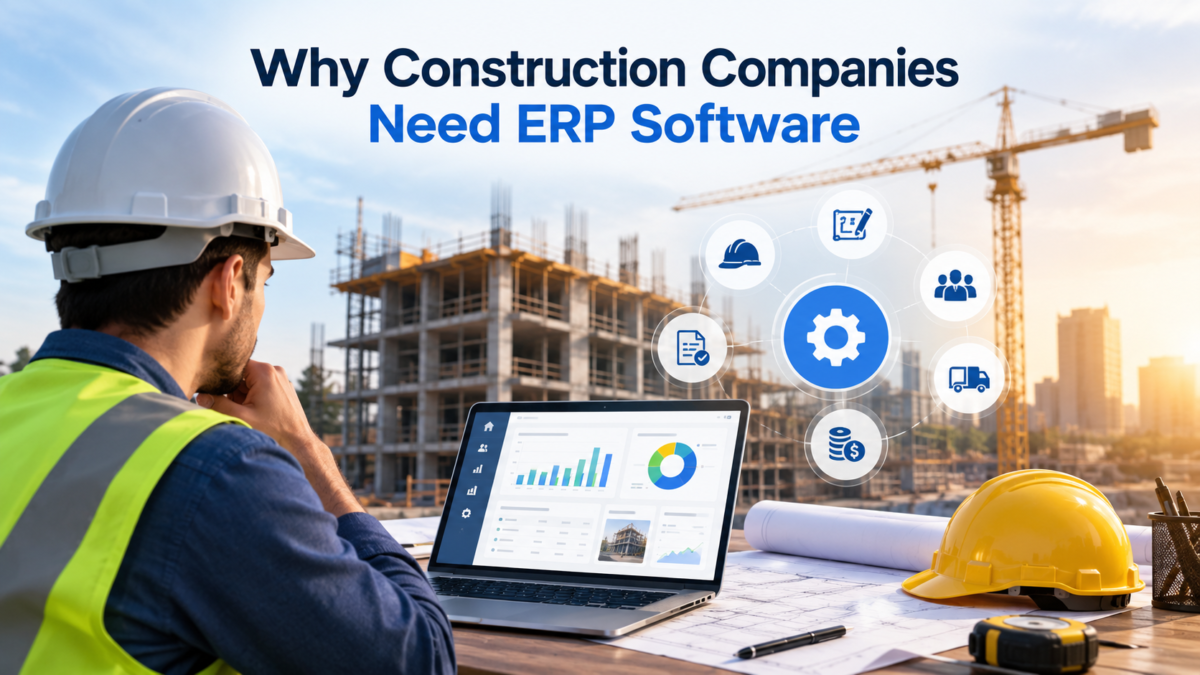
Construction projects involve many moving parts, and without a connected system, small errors in one area often create major problems elsewhere. Below, we look at the specific challenges construction businesses face and why ignoring these problems can be expensive in the long run.
Challenges of Running Construction Projects Manually or With Disconnected Tools
When teams rely on spreadsheets, emails, and separate software for different tasks, information gets duplicated, delayed, or lost between departments.
A site supervisor might update material usage in one system while the accounting team is working from outdated numbers in another, creating confusion and rework. This lack of a single source of truth is one of the biggest reasons projects run over budget or miss deadlines.
Industry-Specific Pain Points
Construction businesses regularly deal with budget overruns caused by poor visibility into real-time costs, along with scheduling delays from miscommunication between office and field teams.
Compliance is another major concern, since construction companies must track licenses, safety certifications, and labor laws across multiple job sites and often multiple states. Scattered data across different tools makes it nearly impossible to get an accurate, real-time view of how a project or the overall business is performing.
The Cost of Not Using ERP Software
Without construction ERP software, companies often lose money through duplicated data entry, missed billing opportunities, and delayed decision-making caused by outdated information.
Over time, these inefficiencies add up, not just in wasted labor hours but in lost client trust when projects run late or over budget. Investing in the right system early on typically pays for itself by preventing these recurring, hidden costs.
Key Features of Construction ERP Software
Construction ERP software is built from several connected modules that work together to manage every part of a project and the business as a whole. Understanding these individual features helps clarify exactly what this type of software does on a day-to-day basis.
Project Management and Scheduling
This feature allows teams to plan timelines, assign tasks, and track project milestones from a single dashboard visible to everyone involved. It also helps identify scheduling conflicts early, such as when two projects need the same crew or equipment at the same time. Real-time updates mean that any delay on-site is instantly reflected in the master project schedule.
Financial Management and Accounting
This module handles job costing, budgeting, invoicing, and general accounting functions specifically tailored to construction billing methods like progress billing.
It gives finance teams a clear, real-time view of profitability on each project rather than waiting until a job is finished to know if it made money. Because it’s connected to other modules, costs from procurement or labor automatically flow into financial reports.
Procurement and Vendor Management
Procurement tools within construction ERP software help manage purchase orders, supplier contracts, and material deliveries in one organized system.
This reduces the risk of ordering the wrong quantities or missing delivery deadlines that can stall a project. It also keeps a clear record of vendor performance and pricing history for better future negotiations.
Estimating and Bidding
This feature helps construction companies create accurate cost estimates and competitive bids based on historical project data and current material prices.
Since estimates are connected to the rest of the system, once a bid is won, that same data can flow directly into project budgets and schedules. This reduces the manual re-entry of numbers and lowers the risk of costly estimating errors.
Resource and Equipment Management
This module tracks the location, usage, and maintenance schedules of heavy machinery, tools, and other resources across multiple job sites. It helps prevent equipment from sitting idle at one site while another site urgently needs it. Maintenance alerts built into this feature also reduce unexpected equipment breakdowns that can halt work.
Payroll and HR
Construction payroll is often complex due to union rules, prevailing wage requirements, and workers moving between multiple job sites. This feature automates wage calculations based on job location and role, while also managing certifications, safety training records, and HR documentation. It significantly reduces the administrative burden of keeping payroll compliant across different projects.
Document Control
Document control features store contracts, blueprints, permits, and safety documents in a centralized, searchable location accessible to authorized team members. This eliminates the common problem of outdated drawings or missing paperwork causing delays or disputes on-site. Version control also ensures everyone is always working from the most current documents.
Reporting and Analytics
This feature turns raw project and financial data into clear reports and dashboards that leadership can use to make informed decisions. Instead of manually compiling numbers from different departments, managers can view real-time profitability, labor costs, and project status at a glance. This kind of visibility is often the difference between catching a problem early and discovering it too late.
Mobile Access and Field Integration
Since much of construction work happens away from the office, mobile access allows site supervisors and workers to update information directly from the job site. This includes logging hours, uploading photos, reporting issues, and checking schedules without needing to return to an office computer. Real-time field updates keep the entire system accurate and reduce delays caused by paperwork being submitted late.
Benefits of Using Construction ERP Software
Beyond individual features, construction ERP software delivers broader business advantages that affect the company as a whole. These benefits often become clear within the first few months of proper implementation.
Improved Efficiency and Productivity
By automating repetitive tasks like data entry and report generation, teams spend less time on administrative work and more time on actual project execution. Information flows automatically between departments, which removes the delays caused by manually passing data between systems. This improved workflow allows companies to take on more projects without proportionally increasing administrative staff.
Better Financial Visibility and Control
With real-time job costing, company leaders can see exactly how a project is performing financially at any given moment, rather than waiting for month-end reports. This makes it much easier to catch cost overruns early and adjust before they become serious problems. Better financial visibility also supports more accurate forecasting for future projects and bids.
Reduced Errors and Rework
When all departments work from the same accurate, real-time data, the chances of miscommunication or duplicate data entry drop significantly. Fewer errors in scheduling, billing, or material orders mean less costly rework and fewer disputes with clients or subcontractors. This directly protects both the project timeline and the company’s profit margins.
Real-Time Collaboration Across Teams
Construction ERP software connects office staff, site supervisors, and subcontractors on one shared platform, keeping everyone aligned on project status. This is particularly valuable for larger companies managing multiple job sites simultaneously, where miscommunication is a constant risk. Real-time collaboration also speeds up decision-making, since approvals and updates don’t have to wait for someone to check email.
Regulatory Compliance and Risk Management
Many construction ERP systems include built-in compliance tracking for licenses, safety certifications, and labor regulations that vary by location. This reduces the risk of fines or project delays caused by expired certifications or missed regulatory requirements. Having this information centralized also makes audits and inspections significantly less stressful.
Scalability for Growing Businesses
As a construction company takes on more projects or expands into new regions, ERP software can scale alongside it without requiring a complete system overhaul. New users, projects, and modules can typically be added as needed, supporting growth without major disruption. This scalability makes ERP software a long-term investment rather than a short-term fix.
Types of Construction ERP Software
Not all construction ERP systems are built the same way, and understanding the different types helps in choosing the right fit for your company’s size and structure.
Cloud-Based vs On-Premise ERP
Cloud-based construction ERP software is hosted online and accessed through the internet, offering easier remote access and lower upfront hardware costs.
On-premise systems are installed directly on a company’s own servers, which can offer more control but usually requires higher initial investment and dedicated IT support. Most growing construction companies today lean toward cloud-based solutions because of their flexibility and easier maintenance.
Popular Construction ERP Software Examples
Several established platforms currently lead the construction ERP market, each with its own strengths depending on company size and specific needs. Below is a quick comparison table of some well-known options.
| Software | Best Suited For | Notable Strength |
| Procore | Mid-size to large construction firms | Strong project management and collaboration tools |
| Sage 300 CRE | Established construction companies | Deep accounting and financial management capabilities |
| Viewpoint (Vista/Spectrum) | Large enterprises and complex projects | Comprehensive, highly customizable modules |
| CMiC | Large enterprises | Unified platform covering the entire project lifecycle |
| Foundation Software | Small to mid-size contractors | User-friendly accounting focused on construction |
| Jonas Construction | Small to mid-size specialty contractors | Strong service management alongside project tools |
What Makes Each One Stand Out
Procore is widely known for its strong focus on collaboration and project management, making it popular among general contractors managing multiple active job sites.
Sage 300 CRE and Foundation Software are particularly favored for their accounting depth, appealing to companies that prioritize financial control above all else. Meanwhile, CMiC and Viewpoint tend to attract larger enterprises needing a single, highly customizable platform that can manage complex, large-scale operations from start to finish.
How to Choose the Right Construction ERP Software
Selecting the right system depends on several practical factors specific to your company’s operations, budget, and long-term goals. The following sections outline the key considerations to work through before making a final decision.
Assessing Your Company’s Size and Needs
Start by identifying which departments struggle most with current inefficiencies, whether that’s accounting, scheduling, or field communication.
A smaller company with straightforward projects may only need core accounting and scheduling tools, while a larger firm managing multiple large projects will likely need a more comprehensive system. Matching the software’s capabilities to your actual daily operations prevents overspending on unnecessary features.
Budget Considerations
Construction ERP software pricing varies widely based on the number of users, features included, and whether it’s cloud-based or on-premise. It’s important to consider not just the upfront cost, but also ongoing subscription fees, training expenses, and potential costs for future upgrades or added modules. A clear budget plan helps avoid the common mistake of choosing a system that becomes too expensive to maintain long-term.
Ease of Use and Training Requirements
A system that’s overly complicated can slow down adoption, especially among field teams who may not be as comfortable with technology.
Look for software with an intuitive interface and strong onboarding support, since a smoother learning curve leads to faster, more successful implementation. Requesting a demo or trial period before committing is a practical way to test usability firsthand..
Common Challenges When Implementing ERP Software
Even the best construction ERP software can run into implementation hurdles if companies aren’t prepared for the transition. Understanding these challenges in advance makes it easier to plan around them.
Resistance to Change From Teams
Employees accustomed to familiar manual processes often resist adopting new software, especially if they don’t immediately see the benefit.
This resistance can slow down implementation and reduce the overall effectiveness of the new system if not properly addressed. Clear communication about how the software will make daily tasks easier is essential to overcoming this hurdle.
Data Migration Issues
Moving historical data from old systems or spreadsheets into a new ERP platform can be time-consuming and prone to errors if not carefully managed.
Incomplete or inaccurate data migration can lead to confusion and mistrust in the new system right from the start. Working closely with the software vendor during this stage helps ensure data is transferred accurately.
Tips for a Successful ERP Implementation
A well-planned implementation process significantly increases the chances of a smooth transition and long-term success with the new system.
Start With Clear Goals
Before implementation begins, define specific, measurable goals such as reducing billing errors or improving project completion times.
Having clear objectives helps guide decisions throughout the setup process and provides a way to measure success afterward. Without defined goals, it becomes difficult to know whether the new system is actually delivering value.
Involve Key Stakeholders Early
Bringing in input from project managers, accountants, and field supervisors early in the process helps ensure the system is configured to match real-world workflows.
Early involvement also builds buy-in, making teams more likely to embrace the new software rather than resist it. Stakeholders who feel heard during setup tend to become strong advocates during the rollout.
Future Trends in Construction ERP Software
The construction ERP space continues to evolve, and staying aware of emerging trends helps companies choose systems built for the future rather than just current needs.
AI and Automation in Construction Management
Artificial intelligence is increasingly being used within construction ERP systems to predict project delays, flag budget risks, and automate routine administrative tasks.
This allows managers to focus more on decision-making and less on manually reviewing data for potential issues. As this technology matures, it’s expected to play an even larger role in day-to-day construction operations.
Increased Mobile and Cloud Adoption
More construction companies are shifting toward cloud-based, mobile-friendly ERP systems that allow real-time updates directly from job sites.
This trend reflects the industry’s growing need for flexibility, especially as remote and hybrid work arrangements become more common even in traditionally on-site industries. Mobile-first design is quickly becoming a standard expectation rather than an optional feature.
Conclusion
Construction ERP software brings together every part of a construction business, from project management and accounting to procurement and payroll, into one connected, reliable system. The benefits, including better financial visibility, fewer errors, and improved collaboration, make it a valuable long-term investment rather than just another software purchase.
FAQs
What is construction ERP software?
Construction ERP software is a business management system that connects project management, accounting, procurement, and other departments into one platform built specifically for construction operations.
Is construction ERP software only for large companies?
No, many construction ERP systems are designed for small and mid-size contractors, offering scaled-down versions that focus on core needs like accounting and basic scheduling.
How long does it take to implement construction ERP software?
Implementation timelines vary depending on company size and system complexity, but most businesses can expect the process to take anywhere from a few weeks to several months.
Related Articles
Business to Business Software: A Complete Guide
Age Verification Software: Complete Guide to How It Works, Types, and Benefits
Software License Management: The Complete Guide
2020 Design Software: A Complete Guide for Beginners and Professionals
Software Co-Development: A Complete Guide to Collaborative Software Building


