

Electronic Software Distribution: A Complete Guide to Digital Software Delivery
August 6, 2026
Note 8 Update Software: Everything You Need to Know About the 2026 Surprise Release
August 6, 2026
Kingo Root software is one of the most talked-about tools when it comes to rooting Android devices without technical expertise. It allows users to gain administrative access to their phone’s system files, which normally stay locked by manufacturers.
Many people search for this tool because it promises a one-click solution instead of complicated manual commands. In this guide, we will explain what Kingo Root software actually does, how it works, its features, risks, and whether it is worth using in 2026. By the end, you will have a clear picture of whether this software fits your needs.
What is Kingo Root Software?
Kingo Root software is an application designed to unlock root privileges on Android smartphones and tablets. It removes the restrictions set by device manufacturers so users can access deeper system settings. Below, we explain its background and core purpose in more detail.
Definition and Purpose
At its core, this tool works by exploiting security gaps in the Android operating system to grant root access. Once rooted, the device owner can modify system apps, delete pre-installed software, and change settings that are usually hidden from regular users. The purpose behind this software is to make a technical process simple enough for beginners.
Company Background
The application was developed by a team focused on simplifying Android customization for everyday users. It gained popularity because it did not require a computer for every version, unlike many older rooting methods. Over time, it built a reputation as a beginner-friendly option in the rooting community.
Key Features Overview
The main appeal of this tool is its simplicity, since most rooting tools before it required command-line knowledge. It bundles rooting, unrooting, and basic backup functions into a single interface. This makes it attractive to people who want results without learning technical procedures.
Types of Kingo Root Available
There are two main versions of this application that users can choose from depending on their comfort level with computers. Each version has a different installation process but a similar end goal. We break down both options below.
Kingo Root for PC or Windows
This version requires connecting your Android device to a computer through a USB cable. The desktop application then communicates with the phone to push root permissions onto it. It is generally considered more stable since it has more processing power and driver support available through the computer.
Kingo Root APK for Android
This is a mobile application that can be installed directly on the phone without needing a PC. It performs the same rooting function but works independently on the device. Many users prefer this version simply because it feels more convenient, even though success rates can vary by device model.
Differences Between the Two Versions
The PC version tends to have a higher success rate because of better hardware compatibility and driver management. The APK version, however, saves time since there is no cable or computer setup involved. Choosing between them usually depends on whether the user values speed or reliability more.
How Kingo Root Software Works
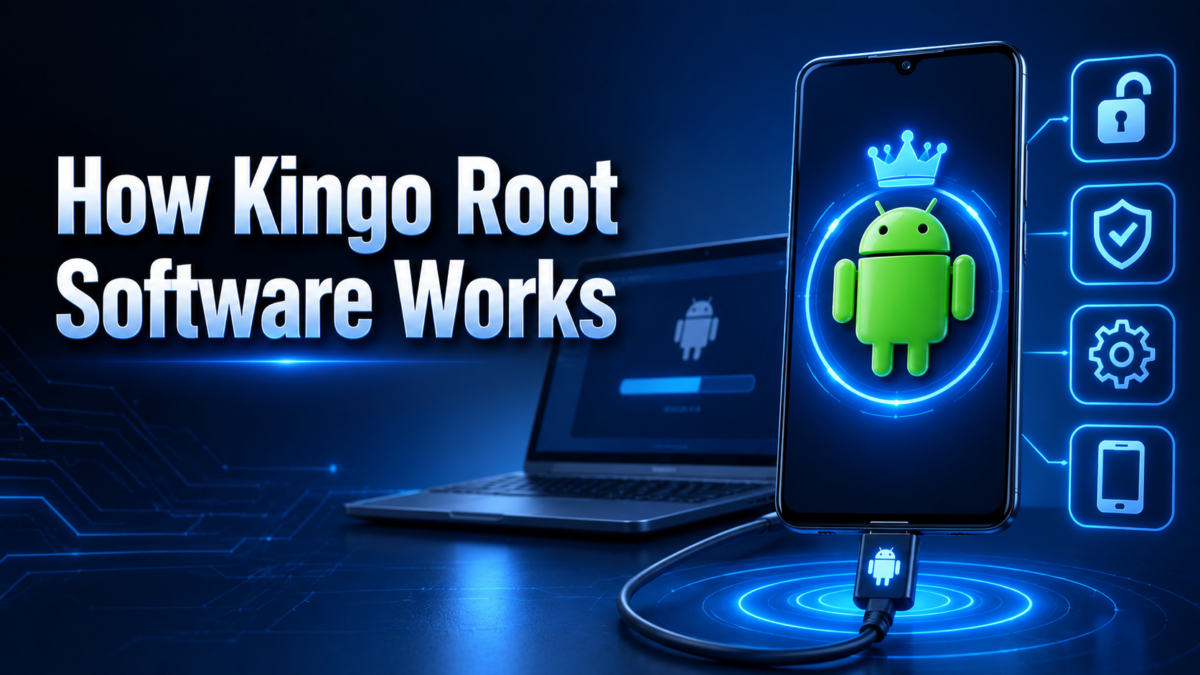
Understanding the internal working of this tool helps users know what to expect during the process. It essentially automates a series of technical steps that would otherwise require manual coding. The subsections below explain this mechanism further.
The Rooting Process Explained
When you start the rooting sequence, the software scans the device to identify its exact model and Android version. Based on this information, it selects a suitable exploit method to bypass system restrictions. Once the exploit succeeds, root management apps are installed to give the user ongoing administrative control.
One-Click Root Technology
The one-click feature is designed to hide all these technical steps behind a single button. Instead of asking users to select exploits manually, the software automatically tests several known methods until one works. This is the main reason it appeals to non-technical users.
Supported Devices and Android Versions
Compatibility depends heavily on the chip manufacturer and the Android version installed on the device. Older Android versions generally have higher success rates because newer versions include tighter security patches. Users are advised to check compatibility lists before attempting the process.
Features of Kingo Root Software
This application offers a set of functions that go beyond simple rooting. These features aim to give users more control over their device’s software environment. Below is a breakdown of what the tool typically offers.
One-Click Rooting and Unrooting
Besides granting root access instantly, the tool also allows users to reverse the process just as easily. This unroot option is useful for restoring warranty eligibility or fixing software issues caused by rooting. Both actions are usually completed within a few minutes.
Backup and Restore Options
Before making system-level changes, the software often prompts users to create a backup of their current settings. This backup can be restored later if something goes wrong during the rooting process. It acts as a safety net for users who are trying rooting for the first time.
Bloatware and App Management
Once root access is granted, users gain the ability to remove pre-installed applications that cannot normally be deleted. This is one of the most requested features since many devices come with unnecessary manufacturer apps. It also allows deeper control over app permissions.
How to Download and Install Kingo Root
Before starting the installation, users need to prepare their device to avoid failed attempts. Two installation paths exist depending on whether you are using a computer or installing directly on the phone. Below we walk through both requirements and setup steps.
System Requirements
For the PC version, a Windows operating system along with a stable USB connection and updated drivers is necessary. For the APK version, the phone needs to allow installation from unknown sources since it is not distributed through the Google Play Store. Adequate battery charge, ideally above fifty percent, is also recommended before starting.
Step-by-Step Installation Process
| Step | PC Version | APK Version |
| 1 | Download and install the software on your computer | Download the APK file directly on your phone |
| 2 | Enable USB debugging on your Android device | Allow installation from unknown sources |
| 3 | Connect the device using a USB cable | Open the installed app on your phone |
| 4 | Click the root button and wait for completion | Tap the root button within the app |
| 5 | Restart the device once finished | Restart the device once finished |
Pre-Rooting Checklist
Before beginning, it is wise to back up important data such as photos, contacts, and documents in case something goes wrong. Users should also verify that their device model appears on the compatibility list. Skipping these precautions can lead to data loss or a failed rooting attempt.
Advantages of Using Kingo Root Software
Many users continue to choose this tool because of certain practical benefits it offers over other rooting methods. These advantages mostly relate to ease of use and accessibility. Let us look at the main benefits in detail.
Simplicity for Beginners
The single-click interface removes the need to understand technical rooting commands. This makes the tool approachable for people who are rooting a device for the very first time. Most of the complicated background work is hidden from the user.
Free of Cost and Wide Compatibility
The basic version of this software does not require payment, which makes it accessible to a large number of users. It also claims support for a wide range of device brands and Android versions. This broad compatibility is a major reason for its continued popularity.
Disadvantages and Risks of Rooting
While the software offers convenience, rooting itself carries certain risks that users should understand beforehand. These risks are not unique to this tool but apply to most rooting software in general. The sections below outline the major concerns.
Security and Privacy Concerns
Rooting removes several built-in security layers that protect the device from malicious software. This means rooted devices can become more vulnerable to malware if users are not careful about the apps they install. Some banking and payment applications may also refuse to function on rooted devices for this reason.
Warranty and Bricking Risks
Most manufacturers void the device warranty once rooting is detected, since it involves altering system-level files. There is also a small but real risk of the device becoming unresponsive, commonly referred to as bricking, if the process fails midway. This is why backups and careful preparation are strongly recommended.
Is Kingo Root Software Safe to Use?
Safety is one of the most common concerns raised by users considering this tool. The answer depends largely on where the software is downloaded from and how carefully the process is followed. We explore this concern in more depth below.
Antivirus Detection and Source Reliability
Some antivirus programs flag rooting tools as potentially unwanted programs because of the system-level access they require. This does not always mean the software is harmful, but it does mean users should download only from the official website. Third-party download sites often bundle additional unwanted software with the installer.
User Experiences and Reviews
Feedback from users is mixed, with some reporting smooth rooting experiences and others facing compatibility issues on newer devices. Success rates tend to be higher on older Android versions compared to the latest releases. Reading recent user reviews for your specific device model can help set realistic expectations.
Kingo Root vs Other Rooting Tools
There are several alternatives available in the market that perform similar functions with different approaches. Comparing them helps users pick the tool that best matches their technical comfort and device type. The table below summarizes the key differences.
Comparison with Popular Alternatives
| Tool | Ease of Use | Technical Knowledge Needed | Best For |
| Kingo Root Software | Very Easy | Minimal | Beginners wanting quick results |
| Magisk | Moderate | Intermediate | Users wanting systemless rooting |
| SuperSU | Moderate | Intermediate | Users needing granular permission control |
| One Click Root | Easy | Minimal | Users preferring paid support services |
Which Tool Should You Choose
If you prioritize simplicity and are rooting a device for the first time, this software remains a reasonable starting point. However, if you want more control over what gets modified on your system, tools like Magisk are generally preferred by experienced users. The right choice ultimately depends on your comfort level with troubleshooting.
Troubleshooting Common Issues
Even with a simple interface, users sometimes run into problems during the rooting process. Most of these issues have straightforward solutions once identified correctly. Below are the most frequently reported problems.
Device Not Detected or Rooting Failed
This usually happens due to outdated USB drivers or disabled USB debugging settings on the phone. Reinstalling drivers and double-checking developer options often resolves the issue. Restarting both the device and the computer before retrying can also help.
App Crashes After Rooting
Some applications may crash or refuse to open after root access is granted, particularly banking or streaming apps that detect rooted status. Using root-hiding tools alongside the software can sometimes resolve this. In other cases, unrooting temporarily is the only reliable fix.
How to Unroot Using Kingo Root Software
Reversing the rooting process is just as important as knowing how to root in the first place. This section explains why and how users typically remove root access using this same tool.
Reasons to Unroot a Device
Users often choose to unroot when planning to sell their device, restore warranty coverage, or fix persistent software glitches. It can also be necessary before installing official firmware updates, which sometimes fail on rooted systems. Removing root access restores the device closer to its factory condition.
The Unrooting Steps
The unroot option is typically available within the same application interface used for rooting. Selecting this option and confirming the action restores most system restrictions automatically. A device restart afterward completes the reversal process.
Legal and Ethical Considerations
Before rooting any device, it helps to understand where this practice stands legally and how manufacturers view it. This section briefly covers these points.
Is Rooting Legal
In most countries, rooting a personal device for private use is legal, though it may violate manufacturer terms of service. Legal restrictions mostly apply to using rooted devices for piracy or bypassing paid content protections. Users should always check regional regulations if uncertain.
Manufacturer Warranty Impact
Almost all manufacturers state that rooting voids the standard hardware warranty, regardless of the tool used. Some allow warranty restoration once the device is successfully unrooted, though this is not guaranteed in every case. Checking your specific manufacturer’s policy beforehand is recommended.
Tips for Safe Rooting
A few precautionary steps can significantly reduce the chances of running into problems during the process. Keeping the device charged above fifty percent avoids interruptions caused by power loss. Backing up personal data beforehand protects against accidental loss, and downloading only from the official source reduces exposure to bundled unwanted software.
Frequently Asked Questions
Is Kingo Root software free to use?
Yes, the basic version is available at no cost for most Android devices.
Does rooting delete my personal data?
Rooting itself does not usually delete data, but backing up beforehand is still recommended.
Can I unroot my device later?
Yes, the same software includes a built-in unroot option for reversing the process.
Will rooting work on the latest Android versions?
Success rates are lower on newer Android versions due to stricter security patches.
Conclusion
Kingo Root software remains a popular entry point for users wanting to explore Android rooting without technical complexity. It offers genuine convenience through its one-click approach, though it comes with real risks like security exposure and warranty loss. Weighing these pros and cons against your specific needs will help you decide if this tool is the right fit for your device.
Related Articles
Is LightBurn a Good Software for Laser Engraving? Full 2026 Review
What is Team Software Process?
Flooring Layout Software: Complete Guide to Features, Benefits & Best Tools (2026)
AEC Software News Today: Latest Updates, Trends & Industry Insights (2026)
Material Nesting Software for Length of Material: A Complete Guide


