

Tesla Software Update 2025.26 Grok: Everything You Need to Know
July 22, 2026
Can You Play Games Through Software Preview on Elgato HD60?
July 22, 2026
BassBoss software refers to the two free tools that BassBoss offers alongside its powerful loudspeaker systems. These tools are called ControlBASS and PredictBASS, and together they help sound engineers, DJs, and venue owners get the best possible performance from their audio setups.
ControlBASS handles remote control, presets, and firmware updates, while PredictBASS focuses on planning bass coverage before a system is even switched on. This guide walks through both tools in detail, explains how they work, and shows why they matter for anyone using BassBoss speakers.
By the end, you will understand exactly how BassBoss software fits into a modern sound reinforcement workflow.
Introduction to BassBoss
BassBoss is a well known name in professional loudspeaker manufacturing, based out of Austin, Texas. The company was originally called BassMaxx before rebranding to BassBoss, and it has spent over two decades building systems for clubs, festivals, and touring productions.
Who Is BassBoss?
BassBoss designs loudspeakers with built in amplification and digital signal processing, which means each cabinet is a complete, self contained system. The brand is led by designer David Lee, who has focused heavily on high output subwoofers suited for electronic and dance music environments. Over time, the product line expanded to serve a much wider range of live sound applications beyond just bass heavy genres.
Why BassBoss Built Software Tools
As BassBoss systems became more advanced, simple onboard controls were no longer enough for larger installations. Engineers needed a way to manage many speakers at once, save custom settings, and understand how bass behaves in different rooms. This need led directly to the development of BassBoss software, giving users digital control over hardware that used to require manual adjustment.
ControlBASS Software Overview
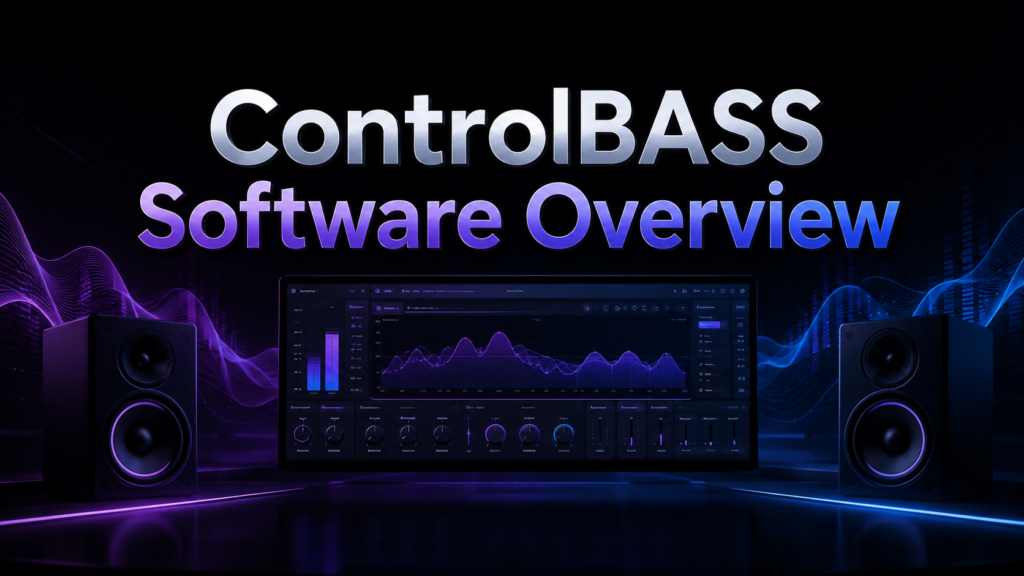
ControlBASS is the control software built specifically for BassBoss MK3 series loudspeakers. It gives users a way to manage their entire sound system remotely instead of adjusting each cabinet by hand.
What ControlBASS Does
ControlBASS connects to MK3 series speakers and gives the operator full access to settings that were previously locked to the back panel of each cabinet. This means gain, equalization, and delay can all be adjusted from a laptop, often from anywhere in the venue. It removes the need for extra hardware in the signal chain, keeping the setup simpler and more reliable.
Remote Control Capabilities
One of the strongest reasons engineers choose ControlBASS is the ability to make live adjustments without walking back to the speaker stack. Levels, EQ, and delay settings can all be changed instantly from a laptop connected over the network.
his is especially useful during soundcheck or when problems appear mid show and quick corrections are needed.
Preset Management
Without any software, BassBoss cabinets ship with eight onboard presets accessible directly from the back panel. ControlBASS expands this significantly, giving users access to up to one hundred presets that can be saved, recalled, and customized for specific venues or events.
This flexibility means a touring engineer can store different profiles for different rooms and switch between them in seconds.
System Monitoring Tools
ControlBASS also functions as a monitoring dashboard for the whole speaker network. It tracks output levels, internal temperatures, and gain reduction across every connected unit at once.
This kind of visibility helps engineers catch potential issues, like an overheating amplifier, before they turn into a bigger problem during a live event.
Key Features of ControlBASS in Table Form
The table below summarizes the core features of ControlBASS software for quick reference.
| Feature | What It Does |
| Remote Control | Adjust gain, EQ, and delay from a laptop |
| Preset Expansion | Access up to 100 saved presets |
| System Monitoring | Track levels, temperature, and gain reduction |
| Firmware Updates | Deliver DSP improvements over Ethernet |
| MILAN AVB Support | Configure networked audio compatibility |
Downloading and Setting Up ControlBASS
Getting started with ControlBASS is a straightforward process, but there are a few steps worth understanding before diving in.
Where and How to Download
ControlBASS is available directly from the official BassBoss website, under their dedicated software page. The download is free, and installation follows a standard process similar to most desktop audio control applications.
Connecting to Your MK3 System
Once installed, ControlBASS communicates with MK3 series speakers over a network connection, typically Ethernet. After the physical connection is made, the software automatically detects compatible units and displays them in the interface for control.
PredictBASS Software Overview
PredictBASS takes a completely different approach compared to ControlBASS. Instead of controlling hardware in real time, it is a planning tool used before speakers are even turned on.
What Is PredictBASS?
PredictBASS is a room modeling tool created by BassBoss designer David Lee alongside acoustics expert Dr. Paul Mayer. It allows users to build a virtual 3D representation of a venue and simulate how low frequency sound will behave inside that space.
Who Benefits From PredictBASS
This tool is aimed at venue owners, sound engineers, DJs, and even students who want to understand bass behavior without needing physical speakers present. Because it runs independently of any BassBoss hardware, it can be used purely as a learning or planning resource.
Core Features of PredictBASS
PredictBASS focuses entirely on visualizing and predicting bass coverage, which makes its feature set quite different from ControlBASS.
Building a Virtual Room
Users can draw their venue to scale directly inside the software, adding walls and obstacles that mimic the real physical space. This creates a foundation for accurate simulation, since bass behavior changes significantly depending on room shape and size.
Placing Speakers and Previewing Coverage
Once the room is built, subwoofers can be dragged and dropped into different positions within the model. The software then shows real time coverage previews, letting the user experiment with placement before committing to a physical setup.
Identifying Dead Zones
Perhaps the most valuable part of PredictBASS is its ability to highlight areas where bass response drops off significantly. These dead zones are common in real venues, and identifying them in advance helps engineers plan around problem areas rather than discovering them during a live event.
PredictBASS vs Traditional Trial and Error
The table below compares planning with PredictBASS against the older method of adjusting speakers on site through trial and error.
| Aspect | Traditional Method | Using PredictBASS |
| Planning Time | Done on site, often rushed | Done in advance, no time pressure |
| Hardware Needed | Requires physical speakers | Works without any hardware |
| Risk of Dead Zones | Discovered during the event | Identified before setup |
| Cost of Mistakes | Can affect live audience experience | Corrected virtually beforehand |
BassBoss and EASE Software Integration
Beyond its own tools, BassBoss has also integrated its products into EASE, a widely used industry standard software suite for acoustic modeling.
What This Integration Offers
Through this integration, BassBoss loudspeakers can be modeled inside EASE, EASE Evac, EASE Address, and EASE Focus 3. This allows sound system designers to simulate coverage patterns and frequency response with a high degree of precision.
It is particularly useful for larger installations where multiple software tools are already part of the design workflow.
Comparing ControlBASS and PredictBASS
While both tools fall under the umbrella of BassBoss software, they serve very different purposes and are often used at different stages of a project.
When to Use ControlBASS
ControlBASS is the right choice once hardware is already in place and needs to be managed, adjusted, or monitored during actual use. It is a live operational tool rather than a planning one.
When to Use PredictBASS
PredictBASS fits earlier in the process, during the planning stage before any equipment is deployed. It helps answer questions about placement and coverage long before ControlBASS ever comes into play.
How BassBoss Software Compares to Competitors
Many loudspeaker brands offer some form of control or modeling software, but BassBoss stands out by tightly integrating both tools with its own hardware line. Compared to generic acoustic modeling platforms, PredictBASS is simpler and purpose built specifically for bass behavior rather than full range acoustics.
Compared to control software from other manufacturers, ControlBASS keeps its interface focused on presets and monitoring rather than overwhelming users with unnecessary complexity. This focused approach makes BassBoss software approachable for smaller teams while still being capable enough for larger touring setups.
Frequently Asked Questions
Is BassBoss software free to use?
Yes, both ControlBASS and PredictBASS are available as free downloads from the official BassBoss website.
Does ControlBASS work with older BassBoss speakers?
ControlBASS is built specifically for the MK3 series, so older non MK3 models may not be fully compatible.
Do I need internet access to run PredictBASS?
Internet is only required to download the software initially; it can run offline afterward.
Can PredictBASS be used without owning BassBoss speakers?
Yes, since it works independently of hardware, it can be used purely for learning or planning purposes.
Conclusion
BassBoss software gives users practical control over both the operational and planning sides of sound system management. ControlBASS simplifies live adjustments and monitoring, while PredictBASS removes much of the guesswork from bass placement before a show even begins. Together, these tools reflect BassBoss’s broader approach of pairing strong hardware with equally thoughtful software support.
Related Articles
What Is the Easiest 3D Modeling Software for Beginners in 2026?
Drake Software Login: The Complete Guide to Access, Setup & Troubleshooting
Bus Management Software: Features, Benefits, Types, Working Process, and Complete Guide
Golf Simulator Software: The Complete Guide
Best Property Management Software: A Complete Guide for Landlords and Property Managers


