
Software License Terms Error Encountered: Complete Fix Guide
July 21, 2026
BassBoss Software: Complete Guide to ControlBASS and PredictBASS
July 22, 2026
Tesla software update 2025.26 Grok has become one of the most talked about releases in recent Tesla history because it brings artificial intelligence conversation directly inside the car.
This update was rolled out in July 2025 and introduced xAI’s Grok assistant as a beta feature for selected vehicles. Along with Grok, the update also carries several smaller but useful improvements related to lighting, audio, dashcam viewing, and charging information.
This article breaks down every part of the update in a simple and detailed manner so that Tesla owners can understand exactly what has changed and how it affects their driving experience.
What Is Grok? A Quick Background
Before understanding how Grok works inside a Tesla, it helps to know where this AI assistant actually came from. Grok was not built by Tesla itself, which is why its arrival inside the car software update surprised many people.
Origin of Grok and xAI
Grok is a conversational AI system created by xAI, a company founded by Elon Musk that focuses on building advanced language models. It was first introduced as a chatbot for the X platform (formerly Twitter), where it helped users get real time answers and casual conversation. Over time, Grok evolved through multiple versions, becoming more capable and natural in its responses.
Grok’s Role Before Coming to Cars
Before entering Tesla vehicles, Grok was mainly used inside the X app as a text based assistant. People used it for quick information, humor, and general chit chat rather than any device control. This background is important because the same conversational nature has now been carried into Tesla’s infotainment system.
Why Tesla Chose to Integrate Grok
Since Elon Musk oversees both Tesla and xAI, connecting Grok with Tesla vehicles was a natural business decision. Tesla wanted to give drivers a more interactive experience beyond simple voice commands. Adding Grok allows the car to offer conversation, entertainment, and information without needing a phone or external app.
Grok in Tesla Vehicles: Core Feature Breakdown
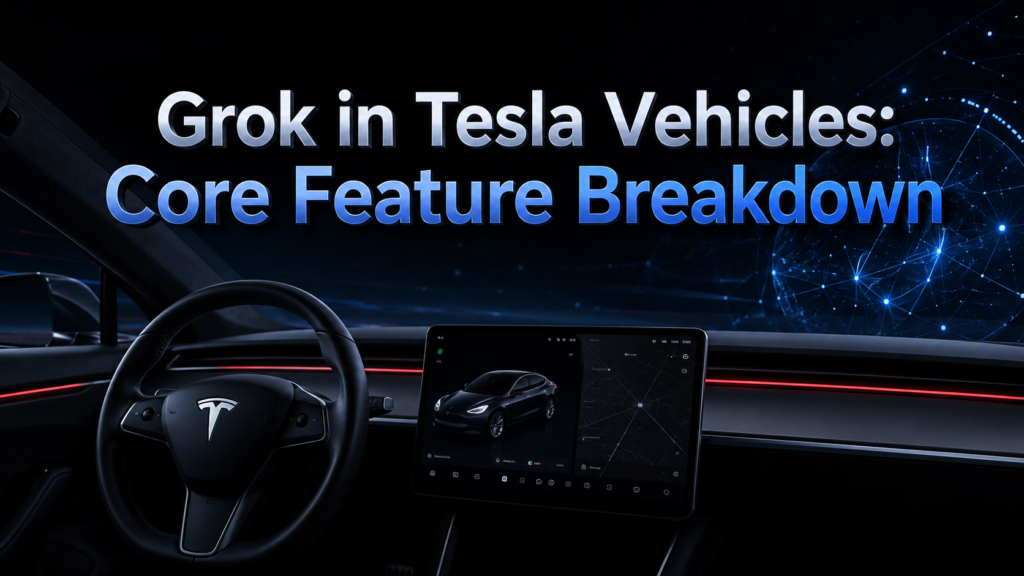
The main highlight of the Tesla software update 2025.26 Grok release is how the assistant actually works once installed in the car. It is designed to feel like a natural conversation partner rather than a command based tool.
How to Access Grok Inside the Car
Drivers can open Grok through the App Launcher menu by selecting the Grok icon on the touchscreen. Another quicker way is to long press the voice command button located on the steering wheel. Both methods instantly bring up the Grok interface, ready for a spoken or typed conversation.
Personality Options Available
One unique part of this update is that users can choose how Grok behaves during conversation. Options range from a more serious and informative tone to a playful and humorous style often labeled as unhinged.
This flexibility lets drivers pick a personality that matches their mood or preference during long drives.
Beta Limitations Users Should Know
Although Grok can chat and answer questions, it currently cannot control any vehicle function such as climate, navigation, or windows. All existing voice commands continue to work exactly as before, completely separate from Grok.
This separation ensures that experimenting with Grok does not accidentally change any car setting.
Privacy and Data Handling
Tesla has clarified that conversations with Grok remain anonymous and are not linked to the vehicle’s identity or owner profile. This means drivers can chat freely without worrying that their words are being tied back to their Tesla account.
Privacy conscious users may still want to avoid sharing sensitive personal details during these sessions.
Connectivity Requirements
To use Grok, the vehicle needs either Tesla’s Premium Connectivity subscription or an active Wi-Fi connection. Without one of these, the assistant will not load or respond inside the car. This requirement is similar to other internet dependent features already present in Tesla vehicles.
Compatibility: Who Can Use Grok Right Now
Not every Tesla owner can access this feature immediately after updating, since hardware and location play a major role in availability.
Supported Hardware Requirement
Grok currently works only on vehicles equipped with an AMD Ryzen based infotainment processor, which Tesla began using from mid 2021 onward. Cars with the older Intel Atom processor are not yet compatible with this feature.
Owners can check their infotainment hardware type through the vehicle’s software information screen.
Supported Tesla Models
The feature is available across Model S, Model 3, Model X, Model Y, and Cybertruck, as long as they meet the hardware requirement mentioned above. Newer vehicles delivered after the update’s release generally come with Grok pre-installed. Older vehicles simply need the correct chip and the latest software version.
Region Restrictions at Launch
At the time of rollout, Grok was made available only to vehicles located in the United States. International markets have not yet received this feature, though wider availability is expected gradually. Tesla often follows this pattern of releasing U.S. only features before expanding globally.
Other Key Features Included in Update 2025.26
Beyond Grok, this update also brings several smaller improvements that enhance daily usability and comfort inside the vehicle.
Light Sync for Ambient Lighting
Compatible vehicles now allow interior accent lighting to visually respond to music being played. Owners can also set the lighting to match the color scheme of the album artwork for a more immersive atmosphere. This feature is currently limited to newer Model 3, Model Y, updated Model S and X, and Cybertruck.
Audio Preset Saving
The updated audio settings menu allows drivers to create and store multiple sound presets tailored to different listening preferences. This is especially useful for households where multiple people drive the same vehicle. Switching between presets takes just a few taps on the touchscreen.
Dashcam Viewer Improvements
The dashcam application has received a notable upgrade allowing users to zoom into footage and adjust playback speed easily. Cybertruck owners specifically get a new grid view layout, making it simpler to browse through multiple recorded clips. This is helpful for reviewing incidents or interesting road moments quickly.
Supercharger Arrival Information
When navigating to a Supercharger location, the system now displays useful site details before arrival. This includes information about valet requirements, paid parking, access codes, and nearby restroom availability. Such details reduce confusion for drivers visiting a charging location for the first time.
Safety and Convenience Additions
The update also introduces Child Left Alone Detection, which alerts owners if a child is detected inside an unattended vehicle. Additional refinements include improvements to Sentry Mode lighting, service mode handling, car wash mode, and towing alerts.
Update Feature Summary Table
| Feature | Purpose | Availability |
| Grok (Beta) | Conversational AI assistant | US, AMD based vehicles only |
| Light Sync | Music reactive ambient lighting | Select newer models |
| Audio Presets | Save multiple sound profiles | All compatible vehicles |
| Dashcam Update | Zoom and playback speed control | All compatible vehicles, extra grid view for Cybertruck |
| Supercharger Info | Site details before arrival | All compatible vehicles |
| Child Left Alone Detection | Safety alert for unattended child | All compatible vehicles |
How to Check for and Install the Update
Tesla rolls out software updates gradually, so not every vehicle receives it on the very first day. Owners can check availability directly through their car’s software screen or the Tesla mobile app.
Checking Update Status
Inside the vehicle, navigating to the software section of the touchscreen shows whether update 2025.26 is available for download. The Tesla app also sends a notification once the update is ready to install for a particular vehicle. If nothing appears yet, it usually means the rollout has not reached that specific vehicle batch.
What to Do If the Update Is Delayed
Since Tesla releases updates in waves rather than all at once, some owners may need to wait several days or weeks. There is no manual way to force an early update, so patience is generally required. Checking periodically through the app remains the simplest way to stay informed.
Future Outlook for Grok in Tesla Vehicles
The current beta version of Grok is only the beginning of what Tesla and xAI plan to build together inside vehicles.
Possible Integration With Full Self-Driving
Elon Musk has previously mentioned the idea of connecting Grok with Tesla’s Full Self-Driving system in the future. If this happens, the assistant could potentially assist with more advanced driving related tasks rather than just conversation. However, this remains a future possibility rather than a confirmed feature.
Expansion to More Vehicles and Regions
As adoption grows, Tesla may extend Grok support to vehicles using older hardware and to countries beyond the United States. This would allow a much larger portion of the Tesla fleet to access the assistant. Timelines for this expansion have not been officially confirmed yet.
Pros and Considerations of This Update
Every new feature comes with both advantages and limitations worth understanding before forming an opinion about it.
Benefits for Tesla Owners
Having a conversational assistant built directly into the car adds a layer of entertainment and convenience during drives. Features like Light Sync and improved dashcam viewing also enhance the overall ownership experience. These additions make long trips feel more engaging without needing external apps.
Limitations to Keep in Mind
Since Grok is still in beta, occasional bugs or delayed responses are possible during regular use. The restriction to AMD based hardware and U.S. only availability also limits access for many current owners. Users should treat this as an early stage feature rather than a fully matured product.
How This Compares to Other Automakers
Very few automakers currently offer a built in conversational AI comparable to Grok inside their vehicles. Most competitors still rely on traditional voice command systems limited to navigation, calls, and basic vehicle controls.
This makes Tesla’s approach with software update 2025.26 Grok integration a fairly unique step in the industry, though other manufacturers are expected to explore similar AI features in the near future.
Conclusion
Tesla software update 2025.26 Grok marks an important shift toward blending conversational Artificial_intelligence with everyday driving. While the feature is currently limited by region, hardware, and beta restrictions, it demonstrates where Tesla’s software direction is heading.
Alongside Grok, the update’s additional improvements in lighting, audio, dashcam, and safety make it a well-rounded release overall. Owners who qualify for this update can expect a more interactive and enjoyable in-car experience going forward.
FAQs
Is Grok free to use in Tesla vehicles?
Grok itself does not have a separate cost, but it requires either Premium Connectivity or Wi-Fi to function properly.
Can Grok control my car’s functions?
No, Grok is currently limited to conversation only and cannot control navigation, climate, or other vehicle systems.
Which Tesla models support Grok?
Model S, Model 3, Model X, Model Y, and Cybertruck support Grok, provided they have the required AMD based hardware.
Is my conversation data private?
Yes, Tesla states that Grok conversations remain anonymous and are not connected to the vehicle’s identity or owner account.
Related Articles
Software License Terms Error Encountered: Complete Fix Guide
Software Input Panel: A Complete Guide to Virtual Text Entry Systems
Focusrite Saffire 26 Software: Complete Guide
AudienceView Competitors Event Ticketing Software Guide
Aula F75 Software: Complete Download, Install & Setup Guide


