
MBAM Software: A Complete Guide to Malwarebytes Anti-Malware
July 17, 2026
Enterprise Software Product Maturity Indicators: A Complete Guide
July 17, 2026
SmartMusic software is a digital practice and assessment tool built for music students, teachers, and schools. It combines accompaniment tracks, real-time feedback, and grading tools in one platform, making practice sessions more structured and measurable. Developed by MakeMusic, this software has become a common choice in school band, orchestra, and choir programs across many countries.
Whether you are a beginner learning an instrument or a teacher managing dozens of students, SmartMusic software offers tools that simplify the entire learning process. This guide breaks down its features, working process, pricing, and how it compares to other practice tools, so you can decide if it fits your needs.
Why SmartMusic Software Matters in Music Education
Music education has shifted from paper-based practice logs to interactive digital tools, and SmartMusic software sits right at the center of this change. It gives teachers a way to monitor progress without being physically present for every practice session.
Role in Modern Music Education
Traditional music classes rely heavily on in-person supervision, which limits how often a teacher can check individual progress. SmartMusic software changes this by letting students practice at home while the system tracks pitch accuracy, rhythm, and consistency. Teachers can then review this data whenever they have time, making the entire teaching process more flexible and data driven.
Benefits Over Traditional Practice Methods
Practicing with sheet music alone often leaves students guessing whether they are playing correctly. With SmartMusic software, students get instant feedback on wrong notes or timing issues, which speeds up correction. This immediate response is something a paper method or a simple recording device cannot offer on its own.
Remote and Hybrid Learning Support
During periods when in-person classes are not possible, SmartMusic software allows lessons to continue smoothly. Students can submit recordings through the platform, and teachers can grade them remotely. This made the software especially useful for schools handling hybrid or fully online music programs.
Key Features of SmartMusic Software
The core strength of SmartMusic software lies in its combination of practice tools and assessment features. Each tool is designed to support a specific part of the learning journey.
Accompaniment Tracks
One standout feature is the built-in accompaniment library, which lets students play along with a full band or orchestra sound even when practicing alone. This helps musicians understand timing and blend, something that solo practice with silence rarely teaches. The tracks can be slowed down for beginners or played at full tempo as skills improve.
Real-Time Pitch and Rhythm Feedback
As a student plays, SmartMusic software listens through the microphone and marks notes as correct or incorrect on the screen. This visual feedback loop helps learners catch mistakes immediately instead of repeating them unknowingly. Over time, this builds better ear training and note accuracy.
Practice Tools and Recording Options
Beyond accompaniment and feedback, the platform includes a metronome, tuner, and looping function for repeating tricky sections. Students can also record their sessions and listen back, comparing their performance to earlier attempts. These small tools combined make daily practice far more organized than using separate apps for each function.
How SmartMusic Software Works
Getting started with SmartMusic software involves a simple setup process that does not require advanced technical knowledge. Most users are ready to practice within a short time after installation.
Installation and Account Setup
The software can be downloaded on desktop or accessed through supported devices, followed by creating an account linked to a school or individual subscription. Once installed, users select their instrument and skill level to get relevant content. This setup takes only a few minutes and does not need any special hardware beyond a working microphone.
Interface and Practice Process
After logging in, students see a dashboard with assigned pieces, exercises, and their sheet music library. Selecting a piece opens a practice screen where the accompaniment plays alongside the notation, and feedback appears in real time as they play. This straightforward layout makes it easy for even younger students to navigate without much guidance.
SmartMusic Software for Students and Teachers
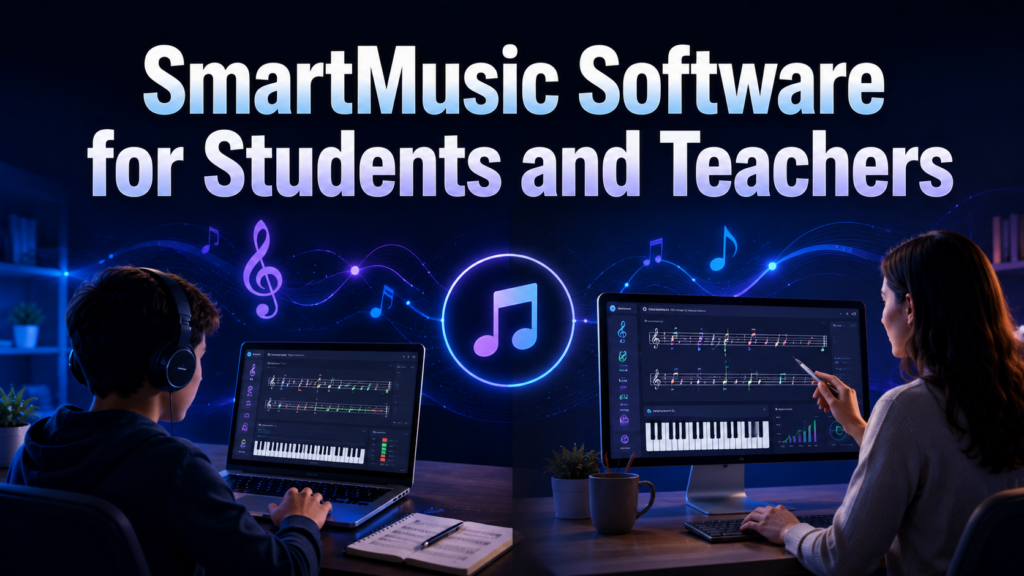
The platform serves two main user groups, and each side has tools tailored to their specific role in the learning process.
How Students Use SmartMusic Software
Students use the platform mainly for independent practice, working through assigned pieces at their own pace. They can track their improvement through score history and resubmit recordings until they reach a satisfactory result. This self-paced structure encourages consistent practice habits outside the classroom.
How Teachers Use SmartMusic Software
Teachers rely on SmartMusic software to assign specific exercises, set deadlines, and grade submissions without needing to meet each student individually. The grading dashboard shows performance data such as accuracy percentages, helping teachers identify which students need extra attention. This reduces the manual workload that comes with tracking large class sizes.
Supported Instruments and Voice Types
SmartMusic software is not limited to one instrument family, which makes it suitable for full band and orchestra programs as well as vocal training.
Band and Orchestra Instrument Coverage
The platform supports a wide range of instruments including brass, woodwinds, strings, and percussion, each with instrument-specific exercises and accompaniment. This broad coverage means an entire school ensemble can use the same platform instead of relying on separate tools for different sections.
Vocal and Choir Support
Singers are not left out, as the software includes vocal exercises and choir accompaniment tracks designed to match different voice ranges. Choir directors can assign parts specific to soprano, alto, tenor, or bass sections. This flexibility allows mixed ensembles to train together within one system.
Pricing and Subscription Plans
Cost is often a deciding factor, and SmartMusic software offers different plans depending on whether the user is an individual or part of an institution.
Individual Subscription Plans
Individual musicians or private students typically pay a recurring subscription fee, often billed monthly or annually, to access the full practice library and feedback tools. Annual plans usually work out cheaper per month compared to paying monthly, which is worth considering for long-term learners.
School and Institutional Plans
Schools generally purchase bulk licenses that cover an entire class or department, which lowers the per-student cost significantly. These institutional plans often include additional administrative features for teachers to manage multiple classes from a single account.
Pros and Cons of SmartMusic Software
Like any tool, SmartMusic software has strengths that make it valuable along with a few limitations worth knowing before committing to a subscription.
Advantages
The biggest advantage is the combination of accompaniment, feedback, and grading in one place, which saves teachers significant time. Students benefit from instant correction, which speeds up skill development compared to unsupervised solo practice. The wide instrument and vocal support also makes it usable across an entire music department rather than just one instrument group.
Limitations and Common Complaints
Some users report that the pitch detection is not always perfectly accurate, especially with certain instruments or in noisy environments. The subscription cost can also add up for individual users compared to free practice methods. Additionally, an internet connection is often required for full functionality, which can be a barrier in areas with unreliable access.
SmartMusic Software vs Alternatives
Several other tools exist in the music practice space, and comparing them helps clarify where SmartMusic software fits best.
| Feature | SmartMusic Software | Yousician | Sight Reading Factory |
| Instrument Range | Band, orchestra, voice | Guitar, piano, bass, voice | Any notated instrument |
| Accompaniment Tracks | Yes | Limited | No |
| Teacher Grading Tools | Yes | No | Limited |
| Sight Reading Focus | Moderate | Low | High |
| Best For | School ensembles | Casual solo learners | Sight reading practice |
SmartMusic software stands out for structured school use with grading, while Yousician suits casual individual learners, and Sight Reading Factory focuses narrowly on reading skills rather than full practice management.
Tips and Best Practices for Using SmartMusic Software
Getting the most value from the platform depends on how consistently and thoughtfully it is used during daily practice.
Maximizing Practice Efficiency
Setting a fixed daily practice time and using the looping tool for difficult passages helps build accuracy faster than randomly playing through pieces. Reviewing feedback after each attempt, rather than ignoring it, ensures mistakes are actually corrected instead of repeated.
Troubleshooting Common Issues
If pitch detection seems inaccurate, checking microphone placement and reducing background noise usually resolves most problems. Keeping the software updated also prevents compatibility issues that can otherwise disrupt practice sessions.
Frequently Asked Questions
Is SmartMusic software free to use?
No, it operates on a subscription model, though schools often provide access through institutional licenses.
Can SmartMusic software work offline?
Some features require an internet connection, particularly for grading submissions and accessing the online library.
Which instruments does SmartMusic software support?
It supports most band, orchestra, and vocal parts, covering brass, woodwind, string, percussion, and choir needs.
Is SmartMusic software suitable for beginners?
Yes, it adjusts accompaniment speed and difficulty, making it usable for both beginners and advanced students.
Conclusion
SmartMusic software brings together accompaniment, feedback, and grading in a single platform, making it a practical choice for schools and individual learners alike. While it has minor limitations like occasional pitch detection issues and subscription costs, its overall value for structured music education remains strong.
For students wanting consistent feedback and teachers managing multiple learners, this software simplifies a process that used to depend entirely on in-person supervision.
Related Articles
Vetter Software: A Complete Guide to Vetting and Verification Tools
Lab Automation Software: A Complete Guide for Modern Laboratories
GoPerfect AI Recruitment Software: The Complete Guide for Modern Hiring Teams
Engineering Software: A Complete Guide to Types, Tools, Benefits and Future Trends
Knowledge Base Software: The Complete Guide


