

Embrilliance Software: The Complete Guide to Embroidery Digitizing
August 12, 2026
Software Sales: The Complete Guide to Selling Software Successfully
August 12, 2026
Preventive maintenance software is a digital tool that helps businesses schedule, track, and manage routine equipment upkeep before breakdowns happen. It replaces manual logs and guesswork with automated reminders, work orders, and asset history.
Companies use it to reduce downtime, extend equipment life, and cut unexpected repair costs. This guide explains everything about preventive maintenance software in simple, easy-to-understand language, covering its features, benefits, industries, and how to pick the right one for your needs.
Understanding Preventive Maintenance
Before choosing software, it helps to understand the different maintenance approaches available. Each method has its own purpose and works best in different situations.
Definition and Core Concept
At its core, preventive maintenance means acting before a problem occurs rather than after. Tasks are planned based on a fixed schedule or usage pattern, such as servicing a machine every three months or after a certain number of operating hours. This proactive mindset is the foundation that preventive maintenance software is designed to support.
Preventive vs. Predictive vs. Reactive Maintenance
These three approaches are often compared, and understanding the difference helps businesses choose the right strategy.
| Maintenance Type | When It Happens | Main Goal |
| Reactive Maintenance | After equipment fails | Fix the problem quickly |
| Preventive Maintenance | On a fixed schedule | Prevent failure before it happens |
| Predictive Maintenance | Based on real-time data/sensors | Predict failure using patterns |
Reactive maintenance is the most expensive in the long run because it leads to unplanned downtime. Preventive maintenance software helps businesses move away from this reactive cycle toward a more organized, cost-effective system.
Time-Based vs. Usage-Based Maintenance
Preventive maintenance tasks can be triggered in two main ways. Time-based maintenance follows a calendar schedule, such as monthly or quarterly checks.
Usage-based maintenance, on the other hand, is triggered by actual equipment activity, like mileage on a vehicle or hours run on a machine. Good preventive maintenance software allows businesses to set up both types depending on the asset.
What is CMMS (Computerized Maintenance Management System)?
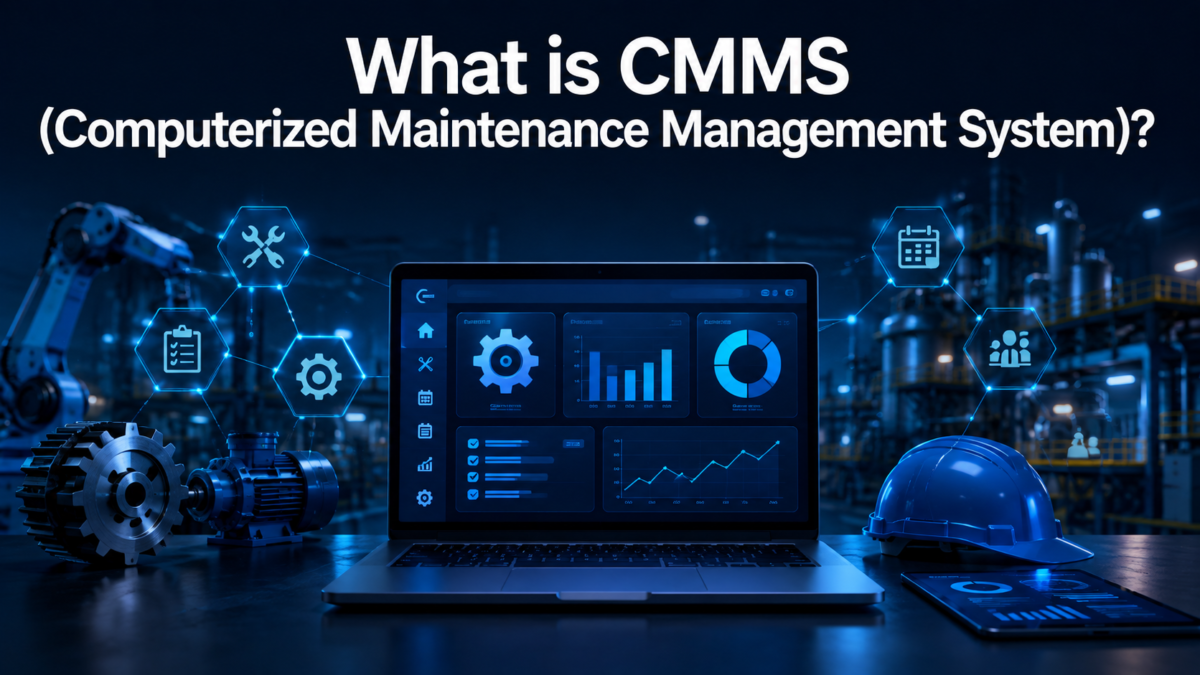
CMMS is closely related to preventive maintenance software and the two terms are often used together. Understanding this connection helps clarify what these tools actually do.
Relationship Between CMMS and PM Software
A CMMS is a broader platform that manages all maintenance activities, including preventive, reactive, and predictive tasks.
Preventive maintenance software is often a core module within a CMMS, focused specifically on scheduled upkeep. Many vendors use these terms interchangeably, but CMMS generally covers a wider range of maintenance functions.
How CMMS Supports Preventive Maintenance
CMMS platforms give preventive maintenance a home by storing asset data, maintenance history, and inventory in one place.
This means that when a preventive task is due, the system already knows which parts are needed and which technician is best suited for the job. This integration reduces delays and keeps maintenance teams organized.
Key Features of Preventive Maintenance Software
Most preventive maintenance software solutions share a common set of features, though the depth and quality can vary between vendors. Knowing these features helps buyers compare tools more effectively.
Maintenance Scheduling and Calendars
This feature allows teams to set up recurring maintenance tasks on a calendar view. Managers can see upcoming tasks at a glance and adjust schedules as needed. It removes the need to manually track dates on paper or spreadsheets.
Automated Work Order Generation
When a maintenance task becomes due, the software automatically creates a work order and assigns it to the right technician. This saves time and ensures nothing gets missed or forgotten during busy periods. Work orders also include instructions, checklists, and required tools.
Asset and Equipment Tracking
Every piece of equipment is logged in the system with details like model number, location, and installation date. This creates a single source of truth for all assets across a facility or company. Managers can quickly search and filter equipment when planning maintenance activities.
Maintenance History and Logs
The software keeps a permanent digital record of every maintenance activity performed on each asset. This history is useful for identifying recurring problems, planning replacements, and proving compliance during audits. It also helps new technicians understand an asset’s past issues quickly.
Inventory and Spare Parts Management
Many tools include inventory tracking so teams know which parts are in stock before starting a job. This prevents delays caused by missing parts and helps managers reorder supplies at the right time. It also gives visibility into which parts are used most frequently.
Reporting and Analytics Dashboard
Dashboards turn raw maintenance data into visual reports that are easy to understand. Managers can track metrics like downtime, completion rates, and maintenance costs over time. These insights support smarter budgeting and long-term planning decisions.
How Preventive Maintenance Software Works
Understanding the actual workflow helps businesses see how these tools fit into daily operations. The process is generally simple once it’s set up correctly.
Step-by-Step Workflow
The typical workflow starts with entering all assets into the system, followed by setting up maintenance schedules for each one. From there, the software runs in the background, generating tasks and alerts automatically as due dates approach.
Setting Maintenance Schedules
Schedules are configured based on manufacturer recommendations, industry standards, or internal policies. Managers can set intervals by date, usage, or a combination of both. This flexibility allows the system to match the specific needs of different equipment types.
Assigning Tasks to Technicians
Once a task is generated, the software assigns it to a technician based on availability, skill set, or location. Technicians receive notifications and can accept or start the task directly from their device. This removes confusion about who is responsible for each job.
Tracking Completion and Follow-Ups
After a task is completed, technicians log the results, including any parts used or issues found. If further action is needed, the system can automatically create a follow-up task. This closes the loop and keeps records accurate for future reference.
Benefits of Using Preventive Maintenance Software
The value of preventive maintenance software becomes clear once businesses see the measurable improvements it brings to daily operations. These benefits apply across almost every industry that relies on physical equipment.
Reduced Equipment Downtime
Because problems are addressed before they cause a breakdown, equipment stays operational more consistently. This is especially important for businesses where downtime directly affects revenue or production output.
Extended Asset Lifespan
Regular servicing keeps machines running efficiently for longer, delaying the need for expensive replacements. Over time, this can significantly reduce capital expenditure on new equipment.
Lower Repair and Operational Costs
Preventing small issues from becoming major failures keeps repair costs predictable and manageable. Planned maintenance is almost always cheaper than emergency repairs and rush part orders.
Improved Safety and Compliance
Well-maintained equipment is less likely to cause accidents or safety violations. The digital records also make it easier to demonstrate compliance during inspections or audits.
Better Resource and Time Management
Automated scheduling means maintenance teams spend less time planning and more time doing actual work. This improves overall productivity and reduces administrative overhead.
Industries That Use Preventive Maintenance Software
Preventive maintenance software is not limited to one type of business. It’s used across many industries that rely on physical assets to operate smoothly.
Manufacturing
Factories use this software to keep production lines running without unexpected stoppages. Regular maintenance of machinery directly protects output and product quality.
Facilities Management
Building managers use it to maintain HVAC systems, elevators, and other critical infrastructure. This ensures tenant safety and comfort while avoiding costly emergency repairs.
Fleet and Transportation
Fleet operators rely on usage-based maintenance to service vehicles based on mileage or engine hours. This keeps vehicles safe and roadworthy while reducing breakdowns during trips.
Healthcare
Hospitals use preventive maintenance software to keep medical equipment functioning reliably. Since equipment failure can directly affect patient care, this is one of the most critical use cases.
Hospitality
Hotels and resorts use it to maintain guest-facing equipment like pools, kitchens, and air conditioning systems. Reliable equipment directly impacts guest satisfaction and reviews.
Types of Preventive Maintenance Software
Not all preventive maintenance software is built the same way. Businesses can choose between different deployment models and specialization levels depending on their needs.
Cloud-Based Solutions
Cloud-based software is hosted online and accessed through a browser or app, requiring no internal servers. It’s easier to update, scales well, and allows remote access from anywhere.
On-Premise Solutions
On-premise software is installed and run on a company’s own servers, giving more control over data. It’s often chosen by businesses with strict data security requirements or limited internet reliability.
Industry-Specific vs. General-Purpose Software
Some tools are built specifically for industries like healthcare or fleet management, offering tailored features. General-purpose software, on the other hand, works across many industries but may require more customization.
How to Choose the Right Preventive Maintenance Software
With so many options available, selecting the right tool requires a clear understanding of business needs and priorities. A structured approach makes this decision much easier.
Identifying Business Needs
Start by listing the number of assets, team size, and specific maintenance challenges the business faces. This helps narrow down which features are actually necessary versus nice-to-have.
Key Features to Look For
Prioritize core features like scheduling, mobile access, and reporting, since these directly impact daily operations. Advanced features like IoT integration can be considered later as the business grows.
Budget Considerations
Compare pricing models, including subscription fees, setup costs, and any charges for additional users. It’s important to calculate the total cost of ownership, not just the monthly price.
Scalability and Integration Options
Choose software that can grow with the business and connect with existing tools like accounting or inventory systems. This avoids the need to switch platforms later as operations expand.
Ease of Use and Training Requirements
A tool is only effective if the team actually uses it correctly and consistently. Look for software with a simple interface and good onboarding support to reduce training time.
Popular Preventive Maintenance Software Tools (Overview)
The market offers a wide range of preventive maintenance software, each with different strengths depending on business size and industry.
Comparison of Leading Solutions
| Factor | Small Business Tools | Enterprise Tools |
| Setup Complexity | Simple, quick setup | Requires more configuration |
| Cost | Lower monthly pricing | Higher, often custom pricing |
| Features | Core scheduling and tracking | Advanced analytics, IoT, integrations |
| Best For | Small teams, single locations | Large teams, multiple facilities |
Smaller tools focus on simplicity and affordability, while enterprise solutions offer deeper customization for complex operations. Businesses should match their choice to their actual scale rather than choosing based on brand popularity alone.
Pricing Models Explained
Most preventive maintenance software uses a subscription-based pricing model, often charged per user or per asset. Some vendors also offer tiered plans, where advanced features are only available at higher price levels. It’s worth requesting a demo or trial before committing to a long-term plan.
Challenges in Implementing Preventive Maintenance Software
While the benefits are significant, businesses often face some hurdles when adopting new maintenance systems. Being aware of these challenges helps in planning a smoother rollout.
Common Obstacles
Resistance to change is one of the most common issues, especially among teams used to manual processes. Technical issues during setup, such as data import errors, can also slow down adoption.
Employee Training and Adoption
Technicians and managers need proper training to use the software effectively from day one. Without this, teams may continue relying on old habits, reducing the software’s overall impact.
Data Migration Issues
Moving historical maintenance records into a new system can be time-consuming and prone to errors. Careful planning and data cleanup before migration can prevent major setbacks.
Best Practices for Successful Implementation
Following a few proven practices can significantly improve the success rate of adopting preventive maintenance software. These steps apply to businesses of any size.
Setting Clear Maintenance Goals
Define specific, measurable goals like reducing downtime by a certain percentage before rolling out the software. This gives the team a clear benchmark to work toward.
Training Staff Effectively
Invest time in hands-on training sessions rather than relying only on written manuals. Practical, guided learning leads to faster and more confident adoption across teams.
Regularly Updating Maintenance Plans
Maintenance schedules should be reviewed periodically and adjusted based on actual equipment performance. Static schedules that never change can lead to either over-maintenance or missed issues.
Monitoring Key Performance Indicators (KPIs)
Track KPIs like mean time between failures and maintenance costs to measure the software’s real impact. Regular monitoring helps identify areas that still need improvement.
Future Trends in Preventive Maintenance Software
The preventive maintenance software industry continues to evolve alongside advances in technology. Staying aware of these trends helps businesses plan for the future.
1 AI and Machine Learning Integration
AI is increasingly being used to analyze maintenance data and suggest optimized schedules automatically. This reduces manual planning and improves the accuracy of maintenance timing.
IoT-Enabled Predictive Insights
More devices now come with built-in sensors that feed real-time data into maintenance systems. This is gradually blending preventive maintenance with predictive capabilities for smarter scheduling.
Automation and Smart Alerts
Future systems are expected to automate more decision-making, such as automatically reordering parts or rescheduling tasks based on workload. This reduces the manual effort required from maintenance managers.
Conclusion
Preventive maintenance software has become an essential tool for businesses that depend on reliable equipment and facilities. It replaces manual tracking with automated scheduling, clear reporting, and organized records that save both time and money.
Whether it’s a small team managing a few assets or a large enterprise handling complex operations, choosing the right software can significantly reduce downtime and repair costs. As technology continues to advance, these tools will only become smarter and more integrated into daily operations.
Frequently Asked Questions
Is preventive maintenance software the same as CMMS?
Not exactly. CMMS is a broader system that manages all maintenance types, while preventive maintenance software often refers specifically to scheduled, proactive maintenance features.
How much does preventive maintenance software cost?
Pricing varies widely based on features and business size, typically ranging from affordable per-user plans to custom enterprise pricing.
Can small businesses benefit from preventive maintenance software?
Yes, even small businesses with a handful of assets can reduce downtime and repair costs by using basic scheduling and tracking features.
Does preventive maintenance software require technical expertise to use?
Most modern tools are designed with simple interfaces, so minimal technical knowledge is needed for day-to-day use.
Related Articles
What is Business Software? A Complete Guide
Is LightBurn a Good Software for Laser Engraving? Full 2026 Review
What is Team Software Process?
Flooring Layout Software: Complete Guide to Features, Benefits & Best Tools (2026)
Flooring Layout Software: Complete Guide to Features, Benefits & Best Tools (2026)


