

Can You Play Games Through Software Preview on Elgato HD60?
July 22, 2026
Is Octopus Software Safe? A Complete Security Guide for 2026
July 22, 2026
Running a plumbing business means juggling phone calls, emergency jobs, and daily appointments all at once, and this is exactly where scheduling software becomes useful. Free scheduling software for plumbers helps small businesses and solo plumbers organize their day without spending money on expensive tools.
It reduces missed appointments, keeps customer details in one place, and makes the entire booking process smoother. This guide walks you through everything you need to know, from why scheduling tools matter to how you can pick the best free option for your plumbing business.
Why Plumbers Need Scheduling Software
Plumbers often lose valuable time answering calls, writing down appointments by hand, and trying to remember which customer needs a follow-up visit. Scheduling software removes this manual work and keeps everything organized in one digital calendar.
Time-Saving Benefits
Manual scheduling takes up hours every week that could otherwise be spent on actual plumbing jobs. With free scheduling software for plumbers, appointments are booked automatically, and the calendar updates in real time.
This means less time on the phone and more time completing paid work, which directly improves daily productivity.
Reducing Missed Appointments and No-Shows
One missed appointment can mean lost income and an unhappy customer. Scheduling tools send automatic reminders through text or email before the appointment, which keeps both the plumber and the customer informed. This simple feature alone can noticeably reduce no-shows over time.
Improving Customer Communication
Customers appreciate quick replies and clear appointment confirmations. Scheduling software allows plumbers to send instant booking confirmations, updates, and reminders without manually typing every message.
This builds trust and gives the business a more professional image right from the first interaction.
Managing Multiple Technicians or Jobs at Once
For plumbing businesses with more than one technician, keeping track of who is available and where they are scheduled can get confusing. Scheduling tools display every technician’s calendar side by side, making it easy to assign new jobs without double-booking anyone.
Key Features to Look for in Scheduling Software
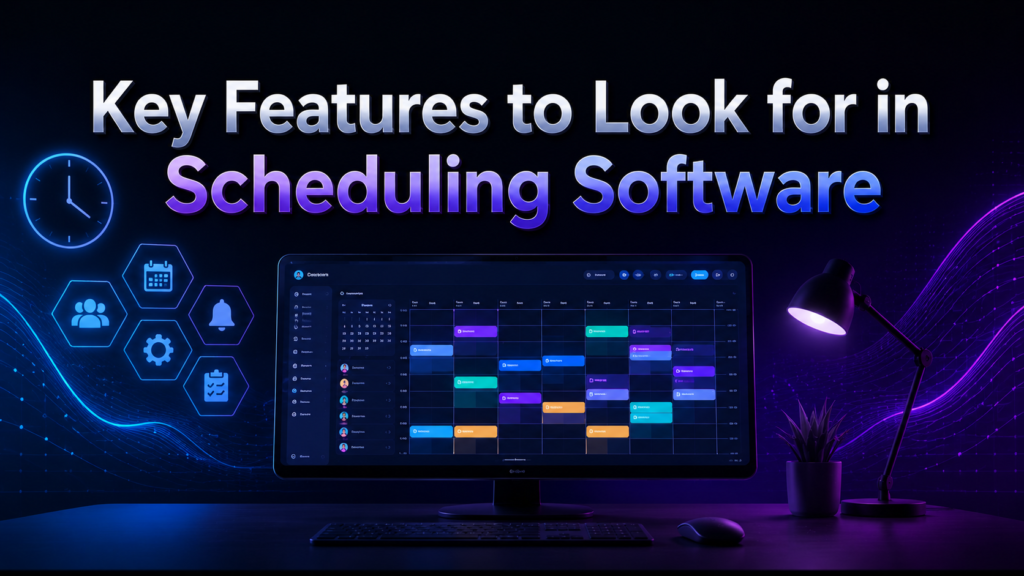
Not every scheduling tool offers the same features, so it helps to know what matters most before choosing one. A good free scheduling software for plumbers should combine simplicity with the tools needed to run daily operations smoothly.
Online Booking Calendar
An online calendar lets customers see available time slots and book appointments directly, without calling the plumber. This reduces back-and-forth communication and saves time for both sides, especially during busy hours.
Automated Reminders
Automated reminders sent through SMS or email keep customers updated about upcoming appointments. This feature lowers the chances of forgotten bookings and helps plumbers plan their day with more confidence.
Team and Technician Assignment
If a plumbing business has multiple workers, the software should allow jobs to be assigned to specific technicians. This avoids confusion and ensures the right person is sent to the right location at the right time.
Mobile App Access
Plumbers are rarely sitting at a desk, so having a mobile app is important. A good scheduling tool allows viewing and updating the calendar directly from a smartphone while on the job or traveling between appointments.
Below is a quick look at how these core features typically appear across free scheduling tools:
| Feature | Why It Matters | Common in Free Plans |
| Online Booking | Lets customers self-schedule | Usually included |
| Automated Reminders | Reduces missed appointments | Often limited in free tier |
| Team Assignment | Manages multiple technicians | Rarely free, needs upgrade |
| Mobile App | Access on the go | Mostly included |
| CRM Basics | Stores customer history | Sometimes limited |
Top Free Scheduling Software Options for Plumbers
There are several tools plumbers can use without paying anything upfront. Some are completely free forever, while others offer free trials before switching to paid plans. Knowing the difference helps avoid surprises later.
Google Calendar
Google Calendar is free forever and works well for solo plumbers who need a simple way to track appointments. It allows setting reminders, sharing calendars with a small team, and syncing across devices. It lacks advanced features like automated customer booking, but its simplicity makes it a reliable starting point.
Calendly Free Plan
Calendly’s free plan allows one event type, which is enough for plumbers offering a single type of service booking. Customers can pick available time slots directly, and reminders are sent automatically. The free version has limited customization, but it works well for smaller operations.
Square Appointments Free Tier
Square Appointments offers a free plan for individual service providers, making it a solid choice for solo plumbers. It includes online booking, appointment reminders, and basic client management. Businesses with multiple technicians will likely need to upgrade to a paid plan.
Zoho Bookings Free Plan
Zoho Bookings provides a free tier with basic scheduling features suitable for small plumbing businesses. It supports appointment booking pages and calendar syncing. However, advanced automation and reporting features are reserved for paid plans.
Housecall Pro Free Trial
Housecall Pro is built specifically for field service businesses like plumbing, offering scheduling, dispatching, and invoicing together. The free trial gives a full look at these features, but the software becomes a paid subscription after the trial period ends.
Jobber Free Trial
Jobber is another field-service-focused tool with strong scheduling and client management features. During the free trial, plumbers can test route optimization and team scheduling, but continued use requires a paid subscription afterward.
mHelpDesk Free Trial
mHelpDesk offers scheduling combined with dispatch and invoicing tools designed for service-based businesses. The free trial allows plumbers to explore these features, though it converts to a paid plan once the trial period is over.
FieldPulse Free Trial
FieldPulse is tailored for plumbing and HVAC businesses, offering scheduling, invoicing, and customer management in one platform. Like other trial-based tools, it requires payment after the free period to continue full access.
Comparison Table of Free Scheduling Tools
The table below summarizes the main differences between these tools to help you compare them quickly.
| Tool | Free Type | Best For | Key Limitation |
| Google Calendar | Free forever | Solo plumbers | No auto customer booking |
| Calendly | Free plan | Single-service booking | Limited customization |
| Square Appointments | Free tier | Individual providers | Limited for teams |
| Zoho Bookings | Free tier | Small businesses | Basic automation only |
| Housecall Pro | Free trial | Growing businesses | Paid after trial |
| Jobber | Free trial | Teams needing routes | Paid after trial |
| mHelpDesk | Free trial | Dispatch-heavy work | Paid after trial |
| FieldPulse | Free trial | Plumbing/HVAC teams | Paid after trial |
Free vs Paid Scheduling Software: What’s the Difference?
Free plans generally cover basic scheduling, while paid plans add automation, invoicing, and reporting tools that support larger operations.
What Free Plans Typically Lack
Most free plans limit the number of team members, appointment types, or automated messages. Advanced features like route optimization, detailed reporting, and invoicing integration are usually reserved for paid subscriptions.
When to Upgrade to a Paid Plan
As a plumbing business grows and adds more technicians or customers, free tools may start feeling limited. Upgrading becomes worthwhile when the business needs invoicing, advanced reporting, or scheduling for a larger team.
Hidden Costs to Watch For
Some free trials require entering payment details upfront, and if not cancelled in time, they automatically convert into paid subscriptions. Always check the trial terms carefully before signing up to avoid unexpected charges.
How to Choose the Right Free Scheduling Tool
Choosing the right tool depends on the size of the plumbing business and how comfortable the owner is with technology.
Based on Business Size
Solo plumbers can manage well with simple tools like Google Calendar or Calendly, while businesses with multiple technicians may need trial-based tools like Jobber or Housecall Pro for better team management.
Based on Tech Comfort Level
Plumbers who prefer simplicity should choose tools with minimal setup, such as Google Calendar. Those comfortable with more features can explore Zoho Bookings or Square Appointments for added functionality.
Based on Need for Invoicing or CRM
If invoicing and customer history tracking are important, trial-based tools like FieldPulse or mHelpDesk offer these features built in, though they eventually require payment to continue using them.
Step-by-Step: Setting Up Free Scheduling Software
Getting started with any free scheduling software for plumbers usually follows a similar process across most platforms.
Choosing a Platform
Start by identifying whether the business needs basic scheduling or full field-service management, then pick a tool that matches those needs from the options listed above.
Setting Up Availability
Once signed up, set working hours and mark unavailable days so customers only see time slots that actually work for the business.
Enabling Online Booking
Turn on the booking link or page so customers can schedule appointments directly, reducing phone calls and manual entry work.
Setting Up Automated Reminders
Enable reminder settings so customers receive alerts before their appointment, helping reduce missed bookings and last-minute cancellations.
Tips to Maximize Free Scheduling Tools
Using a free tool effectively often comes down to combining it with other free resources and staying consistent with daily use.
Plumbers can pair Google Calendar with Google Forms to collect customer details before appointments, creating a simple but effective system without extra cost. Syncing the calendar with a smartphone ensures updates are visible even while working on-site.
Training every team member to update the calendar consistently prevents double-bookings and keeps the schedule accurate for everyone involved.
Common Mistakes to Avoid
Many plumbing businesses make avoidable errors when using scheduling tools for the first time.
Relying only on manual scheduling alongside digital tools often creates confusion instead of solving it. Not leaving buffer time between appointments can cause delays that affect the entire day’s schedule.
Ignoring reminder settings defeats the purpose of using scheduling software in the first place. Failing to back up customer data can also lead to lost information if the platform faces technical issues.
Frequently Asked Questions
Is there truly 100% free scheduling software for plumbers?
Yes, tools like Google Calendar and the free tiers of Calendly or Square Appointments remain free without time limits, though with fewer features than paid plans.
Can I use free scheduling software for a growing team?
Free plans work best for solo plumbers or very small teams; larger teams usually need paid plans for full functionality.
What’s the best free option for a solo plumber?
Google Calendar or Calendly’s free plan are simple, reliable choices for individual plumbers just starting out.
Do free plans include invoicing?
Most free plans do not include invoicing; this feature is typically available only in paid subscriptions or limited-time free trials.
Conclusion
Free scheduling software for plumbers offers a practical way to manage appointments without added cost, especially for solo plumbers or small teams just getting started.
Tools like Google Calendar and Calendly work well for basic needs, while trial-based platforms like Housecall Pro or Jobber suit businesses ready to test more advanced features before committing to a paid plan.
Choosing the right tool depends on business size, technical comfort, and whether invoicing or team management is required, making it important to evaluate each option based on actual daily needs rather than just price.
Related Articles
Software Egg: The Complete Guide to Hidden Easter Eggs in Technology
Remote Software Engineer Jobs: The Complete Guide to Building a Successful Career From Anywhere
Develop Oxzep7 Software: A Complete Beginner-Friendly Guide
RFP 2025 Software: Complete Guide to Choosing the Best Proposal Tool
EasySuite Software Download Free: Complete Guide to Features, Pricing and Installation


