

Chemical Categorization Software: A Complete Guide
September 2, 2026
Family Office Software? A Complete Guide for Wealthy Families
September 2, 2026
Finding reliable embroidery software for Mac is not as simple as it should be, since most embroidery brands built their programs for Windows first and never gave Mac users the same attention. T
his guide walks through the native Mac apps that actually work well, the Windows programs you can still run through emulation, and the features that matter most before you spend money. Whether you are a hobbyist stitching gifts at home or a small business owner digitizing logos for clients, you will find a clear path forward here.
Every option below is explained in plain language, without technical jargon, so you can compare them quickly. By the end, you will know exactly which embroidery software for Mac fits your machine, budget, and skill level.
Why Mac Compatibility Is Tricky
Most embroidery software companies grew up building exclusively for Windows, which left Mac users with fewer official choices for years. Today the situation has improved, but you still need to understand the difference between native apps and emulated Windows programs before buying anything.
History of Windows-Only Embroidery Tools
For a long time, embroidery machine manufacturers such as Brother, Bernina, and Janome only released digitizing software built for Windows PCs.
This happened because the embroidery industry grew alongside Windows-based hardware in workshops and small factories, and companies simply never prioritized rewriting their programs for macOS. As a result, many long-time embroiderers assumed Mac users were out of luck entirely, even though that is no longer fully true.
Native Apps vs Emulation Options
Mac users today have two real paths: install software built specifically for macOS, or run Windows-only programs through a virtual machine or compatibility layer.
Native apps like Embrilliance are designed from the ground up for Mac, so they feel smoother and need no extra setup. Emulation tools such as Parallels, Boot Camp, or Wine let you install Windows programs directly on your Mac, though they require more technical patience and system resources.
Pros and Cons of Each Approach
Native software tends to run faster, updates more reliably, and avoids the licensing costs of a second operating system.
Emulated software, on the other hand, gives you access to industry-standard programs like Wilcom or Brother PE-Design that have no native Mac version at all. The tradeoff is that emulation uses more storage, may slow down older Macs, and sometimes causes compatibility hiccups after macOS updates.
Key Features to Look for in Embroidery Software for Mac
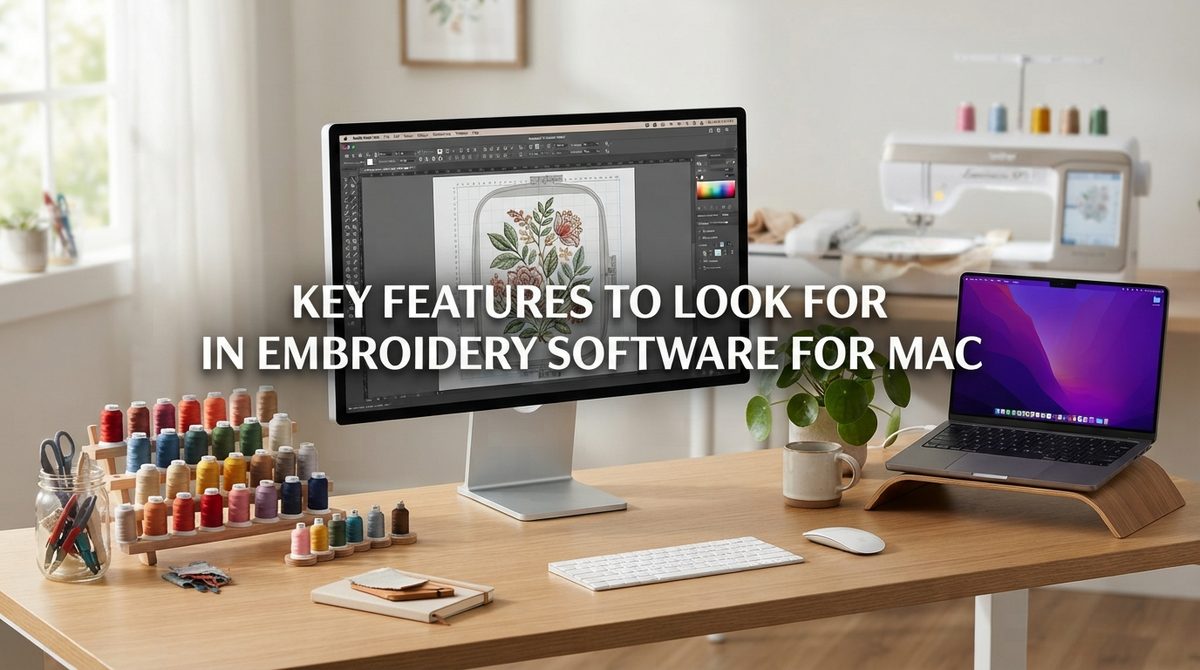
Before comparing specific programs, it helps to know which features actually matter for everyday embroidery work. The right combination of tools depends heavily on whether you are digitizing your own designs or simply editing files someone else created.
Digitizing and Editing Tools
Digitizing is the process of converting an image or drawing into stitch instructions your machine can read, and this is the single most important feature to check.
Look for software that offers both automatic digitizing for quick projects and manual point-by-point tools for precise control over stitch direction. Editing features like resizing, rotating, and combining designs without distorting stitch density are equally important for everyday use.
File Format and Machine Compatibility
Embroidery machines read different file types, including DST, PES, EXP, JEF, and VP3, so your software must support the format your specific machine uses.
Some programs only export a limited set of formats, which can force you to buy conversion tools separately later. Always confirm the software’s supported file list matches your machine brand before purchasing.
Ease of Use for Different Skill Levels
Beginners generally need software with guided wizards, tutorials, and simplified menus, while advanced digitizers want granular control over stitch types and underlay settings.
A program that overwhelms a beginner with professional-level options can slow down learning significantly. Choosing software that matches your current skill level, with room to grow, saves both time and frustration.
Best Native Embroidery Software for Mac
These programs run directly on macOS without needing Windows at all, making them the simplest choice for most Mac users. Each one targets a slightly different type of user, from casual hobbyists to serious digitizers.
Embrilliance
Embrilliance is widely considered the most Mac-friendly embroidery software available, with separate tiers called Essentials, Enthusiast, and StitchArtist depending on how advanced your needs are.
It handles resizing, lettering, and combining designs smoothly, and its interface feels native rather than borrowed from a Windows layout. Pricing is one-time rather than subscription-based, which makes it a popular starting point for Mac-based embroiderers.
Hatch Embroidery by Wilcom
Hatch is Wilcom’s consumer-facing brand, and unlike its professional sibling, it was built to run natively on Mac from the start. It offers strong auto-digitizing, a large design library, and lettering tools suited to both hobby and small business work.
The tradeoff is a higher price point compared to Embrilliance, positioning it more toward serious hobbyists and growing businesses.
Ink/Stitch
Ink/Stitch is a free, open-source extension that works inside Inkscape, giving Mac users a genuinely no-cost way to create embroidery files.
It supports manual digitizing, satin columns, and fill stitches, though the learning curve is steeper since it relies on vector design skills. For budget-conscious users willing to learn Inkscape, it remains one of the best free entries into embroidery software for Mac.
Windows Embroidery Software That Works on Mac via Emulation
Several industry-standard programs still have no native Mac version, but you can run them using Parallels, Boot Camp, or Wine. This route opens access to more established, feature-rich software at the cost of extra setup work.
Wilcom and Brother PE-Design
Wilcom’s professional suite remains the industry benchmark for advanced digitizing, offering precision tools that many Mac-native apps still cannot match. Brother PE-Design is the official companion software for Brother machines and includes brand-specific features like direct machine transfer. Both require a Windows environment on your Mac since neither offers a true macOS version.
Bernina ArtLink and Floriani Total Control U
Bernina ArtLink is a free companion tool for Bernina machine owners that handles basic editing and file conversion, though it also lacks native Mac support.
Floriani Total Control U focuses on organizing and previewing design libraries, which is especially useful for embroiderers with large collections. Running either through emulation is usually painless once Windows is properly installed.
Setting Up Boot Camp, Parallels, or Wine
Boot Camp lets you install Windows directly alongside macOS on Intel-based Macs, though it is not available on newer Apple Silicon models.
Parallels Desktop runs Windows in a virtual window without rebooting, making it the more convenient option for Apple Silicon Macs today. Wine is a free compatibility layer that skips installing Windows entirely, but it supports fewer programs reliably and often requires troubleshooting.
Free vs Paid Embroidery Software Comparison
Budget is often the deciding factor when choosing embroidery software, and the good news is that solid free options exist alongside premium ones. The table below summarizes how the main choices compare.
| Software | Native or Emulated | Price | Best For |
| Ink/Stitch | Native | Free | Budget users comfortable with Inkscape |
| Bernina ArtLink | Emulated | Free | Bernina machine owners needing basic edits |
| Embrilliance Essentials | Native | One-time, low cost | Beginners and hobbyists |
| Embrilliance StitchArtist | Native | One-time, mid cost | Users who want to digitize from scratch |
| Hatch Embroidery | Native | One-time, higher cost | Growing hobbyists and small businesses |
| Wilcom (via emulation) | Emulated | Subscription or high one-time cost | Professional digitizers |
| Brother PE-Design | Emulated | Mid to high cost | Brother machine owners |
| Floriani Total Control U | Emulated | Mid cost | Managing large design libraries |
Best Free Options
Ink/Stitch and Bernina ArtLink stand out as the strongest free choices, though each serves a different purpose. Ink/Stitch is better suited to users who want to design from scratch, while ArtLink works well for quick edits and format conversion.
Best Paid Options
Embrilliance and Hatch lead the paid native category, offering the best balance of price and Mac-friendly performance. For users needing professional-grade precision, Wilcom through emulation remains worth the extra setup effort and cost.
How to Choose the Right Embroidery Software for Your Needs
The right choice ultimately depends on how often you embroider, what machine you own, and how much control you want over stitch details. Matching software to your actual workflow prevents overspending on features you will never use.
For Beginners and Hobbyists
New embroiderers should start with Embrilliance Essentials or Ink/Stitch, since both keep the learning curve manageable without limiting future growth. These options let you resize designs, add basic lettering, and export common file formats without needing advanced digitizing knowledge.
For Small Business Owners and Professionals
Business owners producing designs regularly benefit more from Hatch Embroidery or Wilcom, since both offer faster digitizing and better handling of complex, detailed artwork. The extra investment usually pays off through time saved on each project and more consistent stitch quality for clients.
Frequently Asked Questions
Can I use Windows embroidery software on Mac without Boot Camp?
Yes, Parallels Desktop and Wine both let you run many Windows embroidery programs without installing Boot Camp, though Parallels tends to offer better compatibility.
What is the best free embroidery software for Mac?
Ink/Stitch is generally considered the best free native option, since it supports real digitizing rather than just basic editing.
Do I need a subscription for embroidery software?
No, most Mac-friendly options like Embrilliance and Hatch use one-time purchases rather than subscriptions, though some professional programs offer subscription pricing as an alternative.
Which software works best with my embroidery machine brand?
Brand-specific software like Brother PE-Design or Bernina ArtLink usually offers the smoothest direct transfer to that brand’s machines, while general tools like Embrilliance support multiple brands through standard file formats.
Conclusion
Choosing the right embroidery software for Mac comes down to weighing native convenience against the wider feature set available through Windows emulation. Embrilliance and Hatch currently lead the native category for most everyday users, while Wilcom remains the strongest choice for professionals willing to run it through Parallels or Boot Camp. Co
mpared to relying only on generic blog roundups, this guide focused specifically on Mac compatibility details that many competing articles gloss over. Start with a free option like Ink/Stitch if you are just testing the waters, then upgrade once you know exactly what your embroidery workflow requires.
Related Articles
Best Customizable Worksheet AI Software: Complete 2026 Guide
Motion Graphics Software: A Complete Guide
Rhino 3D Software: A Complete Guide for Beginners and Professionals
Software Definitie: A Complete and Easy Guide to Understanding Software
What Are Two Major Software Types? Complete Beginner’s Guide


