

Best Customizable Worksheet AI Software: Complete 2026 Guide
August 27, 2026
Addressing Common Sleep Disorders
August 28, 2026
Student software refers to programs, applications, and digital tools that companies offer to learners at reduced prices or completely free of cost. These offers usually apply to productivity suites, design programs, coding tools, and study apps that students use throughout their academic journey.
Most companies verify eligibility through a valid school or university email address, a student ID card, or a verification platform. Using the right student software can save money, improve learning outcomes, and prepare students for real-world work environments.
This guide walks through every major aspect of student software so learners can make informed choices without wasting time or budget.
Understanding Student Software Discounts and Licensing
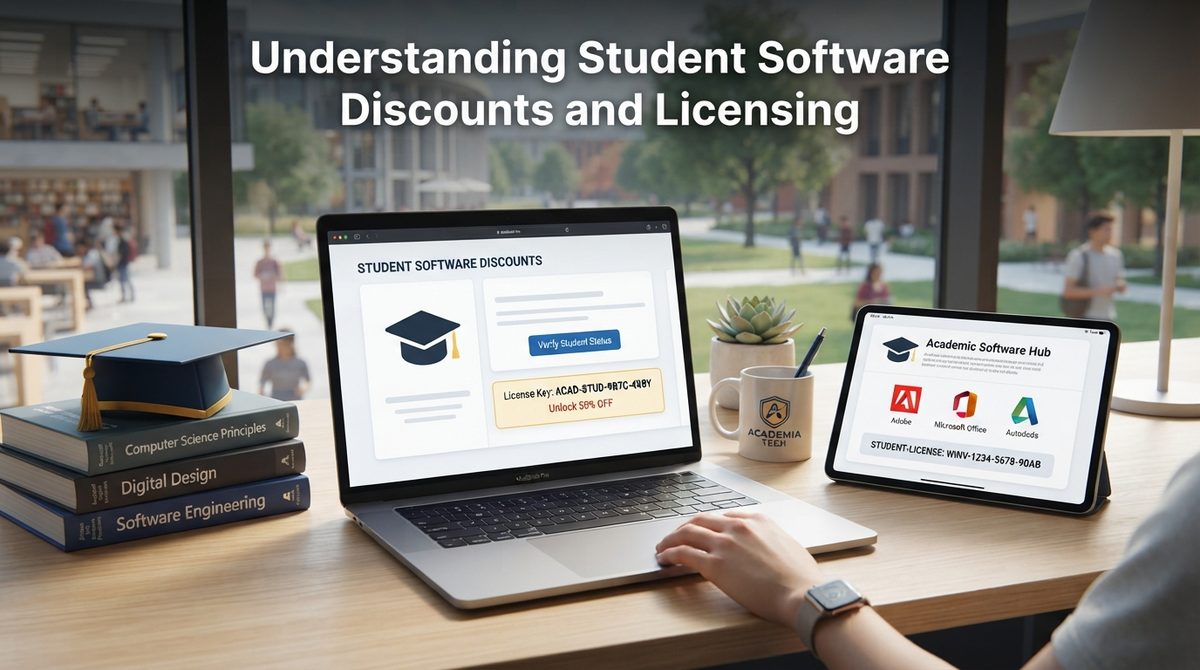
Software companies design special pricing plans specifically for learners, and these plans differ from regular consumer pricing in several ways. Below, we break down what these editions actually mean and how students can access them safely.
What Are Student Editions
Student editions are modified versions of standard software that come with reduced pricing or extended free access for verified learners. In most cases, the core features remain identical to the paid version, though some tools may limit commercial usage rights.
Companies use these editions to build loyalty among young users who may continue purchasing the same software after graduation.
How Companies Verify Student Status
Most platforms confirm student status through a school-issued email ending in .edu or a similar academic domain used in different countries. When an academic email is unavailable, students can upload identification documents through third-party verification services like SheerID or UNiDAYS.
This verification step protects companies from misuse while giving genuine students quick and legitimate access.
Free vs Discounted vs Trial Versions
Free versions typically come with permanent access but limited features, while discounted versions unlock full functionality at a lower price for a set duration.
Trial versions, on the other hand, offer complete features for a short period before requiring payment or renewal. Understanding these differences helps students choose the option that matches their actual academic needs instead of overspending unnecessarily.
Popular Categories of Student Software
Student software spans several categories depending on the field of study and daily academic tasks. The table below summarizes the most widely used categories along with common examples.
| Category | Common Examples | Best For |
| Productivity & Office | Microsoft Office 365 Education, Google Workspace | Writing assignments, spreadsheets, presentations |
| Design & Creativity | Adobe Creative Cloud, Canva for Education | Graphic design, video editing, visual projects |
| Programming & Development | GitHub Student Developer Pack, JetBrains, Visual Studio | Coding, app development, software projects |
| Engineering & Technical | AutoCAD, MATLAB, SolidWorks | Technical drawings, simulations, calculations |
| Study & Note-Taking | Notion, Evernote, Grammarly | Organizing notes, writing correction |
| Research & Reference | Zotero, Mendeley, Google Scholar | Citation management, academic research |
| Communication & Collaboration | Zoom Education, Slack, Microsoft Teams | Group projects, virtual classes |
Productivity and Design Tools
Productivity software such as Microsoft Office and Google Workspace helps students manage assignments, reports, and presentations efficiently.
Design tools like Adobe Creative Cloud and Canva allow learners in creative fields to build visual content without paying full commercial pricing. Both categories remain among the most downloaded types of student software worldwide.
Programming and Technical Tools
Programming-focused student software, including the GitHub Student Developer Pack, gives learners access to premium developer tools, cloud credits, and coding environments.
Engineering students benefit from technical programs like AutoCAD and MATLAB, which are otherwise expensive for individual purchase. These tools directly support hands-on learning in computer science and engineering programs.
Study and Collaboration Tools
Note-taking apps and grammar checkers help students stay organized and improve the quality of their written work.
Collaboration platforms such as Zoom and Microsoft Teams support group projects and remote learning setups. Together, these tools form the backbone of daily academic communication and organization.
How to Get Student Software
Getting access to discounted or free student software follows a fairly consistent process across most platforms. This section explains the steps involved and what happens once a student completes their degree.
Step-by-Step Process
Students first need to confirm their eligibility using an academic email address or valid enrollment proof from their institution.
Next, they visit the official student portal of the software provider rather than third-party websites offering similar deals. After verification, students can sign up, download the software, and activate their discounted or free license within minutes.
Renewal After Graduation
Most student licenses expire automatically once a learner graduates or their academic email becomes inactive.
Some companies offer a grace period or a discounted alumni plan, while others require a full switch to standard pricing. Students should check renewal terms in advance to avoid losing access to files created within these tools.
Benefits of Using Student Software
Student software offers practical advantages that go beyond simple cost savings. The sections below outline how these tools support both academic and long-term career goals.
Cost Savings and Career Skills
The most obvious benefit of student software is the significant reduction in cost compared to standard commercial licenses.
Beyond savings, students gain early exposure to industry-standard tools used in real workplaces, which strengthens their resumes. This early familiarity often gives graduates a competitive advantage when entering the job market.
Academic Performance
Access to premium research, writing, and organization tools directly supports better academic output and time management.
Students who use dedicated study software tend to submit more polished assignments and manage deadlines more effectively. Over time, this consistent use builds stronger digital habits that carry into professional life.
Risks and Precautions
While student software offers real value, learners should remain cautious about certain risks tied to discount programs. The following points highlight common issues and how to avoid them.
Common Scams
Fake student discount websites often mimic official platforms to collect personal information or payment details.
Students should always verify offers directly through the official company website rather than clicking links from unfamiliar sources. Reporting suspicious sites also helps protect other learners from falling into similar traps.
Data Privacy and Limitations
Free versions of student software sometimes come with data collection practices that users should review carefully before signing up.
Additionally, some free tiers restrict file size, storage, or advanced features that may be necessary for larger academic projects. Reading the terms of service beforehand prevents unexpected limitations later in the semester.
Free and Open-Source Alternatives
Not every student qualifies for discounts, and open-source alternatives fill this gap effectively. This section compares popular paid tools with their free counterparts.
Popular Alternatives
Open-source programs like LibreOffice, GIMP, and Visual Studio Code provide similar functionality to paid student software without licensing costs. These alternatives are particularly useful for students who lack a valid academic email or prefer not to share personal verification documents. While some advanced features may be missing, most everyday academic tasks are fully supported.
| Paid Software | Free Alternative | Category |
| Microsoft Office | LibreOffice | Productivity |
| Adobe Photoshop | GIMP | Design |
| JetBrains IDEs | Visual Studio Code | Programming |
Competitor Analysis
Many existing guides on student software list discount programs without explaining verification steps, risks, or renewal terms in detail.
This article addresses those gaps by combining categorized tool comparisons with practical safety guidance in one place. As a result, readers get a more complete and actionable resource instead of a simple list of software names.
Frequently Asked Questions
Is student software really free?
Some student software is completely free, while other programs offer discounted pricing instead of full free access, so terms vary by provider.
Can I use student software after graduation?
Access usually ends after graduation unless the provider offers an alumni discount or grace period for continued use.
How do I verify my student status?
Most platforms verify status through an academic email address or by uploading enrollment documents through a verification service.
What if I don’t have a .edu email?
Students without an academic email can often use alternative verification methods or switch to free open-source alternatives instead.
Conclusion
Student software plays a valuable role in helping learners access professional-grade tools at reduced costs throughout their education.
By understanding verification requirements, comparing categories, and staying alert to common risks, students can make smarter software choices. Whether through official discounts or free open-source alternatives, the right student software ultimately supports both academic success and future career readiness.
Related Articles
Business to Business Software: A Complete Guide
Construction ERP Software: The Complete Guide for Modern Construction Businesses
Age Verification Software: Complete Guide to How It Works, Types, and Benefits
Patient Engagement Software: A Complete Guide for Healthcare Providers
Jeep Grand Cherokee Recall Software Malfunction: What Every Owner Should Know


