
Redragon Software 1.0.58: Complete Download, Installation & Usage Guide
August 10, 2026
Software Noobs: A Complete Beginner’s Guide to Software
August 11, 2026
Dental software management is the process of using digital tools to handle every operational and clinical task inside a dental clinic. It covers patient records, appointment scheduling, billing, imaging, and communication in one connected system.
Practices adopt it to reduce paperwork, save staff time, and give patients a smoother experience. This guide explains what dental software management really means, how it works, which tools are popular, and how a clinic can choose and implement the right system without confusion.
What is Dental Software Management?
Dental software management simply means running a dental clinic’s daily operations through digital software instead of manual paper files. It brings scheduling, patient history, billing, and communication under one system, making the whole practice easier to control.
Definition and Core Purpose
At its core, dental software management refers to a digital platform that stores patient information, manages appointments, and tracks financial data for a dental practice.
The main purpose is to remove repetitive manual work so dentists and staff can focus more on patient care. It replaces scattered paper files and spreadsheets with one organized digital record.
How It Fits Into Daily Clinic Operations
A typical day in a dental clinic involves booking patients, checking their history, updating treatment notes, and processing payments. Dental software management connects all these steps so information flows automatically between departments.
Front desk staff, hygienists, and dentists all work from the same updated data, which avoids confusion and duplicate entries.
Why Dental Practices Need Digital Management Systems
Manual record-keeping often leads to lost files, scheduling conflicts, and billing mistakes. A proper dental software management system solves these problems by keeping everything organized in one place. It also helps practices grow without adding extra administrative burden.
Problems With Traditional Paper-Based Systems
Paper files are easy to misplace, hard to search quickly, and risky during emergencies like fire or water damage. Handwritten notes can also be misread, which sometimes leads to treatment errors.
As a clinic grows, physical storage space becomes another ongoing problem that digital systems completely remove.
Direct Benefits for Small and Large Clinics
Small clinics benefit because a single receptionist can manage scheduling, billing, and patient records without hiring extra staff.
Large multi-location practices benefit because data stays synced across every branch in real time. Both practice types save hours every week that would otherwise go into manual paperwork.
Core Features of Dental Software
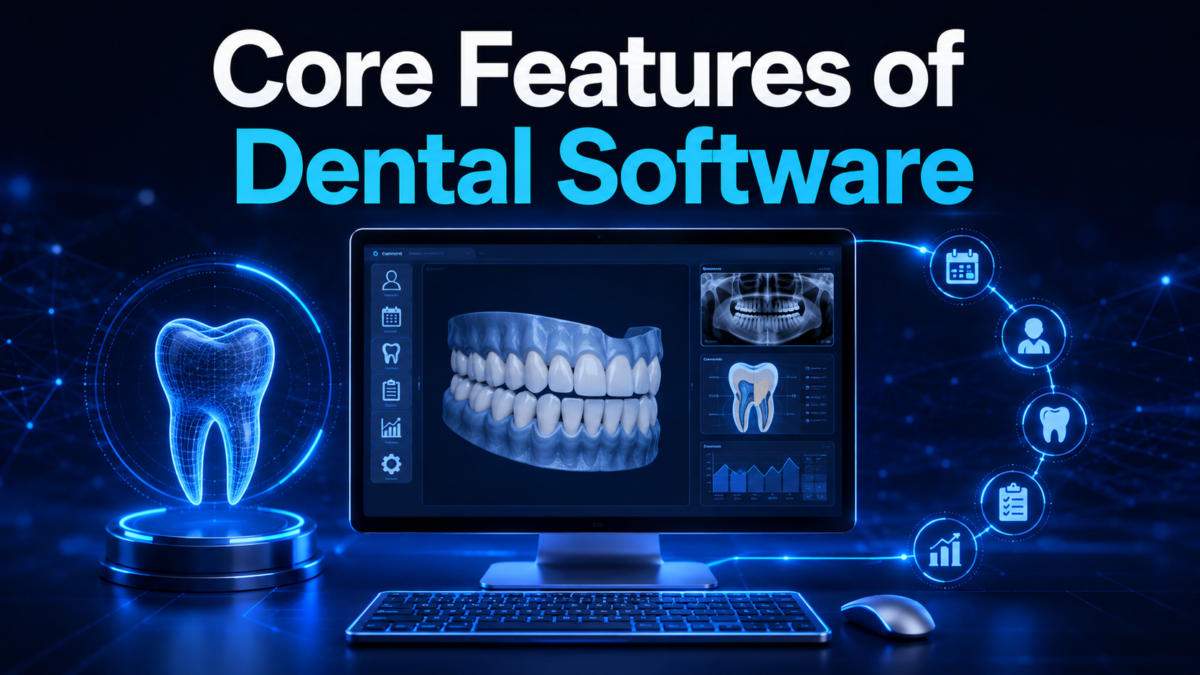
Every good dental software management system is built around a set of core features that cover clinical, administrative, and financial needs. These features work together instead of functioning as separate disconnected tools.
Patient Record Management
This feature stores complete patient histories including allergies, past treatments, prescriptions, and consent forms in a searchable digital format. Staff can pull up any patient’s full record within seconds instead of digging through paper files. It also reduces the risk of losing important medical history during a patient transfer.
Appointment Scheduling and Reminders
The scheduling module lets front desk staff book, reschedule, or cancel appointments while automatically sending SMS or email reminders to patients.
This significantly reduces no-shows, which is one of the biggest revenue losses for dental clinics. Some systems even allow patients to book appointments online themselves.
Digital Charting and Treatment Planning
Digital charting allows dentists to mark tooth conditions directly on a visual odontogram instead of writing notes by hand.
Treatment planning tools then use this chart data to suggest procedures and estimate costs for the patient. This makes explaining treatment options to patients much clearer and faster.
Billing and Insurance Claims
The billing feature generates invoices, tracks outstanding payments, and processes insurance claims electronically. It checks patient insurance eligibility before treatment, which prevents billing surprises later. Automated claim submission also reduces the manual paperwork usually required for insurance processing.
Imaging and Inventory Integration
Modern systems connect directly with X-ray machines and intraoral cameras, storing images inside the patient’s file automatically.
Inventory tracking within the same software alerts staff when dental supplies are running low. This prevents last-minute shortages of essential materials during busy treatment days.
Benefits of Dental Software Management
Adopting dental software management brings measurable improvements across patient care, staff productivity, and clinic finances. These benefits usually become noticeable within the first few months of switching from manual systems.
Improved Patient Experience
Patients get faster check-ins, clear treatment explanations, and timely appointment reminders through automated communication.
Online booking and digital forms also reduce waiting room time considerably. A smoother experience often leads to better patient retention and more referrals.
Financial and Operational Efficiency
Automated billing reduces payment delays and human calculation errors that commonly happen with manual invoicing.
Staff spend less time on repetitive administrative tasks, allowing them to handle more patients in the same working hours. Over time, this efficiency directly improves the clinic’s overall profitability.
Types of Dental Software
Not all dental software serves the same purpose, and practices often combine multiple types to cover their complete workflow. Understanding these categories helps clinics choose tools that match their specific needs.
Practice Management Software
This type focuses mainly on scheduling, billing, and administrative tasks rather than clinical charting. It acts as the operational backbone of the clinic, handling day-to-day front-office work. Most all-in-one platforms are built primarily around this category.
Clinical and Imaging Software
Clinical software focuses on charting, treatment documentation, and diagnostic notes created directly by dentists and hygienists. Imaging software specifically manages X-rays, scans, and photographs linked to patient records. Together, they support accurate clinical decision-making during every visit.
Popular Dental Software Solutions
Several established platforms dominate the dental software management market, each with different strengths depending on practice size and budget. The table below compares some widely used options based on common evaluation factors.
| Software | Deployment Type | Best Suited For | Notable Strength |
| Dentrix | On-premise | Established multi-chair practices | Deep clinical charting tools |
| Eaglesoft | On-premise | Mid-sized practices | Strong imaging integration |
| Open Dental | Cloud/On-premise | Practices wanting customization | Open-source flexibility |
| Curve Dental | Cloud-based | Small to mid clinics | Easy remote access |
| Denticon | Cloud-based | Multi-location DSOs | Centralized reporting |
| CareStack | Cloud-based | Growing dental groups | All-in-one modern interface |
Comparing On-Premise and Cloud Options
On-premise software like Dentrix and Eaglesoft installs directly on clinic servers, giving full control over data but requiring in-house IT maintenance.
Cloud-based options like Curve Dental and CareStack run through the internet, offering easier remote access and automatic updates. The right choice usually depends on the clinic’s budget, technical support, and how many locations it operates.
What Sets These Platforms Apart
While most platforms offer similar core features, differences show up in usability, customer support quality, and how well they integrate with imaging or accounting tools.
Open Dental stands out for its flexibility since practices can customize its open-source code. Denticon and CareStack are generally preferred by larger groups because of their centralized multi-location reporting.
How to Choose the Right Dental Software
Selecting dental software management tools requires matching the system to the clinic’s actual size, workflow, and long-term goals rather than picking the most popular option blindly.
Assessing Practice Size and Budget
A solo practitioner has very different needs compared to a multi-location dental group, so the assessment should start with realistic daily patient volume and staff count.
Budget should account for setup costs, monthly subscription fees, and potential training expenses. Clinics should avoid overpaying for features they will never actually use.
Checking Integration and Support Quality
Before committing, a clinic should confirm the software integrates smoothly with existing imaging equipment, accounting tools, and payment processors.
Reliable customer support becomes critical during technical issues that could otherwise disrupt patient appointments. Reading verified user reviews often reveals real-world support quality better than sales presentations.
Implementation Process
Switching to a new dental software management system involves more than just installing an application; it requires careful planning to avoid disrupting daily clinic operations.
Planning and Data Migration
The first step involves mapping out existing workflows and safely transferring patient records from the old system into the new one.
Data migration must be handled carefully to avoid losing historical treatment information. Most vendors provide migration support, but clinic staff should still verify data accuracy afterward.
Training and Go-Live Strategy
Staff training should happen before the official go-live date so employees feel comfortable using the new system under real conditions.
A phased rollout, starting with one department before expanding clinic-wide, reduces the risk of major disruptions. Ongoing support access after go-live helps resolve any issues quickly during the adjustment period.
Compliance and Data Security
Handling sensitive patient information means dental software management systems must follow strict data protection standards at all times.
Meeting Regulatory Requirements
Software must comply with regulations like HIPAA in the United States or equivalent regional data protection laws elsewhere.
This includes secure storage of medical records and controlled access based on staff roles. Non-compliance can lead to serious legal and financial consequences for a practice.
Backup and Access Control
Regular automated backups protect against data loss from technical failures or cyberattacks. Role-based access control ensures that only authorized staff can view or edit specific patient information.
Encrypted communication channels further protect data during transmission between systems.
Common Challenges and Solutions
Even well-planned software transitions face certain recurring challenges that clinics should prepare for in advance.
Staff Resistance and Technical Glitches
Employees accustomed to manual processes sometimes resist adopting new digital tools, which slows down full implementation. Clear training sessions combined with visible time-saving results usually reduce this resistance over a few weeks.
Occasional software downtime can be managed by keeping a documented backup process for critical tasks.
Future Trends in Dental Software Management
The direction of dental software management is shifting toward smarter, more automated, and more connected systems each year.
Artificial Intelligence and Automation
AI is increasingly used for diagnostic support, helping dentists spot issues in X-rays faster and more accurately. Automation is also expanding into billing and appointment scheduling, reducing manual administrative work even further.
These trends point toward software that handles more decision support rather than just record storage.
Cloud Growth and Teledentistry
Cloud-based platforms continue gaining preference over on-premise systems due to easier remote access and lower maintenance needs. Teledentistry features are being added to many platforms, allowing virtual consultations for minor concerns. This shift reflects a broader move toward flexible, patient-friendly digital healthcare.
Conclusion
Dental software management has become a necessary part of running an efficient modern dental practice rather than an optional upgrade. It streamlines patient records, scheduling, billing, and clinical documentation into one connected system.
Choosing the right platform depends on practice size, budget, and required integrations, while careful implementation ensures a smooth transition. As AI and cloud technology continue advancing, dental software management will keep becoming smarter and more essential for patient care.
FAQs
What is the best dental software for small practices?
Cloud-based options like Curve Dental are often preferred by small practices because of lower upfront costs and easier remote access.
How much does dental practice management software cost?
Pricing varies widely based on features and deployment type, ranging from affordable monthly subscriptions to higher one-time on-premise licensing fees.
Is cloud-based dental software secure?
Reputable cloud platforms use encryption and regular backups, making them secure as long as they comply with regulations like HIPAA.
Can dental software integrate with accounting tools?
Most modern dental software management systems offer integration options with common accounting and payment processing tools.
How long does implementation typically take?
Implementation time varies by clinic size, but it generally takes a few weeks to a couple of months including data migration and staff training.
Related Articles
Affiliate Tracking Software: Complete Beginner’s Guide to Features, Benefits, and Best Tools
Val Software: Complete Guide to Features, Benefits, Pricing, and Training Management Solutions
Easient CAM Software for 3018 Mac: Complete Beginner’s Guide


