

Focusrite Saffire 26 Software: Complete Guide
July 21, 2026
Software License Terms Error Encountered: Complete Fix Guide
July 21, 2026
A software input panel is an on-screen tool that allows users to enter text into a device without depending on a physical keyboard. It is widely used in touchscreen phones, tablets, kiosks, and embedded systems where attaching a hardware keyboard is not practical.
Instead of pressing physical keys, users tap, swipe, write, or speak to input characters, and the system converts these actions into readable text. Over the years, the software input panel has evolved from a simple tap-based keyboard into a smart, AI-assisted typing system. This guide explains its working, types, features, and applications in detail.
Understanding the Basics
Before exploring advanced features, it helps to understand what a software input panel actually does and how it differs from other input tools. This section breaks down its core definition and working principle.
What is a Software Input Panel
A software input panel is essentially a virtual replica of a keyboard or writing pad that appears on a screen whenever text input is required. It is not a physical component but a piece of software that renders keys, buttons, or writing areas dynamically. Users interact with it using touch, stylus, or pointer devices instead of pressing physical buttons.
How It Works
When a text field is selected on a device, the operating system automatically triggers the software input panel to appear on the screen. Every tap or gesture made on the panel is captured and translated into a corresponding character or command. The processed input is then sent directly to the active application in real time.
Difference from a Physical Keyboard
Unlike a hardware keyboard that has fixed, tactile keys, a software input panel exists only as an image or interface layer on the screen. It can change its layout instantly depending on the app, language, or input mode selected. This flexibility is something a physical keyboard simply cannot offer.
Types of Software Input Panels
Software input panels are not limited to one design; several variations exist depending on how the user prefers to type. Each type serves a different use case and user preference.
Virtual Keyboards
This is the most common type, showing a standard keyboard layout such as QWERTY directly on the screen. Users tap individual keys to type letters, numbers, and symbols. Most smartphones and tablets rely on this format as their default input method.
Handwriting Recognition Panels
These panels allow users to write naturally using a finger or stylus, and the software converts the handwriting into digital text. This type is especially useful for languages with complex scripts or for users who find typing uncomfortable. Accuracy depends heavily on the recognition engine used.
Voice Input Panels
Instead of touch, this variation captures spoken words and converts them into text using speech recognition technology. It is helpful for hands-free operation or for users with mobility limitations. Many modern devices combine this with the standard software input panel for flexibility.
Predictive and Gesture-Based Panels
Gesture-based panels let users glide their finger across letters to form words instead of tapping each key separately. Predictive panels analyze typing patterns to suggest the next word automatically. Both types aim to speed up text entry while reducing typing errors.
Platforms That Use Software Input Panels
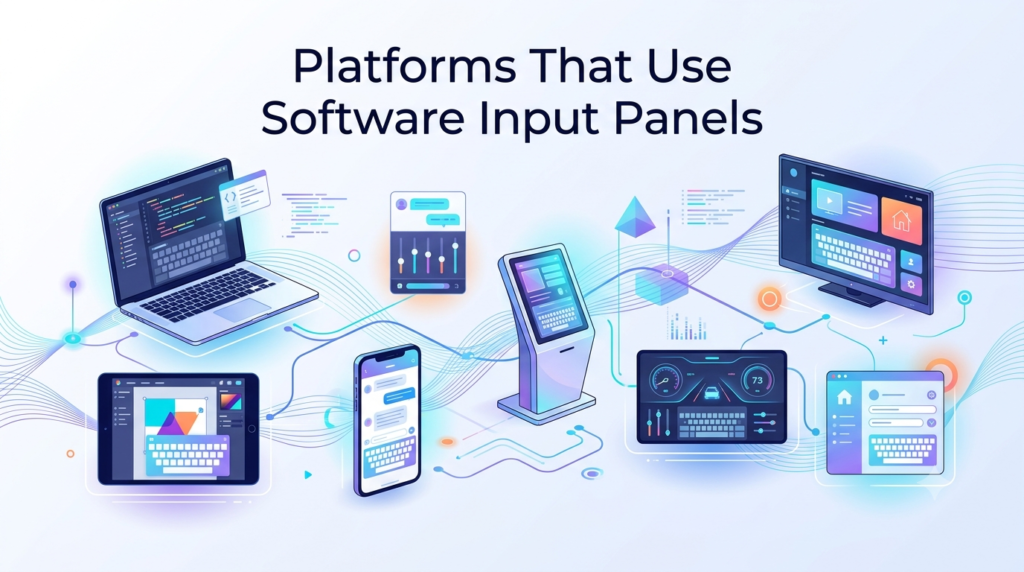
Different operating systems have implemented the software input panel in their own way, tailored to their hardware and user base. Below is a quick comparison of common platforms.
| Platform | SIP Name/Feature | Primary Use Case |
| Windows CE/Mobile | SIP (original term) | Handheld business devices |
| Windows 10/11 | Touch Keyboard | Tablets and touchscreen laptops |
| Android | On-screen Keyboard | Smartphones and tablets |
| iOS | Virtual Keyboard | iPhones and iPads |
| Embedded Kiosks | Custom SIP | ATMs, POS terminals, public displays |
Windows-Based Systems
Windows CE and Windows Mobile were among the earliest platforms to formally use the term “software input panel.” Today, this concept continues in modern Windows through the Touch Keyboard feature. It automatically appears whenever a touchscreen device requires text input without a physical keyboard attached.
Android and iOS
Both major mobile operating systems include a built-in software input panel that supports multiple languages, emoji, and predictive text. Developers can also build custom keyboard apps that replace the default panel entirely. This openness has led to a wide variety of third-party keyboard options in app stores.
Embedded and Kiosk Systems
Devices like ATMs, self-service kiosks, and point-of-sale terminals often use a simplified software input panel limited to numbers or a fixed set of characters. This design keeps the interface simple and reduces input errors in public settings. Security is usually prioritized over customization in these systems.
Key Features of a Software Input Panel
Modern software input panels come packed with features that go beyond basic typing. These features improve speed, accuracy, and overall user experience.
Auto-Correction and Word Suggestions
Most panels automatically detect and fix common spelling mistakes as the user types. Word suggestion bars also appear above the keyboard, offering likely next words based on context. This reduces the time spent correcting errors manually.
Multi-Language Support
A single software input panel can often switch between multiple languages and scripts within seconds. This is particularly valuable in multilingual regions where users frequently switch between languages. Layout and character sets adjust automatically based on the selected language.
Customizable Layouts
Users can usually change the size, theme, and arrangement of keys to match their comfort level. Some panels also allow adding number rows, extra symbols, or emoji shortcuts. This level of personalization is a major advantage over fixed physical keyboards.
Advantages and Limitations
Every software input panel comes with clear benefits as well as some practical drawbacks that users should be aware of.
Advantages
The biggest advantage of a software input panel is that it saves physical space, since no extra hardware is required for typing. It also offers flexibility, as the layout can change instantly for different languages or input needs. Additionally, it lowers manufacturing costs for devices that would otherwise need a built-in keyboard.
Limitations
Typing speed on a software input panel is generally slower compared to a physical keyboard, especially for long documents. It also consumes valuable screen space, which can be a problem on smaller devices. New users may face a short learning curve before typing comfortably and accurately.
Real-World Applications
The software input panel is not limited to personal smartphones; it plays an important role across several industries. This section highlights a few key areas where it is actively used.
Banking and Finance
ATMs and mobile banking apps rely on secure software input panels for entering PINs and passwords. These panels are often designed with randomized key positions to prevent shoulder-surfing attacks. Security remains the top priority in this sector.
Healthcare and Enterprise Systems
Hospitals and enterprise software often use touchscreen terminals where staff input patient or business data using a software input panel. This reduces the need for bulky hardware in space-constrained environments like hospital rooms. Enterprise tablets also use custom panels tailored to specific workflows.
Software Input Panel vs Other Input Methods
Understanding how a software input panel compares to alternative input methods helps clarify when each option is most useful.
| Input Method | Speed | Best Use Case |
| Software Input Panel | Moderate | Touchscreens without physical keys |
| Physical Keyboard | Fast | Desktop and heavy typing tasks |
| Voice Recognition | Fast (for speech) | Hands-free or accessibility needs |
| Stylus/Handwriting | Slow to Moderate | Note-taking, complex scripts |
Physical keyboards generally allow faster typing due to tactile feedback, making them ideal for long writing tasks. Voice recognition works well for hands-free scenarios but struggles in noisy environments. A software input panel remains the most practical choice for portable, touchscreen-first devices where space and flexibility matter more than raw speed.
Future of Software Input Panels
Artificial intelligence is expected to make software input panels smarter by predicting entire sentences rather than single words. Improved handwriting recognition and hybrid voice-touch systems are also becoming more common in newer devices. As screens continue to shrink or fold into new shapes, the software input panel will likely adapt further to remain the primary text entry method on portable technology.
Frequently Asked Questions
What is a software input panel used for?
It is used to enter text on devices that lack a physical keyboard, such as smartphones, tablets, and touchscreen kiosks.
Is a software input panel the same as a virtual keyboard?
A virtual keyboard is one common type of software input panel; the panel itself can also include handwriting or voice input modes.
Can software input panels be customized?
Yes, most modern panels allow layout changes, theme adjustments, and language switching based on user preference.
Are software input panels secure for banking use?
Yes, panels used in banking systems typically include added security measures like randomized key layouts to prevent data theft.
Conclusion
A software input panel has become an essential part of modern touchscreen technology, offering a flexible alternative to physical keyboards. From basic virtual keyboards to advanced handwriting and voice-based panels, it continues to evolve with user needs.
While it may not fully match the typing speed of a hardware keyboard, its space-saving design and adaptability make it indispensable across phones, kiosks, and enterprise systems alike. As AI-driven predictions and hybrid input methods advance, the software input panel is set to become even smarter and more efficient in the coming years.
Related Articles
Animal Care Software: A Complete Guide for Vets, Shelters, and Farms
Android Software Developer Jobs: A Complete Career Guide
Vetter Software: A Complete Guide to Vetting and Verification Tools
Lab Automation Software: A Complete Guide for Modern Laboratories
GoPerfect AI Recruitment Software: The Complete Guide for Modern Hiring Teams


