

Healthcare Contract Management Software: A Complete Guide
July 7, 2026
Axialys Pricing Call Center Software France: Complete Cost Guide
July 7, 2026
Managing customer credit manually through spreadsheets and phone calls is slow, error-prone, and costly for growing businesses. Credit management software solves this problem by automating the entire credit-to-cash cycle, from risk assessment to final payment collection.
It gives finance teams a single platform to evaluate customer creditworthiness, set limits, track invoices, and follow up on overdue payments without constant manual effort. As businesses scale and deal with more customers across regions, relying on outdated methods becomes a real risk to cash flow and profitability.
This guide explains everything you need to know about credit management software, its features, benefits, and how to choose the right one for your business.
Understanding Credit Management in Business
Before adopting any tool, it helps to understand what credit management actually means for a company. This section breaks down the concept and shows how automation has changed the way businesses handle customer credit.
What Does Credit Management Mean?
Credit management refers to the process a business follows to decide how much credit to extend to a customer and how to recover that money on time. It involves evaluating a buyer’s payment history, setting safe credit limits, and monitoring outstanding balances closely. The goal is simple: keep sales flowing while protecting the company from bad debt and cash flow gaps.
The Credit-to-Cash Cycle Explained
The credit-to-cash cycle covers every step from approving a customer’s credit to receiving full payment in the company’s account. It typically starts with a credit application, moves through invoicing and delivery, and ends with collections and reconciliation. Credit management software connects each of these stages so nothing gets missed or delayed.
Manual vs Automated Credit Management
Manual credit management relies on spreadsheets, emails, and personal judgment, which often leads to delays and human error. Automated credit management software, on the other hand, uses set rules, real-time data, and reminders to handle the same tasks faster and more accurately. Businesses that switch to automation usually see fewer overdue accounts and better visibility into their receivables.
Key Features of Credit Management Software
Modern credit management software comes packed with tools designed to simplify every stage of the credit process. Below are the core features that most reliable platforms offer to their users.
Credit Risk Assessment and Scoring
This feature allows businesses to evaluate a customer’s financial health before offering credit terms. The software pulls data from credit bureaus, past transactions, or financial statements to generate a risk score. Based on this score, companies can decide whether to approve, limit, or reject a credit request confidently.
Credit Limit Setting and Approval Workflows
Credit management software lets businesses assign specific credit limits to each customer based on their risk profile and payment behavior. It also automates the approval process, so requests above a certain limit get routed to the right manager instantly. This reduces delays and keeps credit decisions consistent across the organization.
Accounts Receivable Tracking
Keeping track of unpaid invoices manually becomes difficult as customer numbers grow. The software organizes all outstanding invoices in one dashboard, showing which accounts are current, overdue, or nearing their due date. This real-time visibility helps finance teams prioritize follow-ups more effectively.
Automated Invoicing and Reminders
Instead of manually emailing invoices and payment reminders, the system sends them automatically based on preset schedules. Customers receive timely notifications before and after due dates, which naturally improves on-time payment rates. This feature alone can significantly reduce the workload of a credit or accounts receivable team.
Collections and Dunning Management
When payments are overdue, the software triggers a structured collections process, sending escalating reminder letters or dunning notices. Teams can customize the tone and frequency of these communications based on customer relationships and payment history. This structured approach improves recovery rates without damaging customer trust.
Dispute and Deduction Handling
Sometimes customers dispute an invoice amount or make short payments due to service issues. Credit management software provides a dedicated workflow to log, track, and resolve these disputes quickly. This keeps disagreements from turning into long-term unpaid balances.
Reporting, Analytics, and Dashboards
Detailed reports on aging receivables, Days Sales Outstanding, and bad debt trends give management a clear picture of financial health. These dashboards make it easier to identify risky customers early and adjust credit policies accordingly. Data-driven reporting also supports better forecasting for future cash flow.
Integration with ERP and CRM Systems
Most credit management platforms integrate directly with existing ERP or accounting software like SAP, Oracle, or QuickBooks. This ensures customer and financial data stays synced across departments without duplicate entry. Strong integration also reduces errors that typically occur when data is manually transferred between systems.
Benefits of Using Credit Management Software
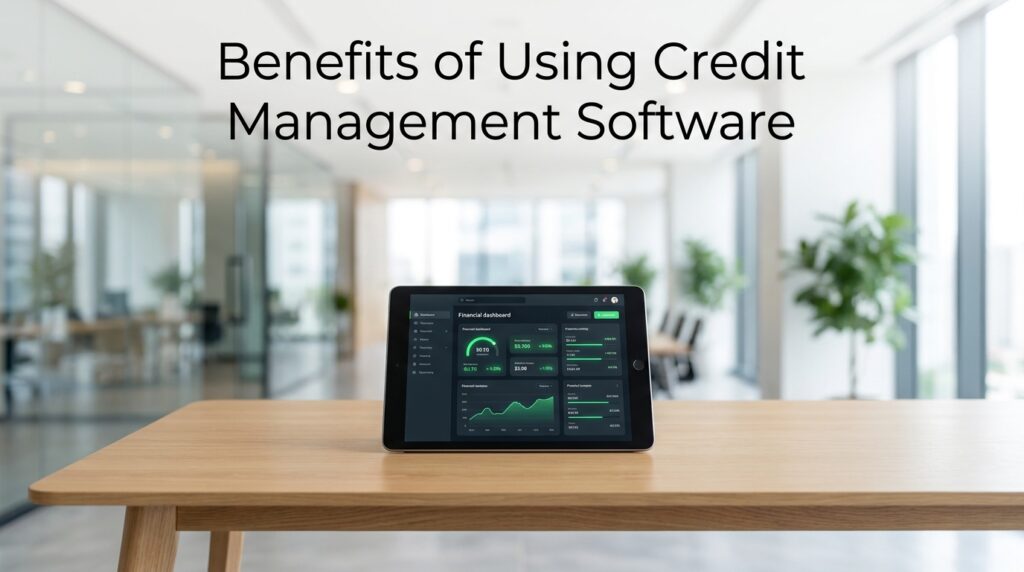
Adopting the right software brings measurable improvements across finance operations. The following points highlight why more businesses are investing in this technology.
Businesses using credit management software generally experience:
| Benefit | Impact on Business |
| Reduced bad debt | Fewer unpaid invoices due to better risk screening |
| Faster collections | Lower Days Sales Outstanding (DSO) |
| Improved cash flow | More predictable incoming payments |
| Time savings | Less manual work for finance teams |
| Stronger customer relations | Consistent, professional communication |
| Better decision-making | Real-time data supports smarter credit policies |
These benefits combine to give businesses more control over their receivables while reducing the stress of manual follow-ups. Over time, this leads to healthier cash reserves and fewer surprises during financial planning.
Types of Credit Management Software
Not all credit management tools work the same way, and businesses should understand the different types available before choosing one. This section outlines the main categories found in the market today.
Standalone Credit Management Tools
These are dedicated platforms built specifically for credit risk, collections, and receivables management. They usually offer deep functionality in this niche area but require integration with existing accounting systems. Standalone tools work well for companies that need advanced credit control without a full ERP overhaul.
ERP-Integrated Modules
Many large ERP systems, such as SAP or Oracle, include built-in credit management modules as part of their finance suite. These modules share data directly with other business functions like sales and inventory. This option suits companies already using a major ERP system and wanting everything under one platform.
Cloud-Based vs On-Premise Solutions
Cloud-based credit management software runs on remote servers and is accessed through a browser, offering flexibility and lower upfront costs. On-premise solutions are installed locally and give companies more control over data but require higher maintenance. Most growing businesses today prefer cloud-based options for their scalability and easier updates.
Who Uses Credit Management Software?
Credit management software isn’t limited to one type of business; it serves a wide range of users across industries. Understanding these users helps clarify who benefits most from adopting such tools.
Finance and credit teams use this software daily to manage approvals, monitor balances, and handle collections. B2B companies rely heavily on it since they often extend credit terms to other businesses rather than requiring upfront payment.
Banks and financial institutions use similar systems to assess loan and credit risk for their customers. Both small and medium enterprises and large corporations benefit, though enterprise-level businesses typically need more advanced automation and reporting capabilities due to higher transaction volumes.
Popular Credit Management Software in the Market
Several established platforms currently lead the credit management software space, each with its own strengths. HighRadius is known for its AI-driven collections and cash application features, making it popular among large enterprises.
Emagia focuses on end-to-end receivables automation with strong analytics capabilities. Esker offers a broader finance automation suite that includes credit management alongside order processing. Sidetrade emphasizes predictive analytics for collections, while Cforia and Corcentric provide solid mid-market solutions with flexible integration options.
| Software | Best Known For | Suitable For |
| HighRadius | AI-based collections & cash application | Large enterprises |
| Emagia | Receivables automation & analytics | Mid to large businesses |
| Esker | Finance process automation suite | Companies needing broader automation |
| Sidetrade | Predictive collections analytics | Sales-driven B2B companies |
| Cforia | Flexible credit workflows | Mid-market businesses |
| Corcentric | Integrated finance solutions | Growing enterprises |
Comparing these platforms based on company size, budget, and required features helps businesses avoid choosing a tool that’s either too complex or too limited for their needs.
How to Choose the Right Credit Management Software
Selecting the right platform depends on several practical factors rather than just popularity. The points below help narrow down the best fit for a specific business.
Company size plays a major role, since small businesses often need simpler tools while enterprises require advanced automation and reporting. Budget constraints should be matched against the pricing model, whether it’s subscription-based or a one-time license. Integration compatibility with existing accounting or ERP software is essential to avoid data silos.
Scalability matters too, as the software should support business growth without needing a complete switch later. Finally, reliable customer support and proper training resources ensure smoother adoption across the finance team.
Implementation Process
Rolling out new software requires a clear plan to avoid disruptions to daily financial operations. This section covers the general steps and challenges businesses face during implementation.
Implementation typically begins with data migration, where existing customer and invoice records are transferred into the new system. Next comes configuration, where credit policies, approval workflows, and reminder schedules are set up according to company rules. Testing follows to confirm the software works correctly with existing accounting tools before going live. Common challenges include data mismatches during migration and initial resistance from staff used to manual processes, both of which can be managed through proper training and phased rollouts.
Future Trends in Credit Management Software
The credit management space continues to evolve with new technology shaping how businesses handle risk and collections. Artificial intelligence and machine learning are increasingly used to predict payment behavior and flag risky accounts earlier.
Predictive analytics is also being applied to collections, helping teams prioritize which overdue accounts need attention first. Robotic process automation is reducing manual data entry further, while cloud and SaaS adoption continues to grow due to lower costs and easier scalability for businesses of all sizes.
Conclusion
Credit management software has become a practical necessity for businesses that extend credit to customers regularly. It reduces bad debt, speeds up collections, and gives finance teams clear visibility into receivables through automation and real-time reporting.
Choosing the right platform depends on company size, budget, and integration needs, but the long-term benefits for cash flow and efficiency make it a worthwhile investment for most B2B businesses today.
FAQs
What is the cost of credit management software?
Pricing varies widely based on features and company size, ranging from affordable monthly subscriptions for small businesses to custom enterprise pricing for large-scale platforms like HighRadius or Emagia.
Is credit management software suitable for small businesses?
Yes, many providers offer scaled-down plans designed for smaller teams, allowing them to automate invoicing and collections without paying for enterprise-level features they don’t need.
How does it differ from accounting software?
Accounting software focuses on recording financial transactions overall, while credit management software specifically handles credit risk assessment, collections, and receivables tracking in more depth.
Related Articles
Secure Video Conferencing Software for Legal Firms
AEC Software News Today: Latest Updates, AI Trends, Releases & Industry Insights
Coding 2.0: The Future of AI-Powered Software Development
Moxhit4.6.1 Software System: Features, Benefits, Working Process, and Applications
Software HCS 411GITS Updated


