

Software Definitie: A Complete and Easy Guide to Understanding Software
August 25, 2026
Motion Graphics Software: A Complete Guide
August 27, 2026
Rhino 3D software is one of the most trusted NURBS-based modeling tools used by designers, architects, and engineers around the world. It allows users to create highly accurate curves, surfaces, and solid models that are difficult to achieve in other design programs.
Because of its precision and flexibility, Rhino 3D software has become a preferred choice across industries like architecture, jewelry design, product development, and marine engineering. This guide breaks down everything you need to know about Rhino 3D software in simple and easy-to-understand language, covering its tools, features, industry applications, and practical usage tips.
What is Rhino 3D Software?
Rhino 3D software is a professional modeling program developed by Robert McNeel & Associates that specializes in NURBS-based geometry. It is widely known for offering unmatched precision when working with complex shapes and freeform surfaces.
History and Development
Rhino 3D software was first introduced in the late 1990s and has continued to evolve with regular updates and improvements.
Robert McNeel & Associates built it as an affordable yet powerful alternative to expensive industrial CAD systems. Over the years, it gained a strong reputation for stability, reliability, and a large global user community.
Understanding NURBS Modeling
NURBS stands for Non-Uniform Rational B-Splines, a mathematical method used to represent curves and surfaces with extreme accuracy.
Unlike polygon-based modeling, NURBS allows smooth and scalable surfaces without losing quality. This is why Rhino 3D software is preferred for products that require precise curvature and clean surface transitions.
Why Rhino is Popular Among Designers
Designers choose Rhino 3D software because it balances flexibility with technical precision, making it suitable for both artistic and engineering work.
It supports a wide range of plugins that extend its capabilities far beyond basic modeling. Its relatively simple learning curve compared to other CAD software also makes it accessible to beginners and professionals alike.
Getting Started with Rhino 3D Software
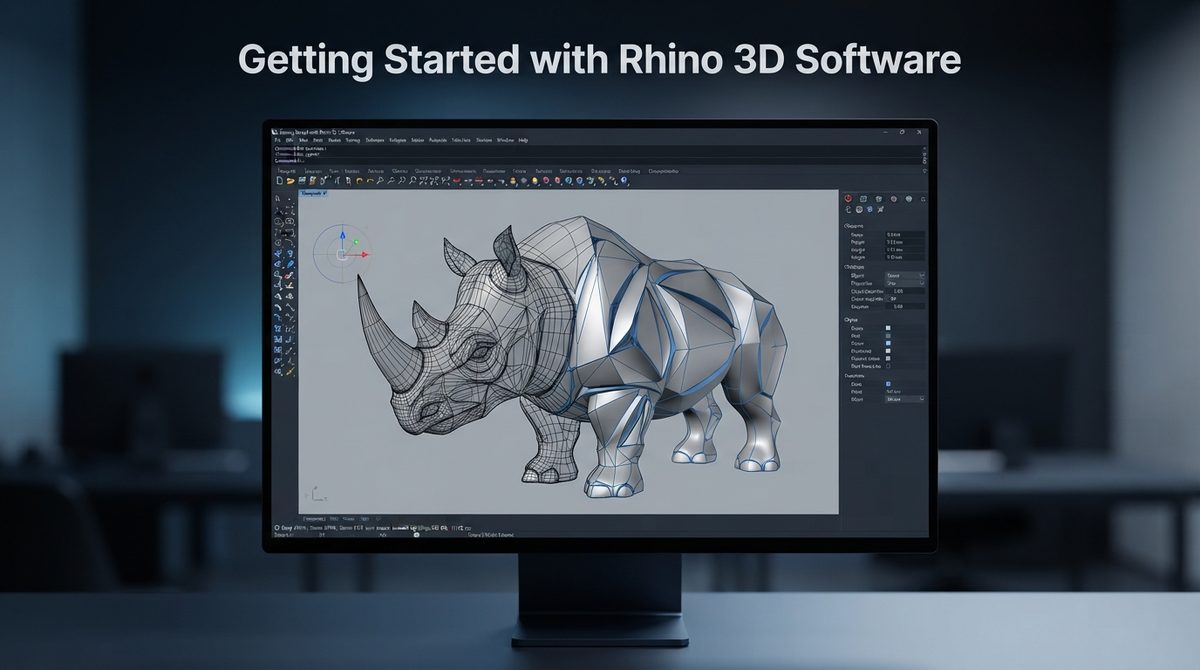
Before diving into modeling, users need to understand the basic setup process, including installation, licensing, and interface navigation. This section explains how to get Rhino 3D software up and running smoothly on your system.
System Requirements and Installation
Rhino 3D software runs efficiently on both Windows and Mac systems, requiring a moderate graphics card and processor for smooth performance.
Installation is straightforward, involving downloading the setup file from the official website and following on-screen instructions. Once installed, users can activate the software using a valid license key or start with a trial version.
Licensing Options
Rhino offers multiple licensing types including trial, educational, and full commercial versions to suit different types of users.
Students and educational institutions often benefit from discounted licensing rates, making it easier to learn the software. Commercial licenses are typically a one-time purchase rather than a recurring subscription, which appeals to many professionals.
Interface Overview and Navigation
The Rhino interface consists of multiple viewports that display top, front, right, and perspective views simultaneously.
This multi-view setup helps users understand their model from different angles while modeling. Toolbars, command lines, and object panels are arranged in a way that keeps essential tools easily accessible.
Core Tools and Features of Rhino 3D Software
Rhino 3D software offers a wide range of tools that allow users to draw, edit, and refine their models with precision. These tools are grouped into categories such as drawing, surfacing, editing, and transformation.
Drawing and Surface Creation Tools
The drawing tools in Rhino 3D software include lines, curves, and polylines that form the foundation of any model. Surface creation tools allow users to convert these curves into smooth, three-dimensional surfaces using methods like lofting and sweeping. These tools work together to build complex shapes from simple sketches.
Editing and Transformation Tools
Editing tools such as trim, split, join, and fillet help refine the geometry after initial creation. Transformation tools like move, rotate, scale, and mirror allow users to manipulate objects without redrawing them from scratch. Together, these tools significantly speed up the modeling workflow.
Precision Modeling with Object Snaps
Object snaps in Rhino 3D software ensure that points, lines, and surfaces align perfectly during the modeling process. This feature is essential for industries where even minor inaccuracies can cause major design flaws. Layers and object organization tools further help manage complex projects with multiple components.
Grasshopper: Parametric Design in Rhino 3D Software
Grasshopper is a visual programming plugin built directly into Rhino 3D software that enables parametric and generative design. It allows users to create complex geometry through logical connections rather than manual drawing.
What is Grasshopper and How It Works
Grasshopper uses a node-based system where each node represents a specific function or operation. Users connect these nodes to define rules that automatically generate geometry based on given parameters. This approach is especially useful when designs need to be adjusted repeatedly without starting over.
Common Use Cases of Grasshopper
Architects often use Grasshopper within Rhino 3D software to design complex facades and structural systems that would be difficult to create manually. Product designers use it to explore multiple design variations quickly. Its flexibility makes it a powerful tool for generative and algorithmic design projects.
Industry Applications of Rhino 3D Software
Rhino 3D software is used across multiple industries due to its versatility in handling both organic and precise geometric shapes. The following table highlights how different industries apply this software.
| Industry | Common Use of Rhino 3D Software |
| Architecture | Designing complex facades, structures, and building forms |
| Product Design | Creating prototypes and industrial design models |
| Jewelry Design | Detailed and precise jewelry modeling with plugins like RhinoGold |
| Marine Design | Designing boat hulls and marine structures |
| 3D Printing | Preparing accurate models for additive manufacturing |
Architecture and Product Design
In architecture, Rhino 3D software helps design intricate facades, curved structures, and building forms that traditional CAD tools struggle to handle. Product designers use it to create prototypes with exact dimensions before moving to manufacturing. Both fields benefit from Rhino’s ability to combine artistic freedom with technical accuracy.
Jewelry and Marine Design
Jewelry designers rely on Rhino 3D software along with specialized plugins to create highly detailed pieces with precise measurements. In marine design, the software is used to model hull shapes and structural components that require smooth curves and hydrodynamic accuracy. These specialized applications show how adaptable Rhino is across very different design fields.
File Formats and Plugin Ecosystem
Rhino 3D software supports a wide range of file formats, making it compatible with almost every major design and manufacturing workflow. It also offers an extensive plugin ecosystem that enhances its core functionality.
File Format Compatibility
The native file format for Rhino is .3dm, but the software also supports import and export options like STEP, IGES, STL, OBJ, and DWG. This flexibility allows Rhino 3D software to integrate smoothly with other CAD and CAM programs used in different stages of production. Such compatibility is one of the main reasons professionals choose Rhino for cross-platform projects.
Popular Plugins and Custom Scripting
Beyond Grasshopper, Rhino supports plugins for rendering, simulation, and specialized industry tasks such as jewelry or marine design. Advanced users can also write custom scripts using Python, RhinoScript, or C# to automate repetitive tasks. This scripting capability makes Rhino 3D software highly customizable for unique workflows.
Tips and Best Practices for Using Rhino 3D Software
Following good modeling habits can save significant time and prevent common errors during complex projects. This section covers practical advice for working efficiently within Rhino 3D software.
Best Practices for Clean Modeling
Keeping models organized using layers and naming conventions makes large projects much easier to manage. Regularly checking surface continuity and curve quality helps avoid errors before they affect the final output. Saving incremental versions of a project also protects against accidental data loss.
Common Mistakes to Avoid
Beginners often create overly complex geometry when simpler shapes would achieve the same result more efficiently. Ignoring object snaps can lead to misaligned components that cause problems later in the design process. Ignoring file backups is another common mistake that can result in the loss of hours of modeling work.
Frequently Asked Questions
Is Rhino 3D software free to use?
Rhino offers a limited-time trial version, but full access requires purchasing a commercial or educational license.
Is Rhino 3D software better than SketchUp or AutoCAD?
It depends on the project type, as Rhino excels in complex surface modeling while SketchUp and AutoCAD are often preferred for simpler architectural drafting.
How long does it take to learn Rhino 3D software?
Basic modeling skills can be learned within a few weeks, while mastering advanced tools like Grasshopper may take several months of practice.
Can Rhino 3D software be used for 3D printing?
Yes, it supports STL export and other formats commonly used in additive manufacturing workflows.
What is the difference between Rhino and Grasshopper?
Rhino is the core modeling software, while Grasshopper is a plugin within Rhino used for parametric and algorithmic design.
Conclusion
Rhino 3D software remains a powerful and versatile tool for professionals across architecture, product design, jewelry making, and manufacturing.
Its combination of precise NURBS modeling, extensive plugin support, and strong file compatibility makes it a reliable choice for both beginners and experienced designers. Learning Rhino 3D software opens doors to a wide range of creative and technical design opportunities.
Related Articles
Software Engineer Remote: The Complete Career Guide
Axel Technology SocialHub Social Content Manager Software
Energy Decomposition Analysis Software: Complete Guide for Researchers
Top Marketing Attribution Software 2025 2026
Recruitment Analytics Software: A Complete Guide to Smarter Hiring Decisions


