

Cabinet Design Software: Complete Guide for Beginners & Professionals
July 29, 2026
What To Know About the Different Types of Cowgirl Boots
July 29, 2026
Managing a building today is no longer just about fixing things when they break. Property owners and facility managers now rely on building maintenance software to plan repairs, track equipment, and keep everything running smoothly without unnecessary delays.
This guide explains what this software does, why it matters, which features to look for, and how to pick the right solution for your property. Whether you manage a small office or a large industrial complex, understanding building maintenance software can help you save money, reduce downtime, and keep tenants satisfied.
By the end of this article, you will have a clear picture of how modern maintenance management works and what tools are worth considering.
Introduction
Buildings require constant attention, from electrical systems to plumbing and elevators, and manual tracking often leads to missed repairs. Building maintenance software solves this by centralizing every maintenance task into one digital system.
What is Building Maintenance Software?
Building maintenance software is a digital platform that helps facility teams organize, schedule, and track repair and maintenance activities. Instead of relying on paper logs or scattered spreadsheets, everything is stored in one place. This makes it easier to spot recurring issues and plan ahead.
Why Building Maintenance Matters
Regular maintenance prevents small issues from turning into expensive breakdowns. Neglected systems like HVAC or wiring can fail suddenly, causing safety risks and costly emergency repairs. Consistent upkeep protects both the building’s value and the people inside it.
Evolution from Manual to Digital Maintenance Management
Older maintenance systems depended on physical logbooks and verbal communication between staff, which often caused confusion and delays. Modern building maintenance software replaced this with automated scheduling, mobile alerts, and digital records that anyone on the team can access instantly.
Understanding Building Maintenance Software
This section breaks down how the software actually functions on a daily basis. It also looks at the different people who benefit from using it within a facility.
Definition and Core Purpose
At its core, building maintenance software exists to reduce the guesswork in facility upkeep. It tracks what needs attention, who is responsible, and when a task should be completed, turning a chaotic process into an organized workflow.
How It Works (Basic Workflow)
A typical workflow starts when an issue is reported, either by a tenant or a routine inspection. The system then creates a task, assigns it to the right technician, and tracks progress until the job is marked complete and documented.
Who Uses This Software
Property managers use it to oversee multiple buildings at once, while facility teams use it to organize daily repair work. Technicians rely on mobile access to receive tasks on-site, and tenants often use request portals to report problems directly.
Types of Building Maintenance Software
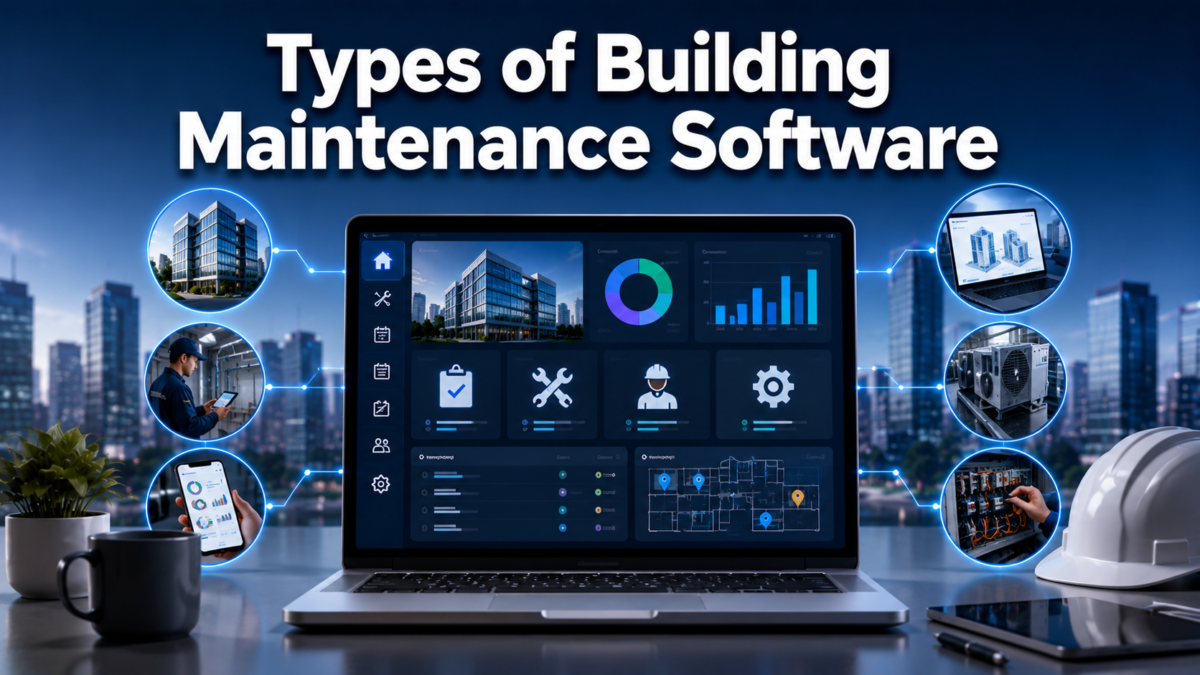
There are several categories of maintenance software, each designed for a slightly different purpose or scale of operation. Choosing the right type depends on the size and complexity of the property being managed.
CMMS (Computerized Maintenance Management System)
CMMS platforms focus specifically on maintenance tasks, work orders, and asset tracking. They are the most common starting point for buildings that want to move away from manual maintenance logs.
CAFM (Computer-Aided Facility Management)
CAFM systems go a step further by including space planning and resource allocation alongside maintenance tracking. These are useful for larger facilities managing both physical space and equipment.
IWMS (Integrated Workplace Management System)
IWMS combines maintenance, real estate management, and workplace operations into a single platform. It suits large organizations that need a broader view of their entire property portfolio.
Cloud-Based vs On-Premise Solutions
Cloud-based software is accessed through the internet and requires no heavy hardware setup, making it popular for smaller teams. On-premise solutions are installed locally and offer more control but require dedicated IT support to maintain.
Industry-Specific Software
Some platforms are built for particular industries, such as healthcare facilities needing strict compliance tracking or educational institutions managing multiple campus buildings. These versions include features tailored to each sector’s specific regulations.
Key Features of Building Maintenance Software
The value of building maintenance software comes down to the features it offers. Below is a table summarizing the most important ones before a deeper explanation of each.
| Feature | Purpose |
| Work Order Management | Organizes and assigns repair tasks |
| Preventive Maintenance | Schedules recurring upkeep before failures occur |
| Asset Tracking | Monitors equipment history and condition |
| Inventory Management | Tracks spare parts and supplies |
| Vendor Coordination | Manages external contractors and service providers |
| Tenant Portal | Allows occupants to report issues directly |
| Mobile Access | Lets technicians work from anywhere on-site |
| Reporting & Analytics | Provides insights into costs and performance |
| Compliance Tracking | Keeps safety and inspection records up to date |
| IoT Integration | Connects smart sensors for real-time monitoring |
Work Order Management
This feature allows staff to create, assign, and monitor repair requests from start to finish. It removes the confusion of verbal instructions and ensures every task has a clear owner and deadline.
Preventive and Predictive Maintenance Scheduling
Preventive maintenance schedules routine checks before equipment fails, while predictive maintenance uses data trends to forecast potential problems. Together, they reduce unexpected breakdowns significantly.
Asset and Equipment Tracking
Every piece of equipment, from generators to elevators, gets a digital record showing its repair history and lifespan. This helps managers decide when to repair versus replace an asset.
Inventory and Spare Parts Management
Keeping track of spare parts prevents delays caused by waiting for replacement components. The software alerts staff when stock is running low so orders can be placed in advance.
Vendor and Contractor Coordination
When outside specialists are needed, the software keeps their contact details, contracts, and past work records organized. This makes it easier to compare performance and choose reliable vendors.
Tenant or Occupant Request Portal
Tenants can submit maintenance requests directly through an app or web portal instead of calling the office. This speeds up communication and creates a clear record of every complaint.
Mobile App Accessibility
Technicians can view, update, and close tasks directly from their phones while on-site. This eliminates the need to return to an office to update paperwork after every job.
Reporting, Analytics, and Dashboards
Dashboards summarize maintenance costs, response times, and recurring issues in simple visuals. Managers use this data to justify budgets and identify where improvements are needed.
Compliance and Safety Inspection Tracking
Many buildings must follow strict safety codes, and missing an inspection can lead to penalties. The software sends reminders for upcoming inspections and stores certificates for easy access during audits.
IoT and Smart Building Integration
Modern systems connect with sensors that monitor temperature, humidity, or equipment vibration in real time. This allows the software to flag issues before they become visible problems.
Benefits of Using Building Maintenance Software
Adopting this type of software brings measurable improvements across cost, safety, and tenant experience. The benefits below explain why so many facilities have made the switch.
Reduced Downtime and Faster Repairs
Because tasks are assigned and tracked automatically, repairs happen faster and equipment spends less time out of service. This keeps daily operations running without unnecessary interruptions.
Cost Savings and Budget Control
Preventive maintenance is generally cheaper than emergency repairs, and tracking expenses helps managers stick to a budget. Over time, this leads to noticeable savings across the property.
Extended Equipment Lifespan
Regular servicing based on scheduled reminders helps machinery last longer than it would with reactive repairs alone. This delays the need for costly replacements.
Improved Tenant Satisfaction
When tenants can report issues easily and see them resolved quickly, their overall experience improves. Happy tenants are more likely to renew leases and recommend the property to others.
Regulatory Compliance and Risk Reduction
Automated reminders for inspections and certifications reduce the risk of missing legal requirements. This protects the property from fines and reduces liability in case of accidents.
Data-Driven Decision Making
With detailed reports available, managers can make decisions based on actual performance data rather than guesswork. This leads to smarter budgeting and better long-term planning.
How Building Maintenance Software Works (Step-by-Step)
Understanding the actual process helps clarify how all these features come together in daily use. The steps below outline a typical maintenance cycle from start to finish.
Issue Reporting
A problem is first reported, either automatically through a sensor alert or manually by a tenant or staff member. This report becomes the starting point of the entire maintenance process.
Work Order Creation and Assignment
Once reported, the system generates a work order and assigns it to the most suitable technician based on skill and availability. Priority levels can also be set depending on urgency.
Task Execution and Tracking
The assigned technician completes the repair while updating the status through the mobile app. Managers can monitor progress in real time without needing constant phone calls.
Completion, Documentation, and Reporting
After the job is finished, details such as time spent, parts used, and costs are recorded automatically. This documentation becomes valuable data for future maintenance planning.
Choosing the Right Building Maintenance Software
Not every platform suits every property, so evaluating your specific needs is an important first step. This section walks through the key considerations before making a final decision.
Assessing Your Facility’s Needs
Start by identifying the size of your property, the number of assets, and how many staff will use the system daily. This helps narrow down whether a basic or advanced platform is required.
Key Factors to Consider
Scalability, ease of integration with existing tools, pricing structure, and customer support quality should all be compared carefully. A cheaper option that lacks support can end up costing more in the long run.
Cloud vs On-Premise Decision Guide
Smaller teams generally benefit from cloud-based systems due to lower upfront costs and easier updates. Larger organizations with strict data control needs may prefer on-premise setups instead.
Questions to Ask Vendors
Before signing up, ask about data security measures, available training resources, and how easily the platform integrates with tools already in use. Vendor responsiveness during this stage often reflects their ongoing support quality.
Popular Building Maintenance Software Solutions
Several established platforms currently lead the market, each with distinct strengths. The table below offers a quick competitor comparison based on general positioning.
| Software | Best Suited For |
| UpKeep | Small to mid-sized teams needing mobile-first tools |
| Fiix | Data-driven preventive maintenance planning |
| Hippo CMMS | Easy-to-use interface for beginners |
| Limble CMMS | Flexible setup for diverse industries |
| Maintenance Connection | Larger enterprises with complex assets |
| FMX | Educational and municipal facilities |
| Building Engines | Commercial real estate portfolios |
UpKeep
UpKeep is known for its simple mobile interface, making it popular among teams that need quick access on the go. It works well for small to medium facilities starting their digital transition.
Fiix
Fiix focuses heavily on preventive maintenance and analytics, helping teams predict issues before they occur. It suits organizations that prioritize data-backed decision making.
Hippo CMMS
Hippo is often praised for its straightforward setup process, making it a good choice for teams new to maintenance software. Its dashboard keeps information easy to understand at a glance.
Limble CMMS
Limble offers flexible customization, allowing it to adapt across different industries and facility sizes. This makes it a versatile option for varied maintenance needs.
Maintenance Connection
This platform is built for larger operations managing complex assets across multiple locations. It provides deeper reporting capabilities suited to enterprise-level needs.
FMX
FMX is commonly used by schools and government facilities due to its scheduling and compliance features. It handles multiple building types within a single unified system.
Building Engines
Building Engines caters specifically to commercial real estate, offering tools that align with tenant management alongside maintenance tracking. It works well for property management companies overseeing several buildings.
Implementation Guide
Rolling out new software requires careful planning to avoid disruption to daily operations. This section outlines the general steps involved in a smooth implementation.
Planning and Preparation
Before implementation, teams should map out current maintenance processes and identify gaps the new software needs to fill. This groundwork prevents confusion once the system goes live.
Data Migration and Setup
Existing records, asset lists, and vendor details need to be transferred into the new system accurately. Errors during this stage can lead to incomplete histories later on.
Staff Training and Onboarding
Even the best software fails without proper training, so hands-on sessions for technicians and managers are essential. Ongoing support during the first few weeks helps address early confusion.
Common Implementation Challenges
Resistance to change and unfamiliarity with digital tools are common hurdles during rollout. Clear communication about the benefits usually helps ease staff into the new workflow.
Future Trends in Building Maintenance Software
The industry continues to evolve as new technology becomes more accessible and affordable. These trends indicate where building maintenance software is headed in the coming years.
Artificial Intelligence and Predictive Maintenance
AI is increasingly used to analyze patterns and predict equipment failures before they happen. This shifts maintenance from reactive to truly proactive management.
IoT Sensors and Smart Buildings
More buildings are integrating sensors that feed real-time data directly into maintenance platforms. This creates a more connected and responsive facility environment overall.
Sustainability and Energy Management Integration
Newer platforms are incorporating energy usage tracking alongside traditional maintenance features. This helps facilities reduce their environmental footprint while cutting utility costs.
Mobile-First and Remote Management Trends
As remote work grows, facility managers increasingly oversee properties from mobile devices rather than being physically present. Software providers are prioritizing mobile functionality to match this shift.
Case Studies and Real-World Examples
Practical examples help illustrate how different property types apply these systems in daily operations.
Commercial Office Buildings
Office complexes often use building maintenance software to manage HVAC schedules and elevator servicing across multiple floors. This ensures consistent comfort and safety for all occupants.
Residential Property Management
Apartment complexes rely on tenant portals to handle repair requests efficiently across many units. This reduces the workload on on-site staff while improving resident satisfaction.
Industrial Facilities
Factories use asset tracking features to monitor heavy machinery that requires frequent servicing. Preventing unexpected breakdowns here directly protects production timelines.
Common Challenges and How to Overcome Them
Even with strong software, certain obstacles can slow down adoption or reduce effectiveness. Recognizing these early helps teams prepare better solutions.
Resistance to Adoption
Staff accustomed to manual processes may resist switching to digital systems initially. Involving them early in the selection process often reduces this pushback.
Integration with Legacy Systems
Older buildings may already use outdated software that doesn’t easily connect with newer platforms. Choosing a solution with flexible integration options helps avoid this bottleneck.
Data Accuracy and Maintenance
Poorly maintained records can lead to unreliable reporting and missed maintenance windows. Regular audits of entered data help keep the system trustworthy over time.
Conclusion
Building maintenance software has transformed how properties are managed, moving teams away from paper logs and guesswork toward organized, data-backed operations. From work order tracking to predictive maintenance, the right platform reduces costs, extends equipment life, and improves tenant satisfaction.
Choosing a suitable solution depends on your property’s size, budget, and specific maintenance needs, so evaluating options carefully pays off in the long run.
FAQs
What is the main purpose of building maintenance software?
It centralizes maintenance tasks, scheduling, and records to make facility management more organized and efficient.
Is building maintenance software suitable for small properties?
Yes, many platforms offer scaled-down plans specifically designed for smaller teams and budgets.
Does this software require technical expertise to use?
Most modern platforms are designed with simple interfaces that require minimal training for daily use.
Can tenants directly report issues through the software?
Yes, most platforms include a tenant portal for submitting maintenance requests directly.
How does preventive maintenance differ from regular repairs?
Preventive maintenance schedules checks before problems occur, while regular repairs address issues after they happen.
Related Articles
FORScan Software: A Complete Beginner-Friendly Guide
Details of GDTJ45 Builder Software: Is It Real or Just Online Hype?
Advantages of meetshaxs software: A Complete Guide for Modern Businesses
Great Plains Software: The Complete History From Fargo Startup to Microsoft Dynamics GP


