
VoIP Software Skype: A Complete and Simple Guide
July 8, 2026
Oura Senior Software Engineer Interview Questions: A Complete Preparation Guide
July 8, 2026
A software audio console is a digital mixing system that runs entirely on a computer instead of a physical hardware desk. It replicates every function of a traditional mixer, including channel strips, equalization, dynamics, and routing, through an on-screen interface. Sound engineers use it because it combines the flexibility of software with the precision of professional audio equipment.
Over the past decade, it has become the preferred choice for studios, live venues, and broadcast setups. This guide breaks down its working, features, and top options in simple terms. By the end, you will understand exactly how a software audio console fits into modern audio production.
What Is a Software Audio Console
A software audio console is essentially a virtual mixing board that lives inside a computer or dedicated processing unit. It gives engineers full control over audio channels without needing bulky physical hardware.
Definition and Core Idea
At its core, this system takes incoming audio signals and processes them digitally rather than through analog circuitry. Every fader, knob, and switch on a hardware desk is replaced by an on-screen control that behaves the same way. The processing happens through software algorithms instead of physical electronic components.
Historical Shift from Hardware to Software
Mixing consoles started as purely analog machines with hundreds of physical knobs and switches. As computing power increased, manufacturers began digitizing these functions to save space and cost. Today, many professional venues have replaced entire hardware racks with a laptop running mixing software connected to an audio interface.
Who Relies on Software Consoles Today
Recording studios, live sound engineers, podcast producers, and broadcast teams all depend on this technology daily. Houses of worship and theaters also use it because it allows quick recall of complex show settings. Even solo content creators now use lightweight versions built into everyday recording software.
How a Software Audio Console Works
Understanding the internal signal flow helps engineers make better mixing decisions. Audio enters the system, passes through several processing stages, and exits through an output bus.
Signal Flow Explained
When audio enters through a microphone or instrument, it first passes through a digital preamp stage controlled by software. From there, it moves through equalization, dynamics processing, and panning before reaching the main output bus. Every stage can be adjusted in real time without touching physical hardware.
Hardware vs Software vs Analog Comparison
Analog consoles process sound through physical circuits, giving warm but less flexible results. Digital hardware consoles use built-in processors but still require dedicated physical units. A software audio console removes the physical constraints entirely, relying only on computer processing power for the same or better results.
Key Terms You Should Know
Common terms include channel strip, which refers to the full processing chain for one input, and bus, which is a shared signal path for multiple channels. Aux send routes a portion of a signal to an effect, while fader controls the overall channel volume. Knowing these terms makes navigating any console, hardware or software, much easier.
Core Components of a Software Audio Console
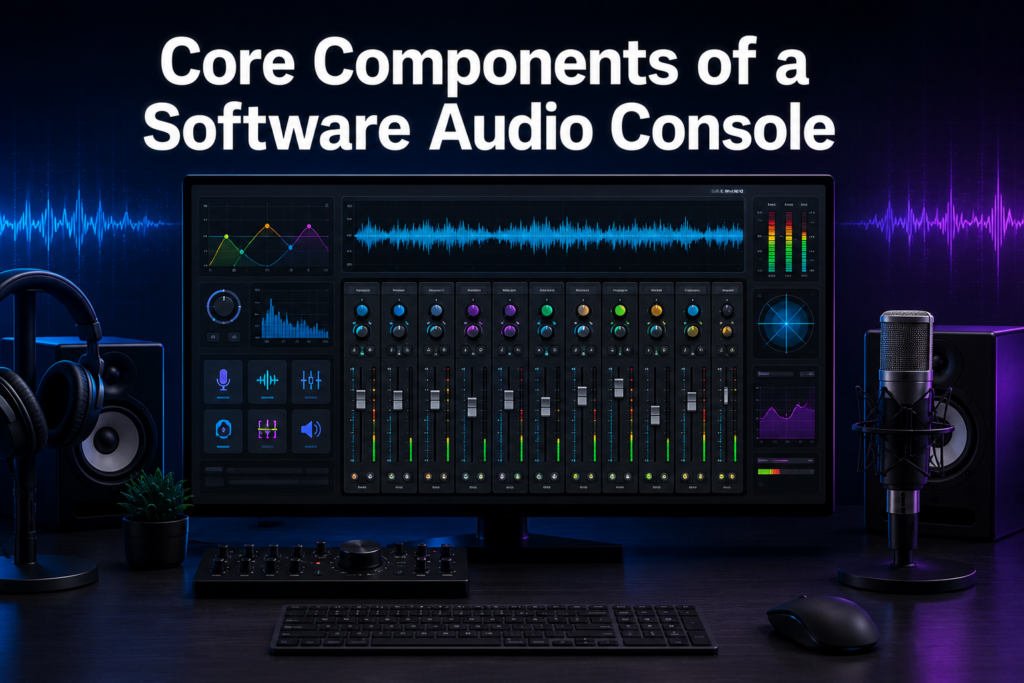
Every software audio console is built from a set of standard processing blocks. These blocks work together to shape raw audio into a polished final mix.
Channel Strips and EQ
Each input signal gets its own channel strip containing gain control, equalization, and routing options. The equalizer allows engineers to boost or cut specific frequencies to fix tonal issues or enhance clarity. Most software consoles offer multiple EQ bands with adjustable frequency, gain, and bandwidth.
Dynamics Processing Tools
Compressors, gates, and limiters fall under dynamics processing and help control volume consistency. A compressor reduces the difference between the loudest and quietest parts of a signal automatically. Gates remove unwanted background noise by muting a channel when the signal falls below a set threshold.
Routing, Buses and Automation
Routing determines where a signal travels after leaving its channel strip, such as to a group bus or effect. Automation records fader and parameter movements over time so they repeat automatically during playback or a live show. Together, these features allow highly complex mixes to run with minimal manual intervention.
Types of Software Audio Consoles
Not every software audio console is built the same way, and the right type depends on the intended use case. Some are integrated into larger software, while others run as independent applications.
DAW-Integrated Mixers
Digital Audio Workstations like Pro Tools, Logic Pro, and Ableton Live include a built-in mixer as part of the recording environment. These mixers are ideal for studio production since they connect directly with recorded tracks and plugins. They are generally not designed for live sound reinforcement.
Standalone Software Consoles
Standalone options such as Waves eMotion LV1 and SSL Live software operate independently from a DAW and focus purely on live mixing performance. They are optimized for low latency and real-time control during concerts or broadcasts. These systems usually pair with dedicated audio interfaces for stage input and output.
Cloud and Virtual Soundcheck Systems
Some modern platforms allow remote mixing through cloud connections, letting engineers control a show from anywhere with an internet connection. Virtual soundcheck systems record a live performance and let engineers rehearse the mix afterward without the band present. Both approaches save time and reduce the need for physical presence at every stage.
Features That Matter Most
Choosing the right software audio console depends heavily on the features it offers for a specific workflow. The table below outlines the most important ones to evaluate.
| Feature | Why It Matters |
| Channel Capacity | Determines how many inputs can be mixed simultaneously |
| Latency Performance | Affects how quickly audio responds during live use |
| Plugin Compatibility | Expands sound-shaping options beyond built-in tools |
| Recall Accuracy | Saves exact settings for repeat shows or sessions |
| Remote Control Support | Allows mixing from a tablet or phone during a show |
Performance and Latency
Latency refers to the delay between an input signal and its processed output, which is critical during live performances. A well-optimized software audio console keeps this delay low enough that it remains unnoticeable to performers and audiences. Poor latency management can cause timing issues that disrupt a live show.
Recall, Presets and Remote Control
Recall allows an engineer to save an entire mix, including every fader position and effect setting, for instant reuse later. This is especially valuable for touring shows or recurring events with consistent sound requirements. Many modern systems also support control through a tablet or smartphone app for added flexibility.
Popular Software Audio Consoles Compared
Several established options currently lead the market, each targeting slightly different users. The comparison below highlights their main strengths.
| Software Audio Console | Best For | Key Strength |
| Waves eMotion LV1 | Live sound engineers | Extremely low latency |
| SSL Live Software | Large-scale touring | High channel count |
| Pro Tools Mixer | Studio recording | Deep DAW integration |
| Logic Pro Mixer | Music producers | Intuitive workflow |
| Ableton Live Mixer | Electronic performers | Seamless live triggering |
Each option carries a distinct advantage depending on the project type. Studio-focused engineers typically favor DAW-integrated mixers, while touring professionals lean toward standalone systems built for reliability under pressure.
Where Software Audio Consoles Are Used
This technology has expanded far beyond traditional recording studios into many other industries. Its flexibility makes it suitable for both small and large-scale audio operations.
Live Sound and Broadcast
Concerts, conferences, and live broadcasts rely on software consoles to manage dozens of microphones and instruments simultaneously. Broadcast teams also use them to mix multiple audio feeds for television or streaming platforms in real time. The ability to save and recall settings makes repeat broadcasts far more efficient.
Studio and Content Creation
Recording studios use software consoles to mix vocals, instruments, and effects during music production. Podcasters and streamers use simplified versions to balance multiple microphones during recording sessions. This widespread adoption shows how accessible professional-grade mixing has become for everyday creators.
Advantages and Limitations
Like any technology, a software audio console offers clear benefits alongside a few practical challenges. Understanding both sides helps in making an informed decision.
Why Professionals Prefer Them
Software consoles cost significantly less than equivalent hardware systems while offering the same or greater functionality. They also take up far less physical space, which matters in small studios or crowded stage setups. Settings can be backed up digitally, eliminating the risk of losing a mix due to hardware failure.
Challenges to Keep in Mind
These systems depend entirely on computer hardware, meaning a crash or failure can interrupt an entire show. Beginners may also face a learning curve when adjusting to on-screen controls instead of physical knobs. Reliable backup systems are essential for any critical live event using software-based mixing.
Choosing and Setting Up the Right Console
Selecting a suitable software audio console requires matching its capabilities to the specific demands of a project. Setup also involves a few essential technical steps.
Evaluating Your Needs
Studio engineers should prioritize plugin compatibility and DAW integration over live-specific features. Live sound engineers should focus on latency performance and channel capacity instead. Budget and existing hardware compatibility should also factor heavily into the final decision.
Basic Setup Steps
Setup typically begins with installing the software and connecting a compatible audio interface for input and output. Next, inputs are configured and routed to their respective channel strips within the mixer. Finally, engineers save a base session template so future shows or sessions can start quickly.
Future of Software Audio Consoles
The technology continues to evolve rapidly as computing power and internet connectivity improve. New capabilities are already reshaping how engineers approach mixing.
AI and Automation Trends
Artificial intelligence is increasingly being used to suggest EQ settings or automatically balance channel levels during a mix. This reduces manual workload while still allowing engineers full creative control when needed. Expect these tools to become standard features in most major software consoles soon.
Immersive and Cloud Collaboration
Support for immersive audio formats is expanding, allowing engineers to mix in three-dimensional sound spaces rather than simple stereo. Cloud collaboration also lets multiple engineers work on the same session from different locations simultaneously. These trends point toward a more connected and flexible future for audio production.
Frequently Asked Questions
Can a software audio console fully replace hardware?
Yes, many professional venues now rely entirely on software-based systems for live and studio mixing.
Is software mixing reliable enough for live shows?
With proper backup systems and stable hardware, it performs as reliably as traditional consoles.
What computer specifications are needed?
A modern multi-core processor, sufficient RAM, and a dedicated audio interface are generally recommended.
Are software consoles suitable for beginners?
Yes, though a short learning period is needed to adjust to on-screen controls.
Conclusion
A software audio console has become an essential tool across studios, live venues, and broadcast environments worldwide. It offers the same core functionality as traditional hardware while adding flexibility, lower cost, and easier recall of settings.
Understanding its components, types, and setup process makes it easier to choose the right system for any project. As AI and cloud features continue to develop, this technology will only become more capable and widely used.
Related Articles
What Is the Easiest 3D Modeling Software for Beginners in 2026?
Bus Management Software: Features, Benefits, Types, Working Process, and Complete Guide
How to Actually Create Software: Step-by-Step Beginner to Advanced Guide
Guru Knowledge Base Software: Complete Guide, Features & Benefits
Standard Assessment Procedure Software Explained: A Complete Guide for Builders and Assessors


