

Bus Management Software: Features, Benefits, Types, Working Process, and Complete Guide
May 22, 2026
AULA F108 Pro Software Complete Guide: Features, Download, Installation & Customization
May 22, 2026
3D modeling has become a popular skill used in gaming, animation, architecture, and many creative industries. Many beginners want to learn it but often feel confused because some software looks difficult at first.
Beginner-friendly tools make the learning process easier with simple designs and easy controls. In this article, we will explore important factors that can help you understand and choose the right 3D modeling software.
What Is 3D Modeling Software?
3D modeling software is a digital tool used to create three-dimensional objects on a computer or tablet. These objects can be simple designs like cups and tables or advanced models like buildings, cars, game characters, and animated scenes.
Modern 3D software allows users to design objects from different angles while adding textures, colors, lighting, and realistic details. Some programs are made for beginners, while others are designed for professionals working in industries like engineering, film production, and architecture.
Today, 3D modeling is used in many industries, including:
- Video game development
- Interior and exterior design
- Product manufacturing
- Animation and movies
- 3D printing
- Virtual reality projects
Because of this growing demand, more beginners are trying to find simple software that is easy to understand and quick to learn.
Why Beginners Need Easy 3D Modeling Software?
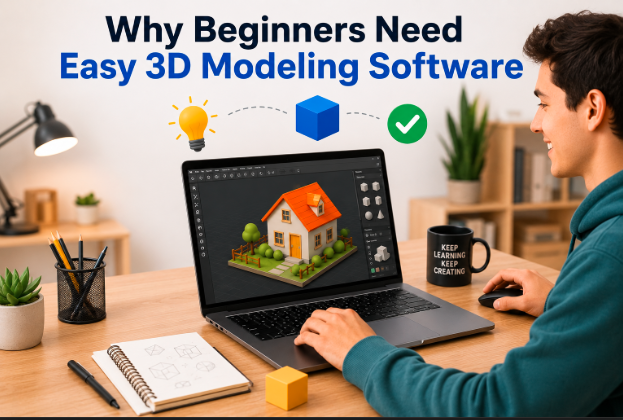
Many professional 3D applications contain hundreds of tools and advanced technical settings. Beginners often become frustrated when they open complex software for the first time because the interface looks crowded and difficult to understand.
Easy 3D modeling software removes this problem by simplifying the learning process. These tools are designed to help users create models without requiring years of technical experience. Simple platforms help beginners focus on creativity instead of complicated settings and commands.
Beginner-friendly software also saves time because users can learn basic modeling skills much faster. Instead of spending weeks understanding menus and shortcuts, beginners can immediately start designing simple objects and practicing their creativity.
Another important benefit is confidence building. When beginners successfully create their first 3D model, they feel motivated to continue learning more advanced skills in the future.
Features That Make 3D Modeling Software Easy to Use
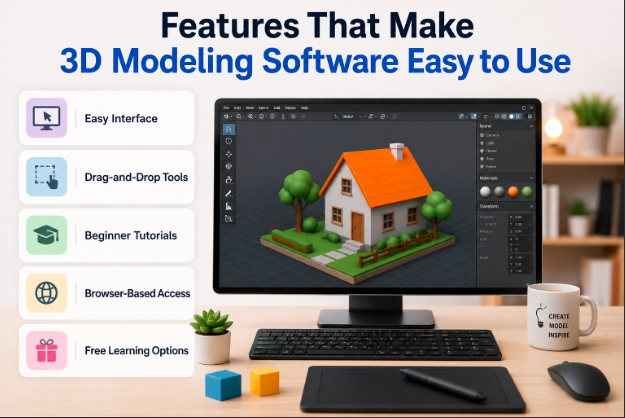
Different features can make 3D software easier for beginners. The following factors usually help users decide what is the easiest 3d modeling software for their needs.
Easy Interface
A clean and organized interface is one of the most important features for beginners. Easy software keeps tools arranged in a simple way so users can quickly understand where everything is located.
Programs with fewer distractions allow beginners to focus on modeling instead of searching through complicated menus. Large icons, labeled tools, and simple navigation systems also improve the user experience.
Simple interfaces reduce learning stress and help users work more comfortably, especially during the first few weeks of learning.
Drag-and-Drop Tools
Drag-and-drop functionality makes 3D modeling much easier for new users. Instead of manually entering complex commands, beginners can simply move shapes and objects using the mouse.
This system helps users quickly create models by combining basic shapes like cubes, cylinders, and spheres. Many beginner-friendly programs use this method because it feels natural and easy to understand.
Drag-and-drop editing also speeds up the design process and allows users to experiment with creative ideas without fear of making mistakes.
Beginner Tutorials
Tutorials are extremely important for learning 3D modeling. Good beginner software usually includes step-by-step guides, practice lessons, and interactive learning systems.
These tutorials teach users how to create simple projects while slowly introducing advanced tools over time. Video lessons, beginner exercises, and community support can greatly improve the learning experience.
Software with strong educational content is often recommended for students and first-time users because it reduces confusion and improves skill development.
Browser-Based Access
Many modern 3D modeling tools now work directly inside web browsers. This means users do not need to download large programs or own expensive computers.
Browser-based software is especially useful for beginners because it allows quick access from almost any device. Users can simply open a website and start creating models immediately.
Cloud-based storage is another advantage because projects can be saved online and accessed from different devices.
Free Learning Options
Most beginners prefer free software because they want to practice before spending money on professional tools. Free versions allow users to learn basic skills without financial pressure.
Some software provides complete free access, while others offer limited beginner plans with enough features for learning. This helps new users decide whether they want to continue using the software in the future.
Free learning tools are especially important for students, hobbyists, and small creators who are just entering the world of 3D modeling.
Best Easy 3D Modeling Software for Beginners
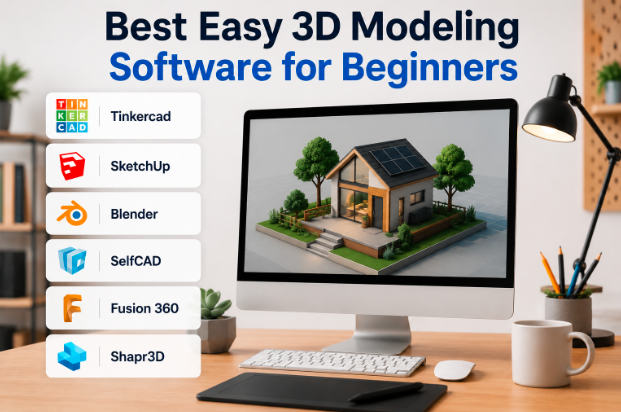
There are many beginner-friendly programs available today. Each software has different strengths depending on the user’s goals, learning style, and project type.
Tinkercad
Tinkercad is widely considered one of the easiest 3D modeling tools for absolute beginners. It uses a simple browser-based system that allows users to create designs using basic shapes and drag-and-drop editing.
The interface is very clean, which makes it ideal for children, students, and users with no technical experience. Beginners can create simple 3D printed objects within minutes of starting the software.
Tinkercad is especially popular in schools because it helps students learn design basics without feeling overwhelmed by advanced tools.
SketchUp
SketchUp is another beginner-friendly software known for its simple design tools and easy learning process. It is commonly used for architecture, interior design, and home planning projects.
The software allows users to create buildings and rooms using straightforward drawing tools. Many beginners like SketchUp because it feels similar to sketching on paper.
Its browser version also makes it convenient for users who want fast access without downloading heavy software programs.
Blender
Blender is one of the most powerful free 3D creation tools available today. Although it has more advanced features than some beginner programs, many users still start with Blender because it offers unlimited creative possibilities.
The software supports animation, game design, sculpting, video editing, and visual effects. Beginners may need extra practice to understand the interface, but thousands of tutorials are available online.
Blender is often recommended for users who want to move into professional 3D careers later.
SelfCAD
SelfCAD is designed specifically to make 3D modelling easier for beginners. It combines modelling tools, tutorials, and 3D printing features inside one platform.
The dashboard is simple to understand, and the software includes built-in lessons that guide users step by step. Beginners can quickly learn how to shape, edit, and prepare objects for printing.
Because of its educational focus, SelfCAD is a good option for users who want a balance between simplicity and advanced functionality.
Fusion 360
Fusion 360 is commonly used for engineering and product design projects. Even though it includes professional tools, many beginners still find it manageable because of its organized interface and learning resources.
The software supports technical design, mechanical parts, and industrial modeling. Students and engineering learners often choose Fusion 360 because it helps them develop professional-level skills early.
Fusion 360 also offers cloud collaboration tools that improve teamwork and project management.
Shapr3D
Shapr3D is popular among tablet users, especially people using iPads with touch controls. The software focuses on simple gestures and smooth design experiences.
Its touch-based system makes modelling feel more natural compared to traditional desktop software. Designers can easily draw shapes, adjust dimensions, and create models using a stylus.
Shapr3D is often recommended for beginners who prefer portable devices and modern design workflows.
Comparison Table of Easy 3D Modelling Software
| Software | Difficulty Level | Best For | Free Version | Platform |
| Tinkercad | Very Easy | Students & Beginners | Yes | Browser |
| SketchUp | Easy | Architecture | Yes | Web/Desktop |
| Blender | Medium | Animation & Gaming | Yes | Windows/Mac/Linux |
| SelfCAD | Easy | 3D Printing | Yes | Browser/Desktop |
| Fusion 360 | Medium | Engineering Design | Yes | Desktop |
| Shapr3D | Easy | Tablet Designers | Limited | iPad/Desktop |
How to Choose the Right 3D Modelling Software?
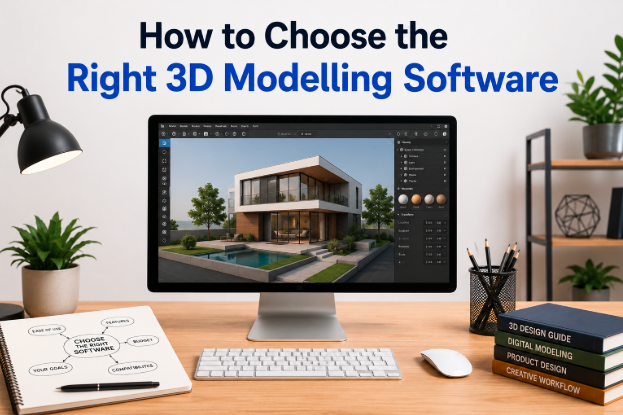
Choosing the correct software depends on your goals, experience level, and device compatibility. Beginners should focus on tools that match their learning style and future project plans.
Based on Skill Level
Complete beginners should choose software with simple tools and beginner tutorials. Programs like Tinkercad and SketchUp are often easier for first-time users.
Intermediate users who want advanced creative control may prefer Blender or Fusion 360 because these programs offer more professional features.
Choosing software based on your current skill level helps reduce frustration and improves learning speed.
Based on Project Type
Different software is designed for different creative tasks. Some programs work better for animation, while others focus on architecture or engineering.
For example:
- Blender is excellent for animation and game design
- SketchUp works well for architecture projects
- Fusion 360 is ideal for engineering models
- Tinkercad is perfect for simple 3D printing projects
Selecting software according to project goals improves workflow efficiency and overall design quality.
Device Compatibility
Some 3D programs require powerful computers, while others can run inside a web browser. Beginners with older laptops may prefer lightweight software to avoid performance problems.
Tablet users may enjoy touch-based tools like Shapr3D, while desktop users might choose Blender or Fusion 360 for stronger processing power.
Checking compatibility before installation helps avoid technical issues later.
Budget Considerations
Budget is another major factor when selecting 3D modelling software. Some tools are completely free, while others require monthly subscriptions.
Beginners often start with free versions before upgrading to premium plans. Free software allows users to learn important skills without financial risk.
It is usually better to master free beginner tools before investing in expensive professional software.
Best Software for Different Users
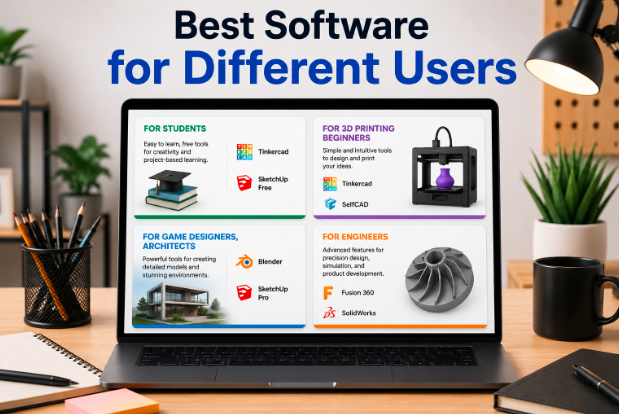
Different users have different goals, so the best software choice can vary depending on personal needs and industries.
Students usually need software that is easy to understand and affordable. Tinkercad and SketchUp are excellent choices because they provide educational tools and simple interfaces.
These platforms help students practice creativity while learning important design concepts.
Students
People interested in 3D printing should choose software that supports printable file formats and simple object creation.
Tinkercad and SelfCAD are commonly recommended because they simplify the process of preparing designs for printers.
3D Printing Beginners
Future game developers often start with Blender because it supports character modelling, animation, and visual effects.
Although Blender takes time to master, it offers professional-level features completely free of cost.
Game Designers, Architects
Architects and interior designers often prefer SketchUp because it allows quick building creation and room planning.
The software helps users visualize structures in a realistic and organized way.
Engineers
Engineering students and product designers commonly use Fusion 360 because it supports technical measurements and mechanical design systems.
It is especially useful for creating accurate industrial parts and engineering prototypes.
Benefits of Using Beginner-Friendly 3D Modelling Software
Easy software helps beginners learn faster while reducing frustration and confusion. Simple tools allow users to focus on creativity instead of technical problems.
Beginner-friendly programs also improve confidence because users can quickly complete projects and see visible results. This creates motivation for long-term learning and skill improvement.
Another major benefit is accessibility. Many beginner tools work online and do not require expensive hardware, making 3D design available to a larger audience.
Easy software also encourages experimentation. Beginners can test ideas freely and develop their artistic skills without fear of damaging complex projects.
Common Mistakes Beginners Should Avoid
Many beginners make the mistake of starting with highly advanced software too early. This often causes frustration and slows down the learning process.
Another common mistake is ignoring tutorials. Watching beginner lessons and practising simple projects can greatly improve understanding and skill development.
Some users also expect professional results immediately. 3D modelling requires patience and consistent practice over time.
Using weak hardware can create lag and performance issues, especially with advanced software. Beginners should always check system requirements before installing large programs.
Finally, many users quit too quickly after facing early challenges. Learning 3D modelling takes time, and regular practice is the key to improvement.
Tips to Learn 3D Modelling Faster
Beginners should start with simple projects like cups, boxes, or furniture models before attempting advanced designs.
Watching tutorials regularly helps users understand shortcuts, workflows, and creative techniques more effectively. Practice is also extremely important because repetition improves muscle memory and tool familiarity.
Joining online communities can help beginners receive advice, project feedback, and motivation from experienced designers.
Users should also focus on learning one software properly instead of constantly switching between different programs. Mastering one tool creates a stronger foundation for future growth.
Most importantly, consistency matters more than speed. Even short daily practice sessions can lead to major improvements over time.
Future of Easy 3D Modelling Software
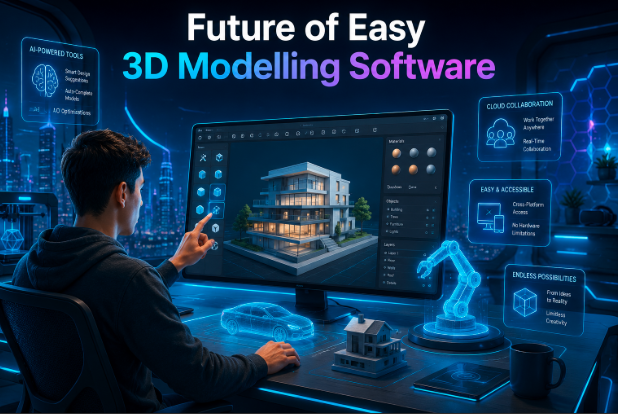
The future of beginner-friendly 3D modelling software looks very promising. Artificial intelligence is already helping users generate models faster using smart automation tools.
Browser-based platforms are also becoming more powerful, allowing users to create advanced projects without high-end computers.
Mobile and tablet modelling applications will likely continue growing because touch-based design feels more natural for many beginners.
Cloud collaboration features are also improving teamwork between designers, students, and businesses around the world.
As technology becomes more accessible, learning 3D modelling will become easier, faster, and more affordable for future creators.
FAQs
Can I learn 3D modelling without drawing skills?
Yes, many beginners learn 3D modelling without traditional drawing experience. Most software uses shapes, tools, and digital controls instead of hand drawing.
How long does it take to learn basic 3D modelling?
Most beginners can understand basic tools and simple object creation within a few weeks of regular practice.
Is 3D modelling difficult for beginners?
3D modelling can feel confusing at first, but beginner-friendly software makes the learning process much easier and more manageable.
Which 3D modelling software works best on low-end computers?
Browser-based tools like Tinkercad and lightweight programs like SketchUp Free usually work better on low-performance systems.
Can I use 3D modelling software on a tablet?
Yes, some modern applications, such as Shapr3D, are designed specifically for tablets and touch-based devices.
Do I need a graphics card for 3D modelling?
Basic 3D modelling can work without a powerful graphics card, but advanced rendering and animation perform better with dedicated GPUs.
Conclusion
Choosing the right beginner-friendly software is the first step toward learning 3D design successfully. If you are wondering what is the easiest 3d modeling software is, tools like Tinkercad, SketchUp, and SelfCAD are excellent starting points because they offer simple interfaces and easy learning systems.
Every software has different strengths, so the best option depends on your goals, device, and experience level. With regular practice and the right software, beginners can quickly improve their skills and create professional-quality 3D models over time.
Related Articles
How to Actually Create Software: Step-by-Step Beginner to Advanced Guide
Bus Management Software: Features, Benefits, Types, Working Process, and Complete Guide
AULA F108 Pro Software Complete Guide: Features, Download, Installation & Customization
How to use CAFM software?


